
VIVO Black Quad Monitor Desk Mount
4.6Editor score
Accommodates large ultrawide screens
Uses dual support poles
Provides flexible screen articulation
Fits thicker desktop surfaces
A quad monitor mount for desk can transform a crowded workstation into a focused, productive command center. The best systems combine broad screen compatibility, smooth adjustment, dependable support, tidy cable routing, and installation methods suited to your furniture. A mount also frees valuable surface space for a keyboard, laptop, notes, or other everyday equipment.
We compared ten quad monitor mounts using the specifications supplied for each product, including supported screen sizes, weight limits, VESA patterns, articulation, height adjustment, mounting options, and construction. The list covers stacked, pole-based, pneumatic, and ultrawide-focused designs for office, creative, gaming, trading, and multi-application workstations.
Each pick highlights a distinct reason to consider it, from budget-friendly four-screen support to heavy-duty arrangements for very large ultrawide displays. Product ratings and configurations can change over time, and prices fluctuate, so readers should verify current availability, monitor weight, VESA compatibility, and desk dimensions before ordering.
4.6Editor score

4.6Editor score
4.6Editor score
As an Amazon Associate we earn from qualifying purchases.
This side-by-side comparison organizes all ten mounts by their intended display scale, support capacity, adjustment system, and installation method, making it easier to identify the right design for a particular four-screen workstation.



The WALI Stacked 4 Monitor Mount is a versatile four-display solution for users who want extensive positioning control without moving to a specialized ultrawide system. It carries up to 22 pounds per arm and supports most flat or curved LED and LCD screens up to 27 inches. Its 4.5 rating reflects a well-rounded design that balances reach, articulation, stability, and practical desk organization.
We may earn a commission when you buy through this link, at no additional cost to you.
One of the mount's strongest features is its range of movement. Each arm can tilt 35 degrees in either direction, swivel 90 degrees, and rotate through a full 360 degrees. Maximum height reaches 31.65 inches, while extension extends as far as 51.2 inches. These specifications make the mount useful for horizontal arrays, stacked configurations, mixed orientations, and dedicated side displays.
Installation can use either a C-clamp or a grommet base. The C-clamp accommodates desk thicknesses from 0.2 to 3.62 inches, while the grommet option supports desktops between 0.39 and 2.56 inches. Steel construction provides support, and integrated cable management helps keep wiring tucked along the arms. The supplied hardware and manual are included in the package.
The main limitation is screen size: displays larger than 27 inches fall outside the stated compatibility range. A four-screen arrangement also needs careful placement to prevent the outer panels from overlapping and to maintain a comfortable viewing distance. Even so, this is a strong all-around choice for standard professional monitors, especially when frequent screen movement and flexible layouts matter more than ultrawide support.
Tilt, swivel, rotation, extension, and generous height travel allow each display to be placed according to the task. The result is a more adaptable workspace for coding, analysis, gaming, presentations, and screen sharing.
Elevating the screens returns their footprint to the desk while integrated cable management keeps the remaining cords aligned with the support arms. A C-clamp also avoids drilling in many installations.
We may earn a commission when you buy through this link, at no additional cost to you.
The VIVO Pneumatic Arm Quad Ultrawide Monitor Extra Tall Desk Mount is built for large, demanding screen configurations. It supports up to 44 pounds per arm and is intended to fit four ultrawide displays, with capacity for one screen up to 49 inches and two up to 38 inches according to the supplied description. Its 4.5 rating makes it a compelling premium option for users who routinely use oversized panels.
We may earn a commission when you buy through this link, at no additional cost to you.
Pneumatic arms provide counterbalanced height movement, allowing heavy screens to reposition with less manual force. Each joint offers a tilt range of plus 55 to minus 25 degrees, 180-degree swivel, and 360-degree rotation. Those ranges are particularly valuable for large curved displays, whose weight and shape can make ordinary monitor arms feel restrictive.
The stand uses cast aluminum for the clamp base and arms, while high-capacity tilt joints are designed to resist sagging under heavier loads. A clamp base accommodates desktops up to 2 inches thick. Detachable VESA plates simplify display attachment, and the package includes instructions and mounting hardware for assembly.
This is not a universal four-monitor mount for every desk. Its stated size arrangement is specialized around ultrawide screens, and the 2-inch clamp limit may not suit thicker desks. For a workstation built around one 49-inch panel and supporting ultrawide displays, however, the combination of pneumatic movement and substantial load capacity is unusually purposeful.
Counterbalanced movement is especially useful when each display is large or heavy. The arms can be repositioned more easily, making it simpler to align a large curved screen with a central viewing position.
Rather than treating every fourth screen as identical, the compatibility details focus on a large central workload and smaller ultrawide companions. Buyers should map the intended panel sizes before installation.
We may earn a commission when you buy through this link, at no additional cost to you.
The VIVO Quad Pneumatic Monitor Mount is a polished option for standard 17- to 32-inch screens. It supports four monitors with individual weight limits of 17.6 pounds and combines dual pneumatic side arms with fixed center brackets. The resulting 4.4 rating remains solid, and the design is particularly appealing to users who prioritize effortless height movement.
We may earn a commission when you buy through this link, at no additional cost to you.
Pneumatic springs counterbalance the monitors, while tension can be increased or decreased according to display weight. The side arms provide plus or minus 90 degrees of tilt, 180-degree swivel, and 360-degree rotation. The fixed central brackets offer the same broad movement, making it possible to create a symmetrical four-screen array or a two-over-two arrangement.
Steel and aluminum provide the structural support, and a heavy-duty C-clamp secures the system to surfaces up to 3.25 inches thick without requiring a drilled grommet. Step-by-step instructions and hardware are included. The practical result is a desk that supports several displays while keeping the monitor bases off the work surface.
The fixed center sections are less flexible than mounts where every screen hangs from an articulated arm, and the 17.6-pound limit is lower than some competing systems. Nevertheless, this mount makes a strong case for users who move between seated and standing positions or frequently raise and lower their displays.
Adjustable spring tension makes each pneumatic arm more responsive to the attached display. This is a meaningful advantage when a four-screen configuration is adjusted throughout the day rather than remaining in one fixed arrangement.
The C-clamp installation avoids permanent changes to the desk and accommodates relatively thick surfaces. It is a practical choice for rented offices, temporary workstations, and users who may reorganize their equipment.
We may earn a commission when you buy through this link, at no additional cost to you.
The WALI Quad Monitor Desk Mount is an adaptable four-screen foundation for offices, studios, trading desks, and gaming systems. It accommodates most flat-panel displays from 13 to 32 inches, supports 22 pounds per arm, and carries a 4.6 rating. That combination of broad compatibility and practical articulation makes it one of the most approachable choices in the group.
We may earn a commission when you buy through this link, at no additional cost to you.
The arms extend and retract, tilt plus or minus 90 degrees, swivel plus or minus 90 degrees, and rotate a full 360 degrees. The 31.5-inch height pole adds useful vertical travel, while detachable mounting plates fit both 75x75mm and 100x100mm VESA patterns. These features allow users to mix landscape and portrait screens or create stacked rows.
A two-stage locking system allows the base to work as either a 3.62-inch C-clamp or a 3.62-inch grommet base. Integrated cable management guides cords along the arms, and lifting the four panels frees room for a keyboard, notebook, docking station, or documents. The mount, hardware kit, and manual are included.
The most obvious limitation concerns desktop geometry. Four screens require enough width and depth to avoid overlap, and the clamp occupies part of the desk edge. Buyers with a narrow desk should model the arrangement before ordering. For standard monitors, though, this mount provides an excellent balance of range, strength, and straightforward adjustment.
The 13- to 32-inch range allows a workstation to mix smaller utility screens with larger primary displays. Standard 75x75mm and 100x100mm VESA support keeps compatibility broad across common monitor brands.
Raising the displays reclaims the space occupied by their original stands. Cable guidance and a 31.5-inch pole then help produce a cleaner, more adjustable working area without sacrificing screen access.
We may earn a commission when you buy through this link, at no additional cost to you.
The MOUNTUP Quad Monitor Stand combines a 4.6 rating with a generous adjustment package and accessible installation process. It supports 17- to 32-inch flat or curved LED and LCD displays, accommodates standard 75x75mm and 100x100mm VESA patterns, and supports up to 17.6 pounds on each arm.
We may earn a commission when you buy through this link, at no additional cost to you.
Monitors rotate 360 degrees, tilt plus or minus 90 degrees, and swivel 180 degrees, allowing landscape, portrait, and stacked arrangements. The center pole provides height adjustment, and cable clips help organize the wiring. These features make the stand useful for a compact home office, a gaming station, or a productivity desk where a user wants to alternate between one large focus display and multiple supporting panels.
The base can be installed with a C-clamp or grommet mount. According to the supplied information, the C-clamp works with desk thicknesses from 0.39 to 3.15 inches, while the grommet option works with thicknesses from 0.39 to 2.36 inches and a hole diameter from 0.39 to 2.36 inches. Quick-release VESA plates, labeled hardware, instructions, and necessary mounting components are included.
Its 17.6-pound arm capacity is below the 22-pound figure offered by several alternatives, so heavier monitors require careful checking. Desk thickness also differs depending on the chosen base. Even with those constraints, the 4.6 rating, flexible screen movement, straightforward setup, and stated three-year support make this a strong budget-oriented recommendation.
Full rotation and broad tilt and swivel ranges let users reshape the display arrangement without replacing the entire stand. That flexibility is especially helpful for mixed portrait and landscape workflows.
C-clamp and grommet choices let the owner select the method that best matches the desktop. Quick-release plates then make it easier to attach or rearrange compatible monitors after assembly.
We may earn a commission when you buy through this link, at no additional cost to you.
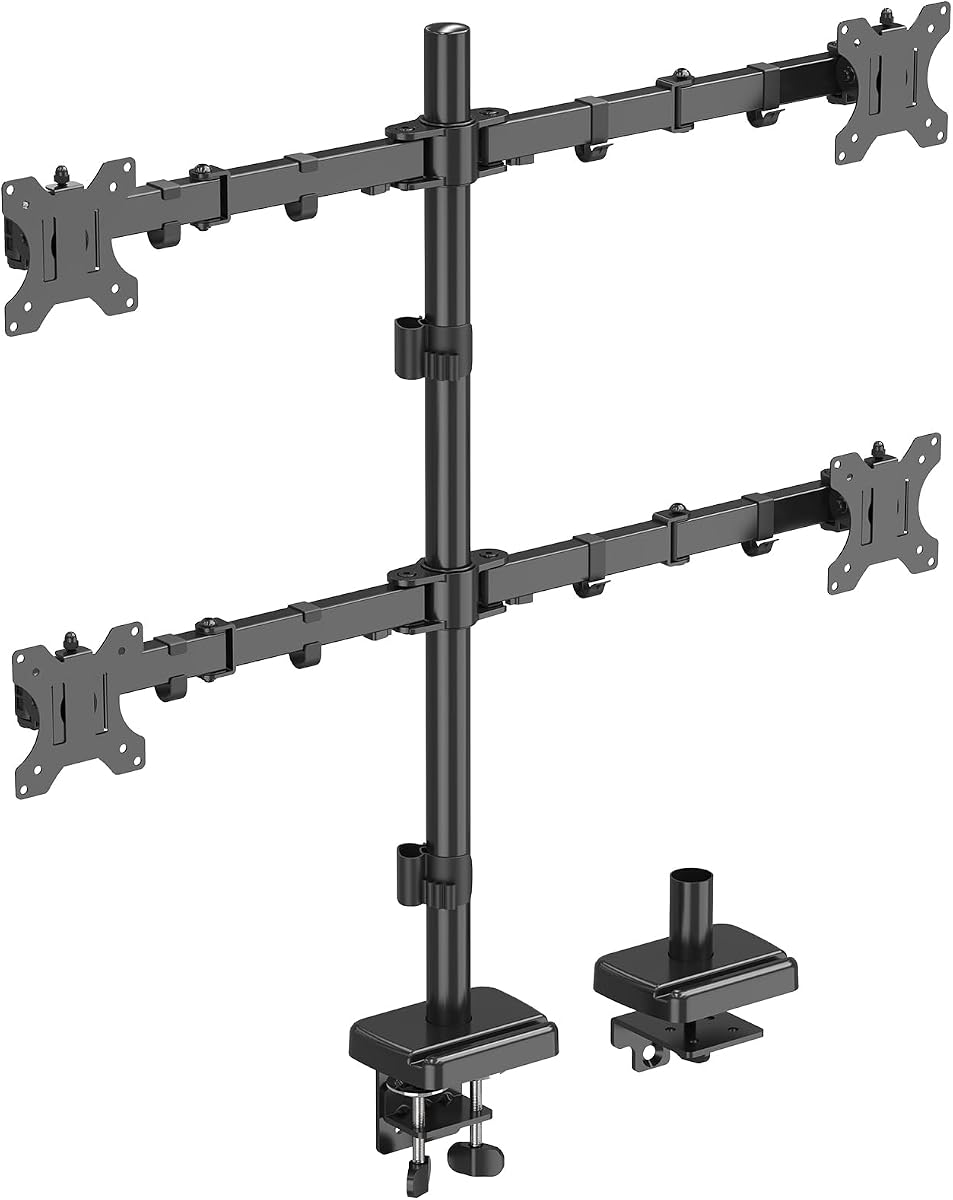
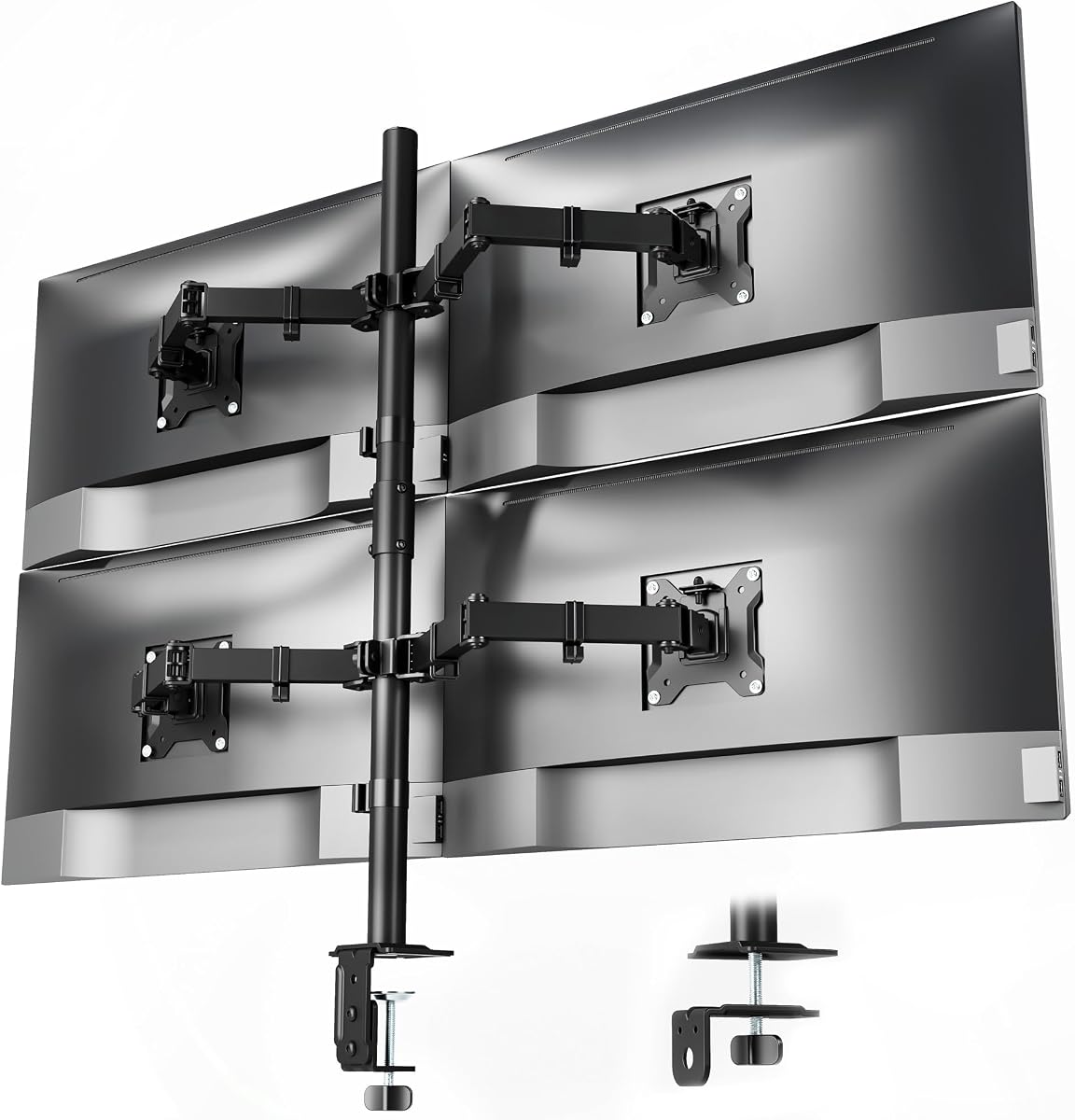
The VIVO Black Quad Monitor Desk Mount is designed for a serious ultrawide workstation. It accommodates four large screens, including up to 49-inch models on the two center brackets in landscape orientation and up to 38-inch models on the side brackets in portrait. Its 4.6 rating reflects a capable premium design for users who regularly work with expansive displays.
We may earn a commission when you buy through this link, at no additional cost to you.
Support capacity varies by position. The center brackets handle up to 48.4 pounds for curved screens and 59.4 pounds for flat screens, while each side arm supports up to 17.6 pounds. This is useful when a large central ultrawide monitor is paired with narrower side panels, but it requires buyers to check which bracket will carry each display.
A two-pole structure allows large screens to sit farther back against a wall, producing a lower-profile appearance than a single-pole system. The center brackets offer plus 55 to minus 25 degrees of tilt, 360-degree swivel, and 360-degree rotation. Side arms provide plus or minus 90-degree tilt, 360-degree swivel, and 360-degree rotation.
The C-clamps support desktops up to 3.3 inches thick and can accommodate straight or corner desks. Detachable VESA plates simplify installation, with instructions and hardware included. The specialized size and position limits mean this is not the simplest general-purpose four-screen mount, but for a high-end ultrawide command center, the support and low-profile design are difficult to overlook.
The center brackets carry the heaviest loads, allowing a large curved ultrawide panel to occupy the primary visual position. Side screens can then function as specialized vertical workspaces around it.
Two poles provide more stable positioning for broad displays and permit the screens to move closer to a wall. This creates a more finished appearance for a permanent professional workstation.
We may earn a commission when you buy through this link, at no additional cost to you.
The MOUNT PRO 4 Monitor Mount is a straightforward four-screen solution designed around common flat and curved computer displays. It supports monitors up to 32 inches, handles 17.6 pounds per display, and fits standard 75x75mm and 100x100mm VESA patterns. Its 4.5 rating indicates a dependable general-purpose option for users building a multi-application desk.
We may earn a commission when you buy through this link, at no additional cost to you.
The stand provides plus or minus 90 degrees of tilt, 180-degree swivel, and 360-degree rotation. Its extra-tall pole reaches 31.7 inches, offering enough vertical range to align four screens above the original desktop footprint. Whether the goal is a horizontal array, a stacked arrangement, or a mixture of orientations, the available movement gives the user considerable freedom.
A C-clamp attaches the vertical mount to desks ranging from 0.59 to 3.15 inches thick. Cable clips keep the wiring together, while labeled parts and clear instructions are intended to simplify assembly. The result is a practical workstation organizer for software development, media review, surveillance, finance, and everyday multitasking.
One consideration is that the supplied specifications mention only a C-clamp installation, without a grommet alternative. The minimum 0.59-inch desk thickness may also exclude especially thin surfaces. Otherwise, the mount offers solid everyday compatibility, useful height travel, and enough articulation to make four displays practical on a shared workstation.
A 31.7-inch pole provides meaningful vertical adjustment for taller desk setups. It can support staggered arrangements that would be difficult to achieve with four separate low-profile stands.
Support for two common VESA patterns and screens up to 32 inches covers many mainstream office displays. Checking each monitor's weight and mounting pattern remains essential before assembly.
We may earn a commission when you buy through this link, at no additional cost to you.
The WALI Ultrawide Quad Mount is built around a specific but increasingly useful configuration: one 49-inch ultrawide screen above three 27-inch standard monitors. The top bracket holds up to 44 pounds, while each lower bracket supports up to 19.8 pounds. With a 4.6 rating, it stands out for users who want a panoramic primary display and multiple smaller working panels.
We may earn a commission when you buy through this link, at no additional cost to you.
The upper bracket has a plus or minus 20-degree tilt and 180-degree swivel, while the side brackets tilt plus or minus 45 degrees and swivel 180 degrees. All brackets rotate a full 360 degrees. The top bracket and arm also adjust along the center pole, allowing the ultrawide display to be aligned with the smaller screens below.
Steel is used for the clamp base and arms, and the product description states that the mount survived more than 20,000 fatigue tests, equivalent to ten years of daily adjustments. A C-clamp fits desks from 0.39 to 3.15 inches thick, while a grommet base fits 0.39- to 1.57-inch desktops. Tools and straightforward instructions are included.
Its specialized size layout is the chief trade-off. It is not a flexible option for four identical screens, and the top bracket has a narrower tilt range than the lower mounts. For the exact one-ultrawide-plus-three-standard setup, however, the balanced structure, cable management, and mixed-size support are compelling.
The fixed configuration removes the guesswork involved in combining very different display sizes. A broad upper screen can serve as a shared overview while the lower panels retain separate tasks.
Steel components and a stated fatigue-test result support confidence in long-term use. Users should still follow the included torque and assembly instructions to preserve stability.
We may earn a commission when you buy through this link, at no additional cost to you.
The monTEK Quad Monitor Stand offers a balanced mix of compatibility, movement, and installation convenience. It supports four displays from 17 to 32 inches, handles up to 22 pounds per arm, and works with 75x75mm and 100x100mm VESA mounting holes. Its 4.6 rating places it among the stronger general-purpose choices in this guide.
We may earn a commission when you buy through this link, at no additional cost to you.
Adjustment includes minus 45 to plus 45 degrees of tilt, minus 90 to plus 90 degrees of swivel, and 360-degree rotation. Those ranges allow the four panels to form a horizontal command center, a stacked workstation, or a mixed landscape-and-portrait arrangement. The articulated joint design is also intended to keep each display securely level without sagging.
Integrated cable organizers keep cords out of the way, and quick-release VESA plates simplify attaching the monitors. Users can install the base with either a C-clamp or a grommet mount, and the package includes comprehensive instructions and the necessary components. The supplied information states that installation typically takes about 20 minutes.
The 17-inch minimum screen size excludes very small auxiliary displays, and the exact clamp thickness range is not provided in the supplied specifications. For users with standard monitors, however, the 22-pound capacity, broad movement, and straightforward assembly make this a particularly well-rounded four-screen option.
The high-grade joint system is designed to keep all four panels level while permitting a wide range of motion. This makes frequent repositioning practical without relying on separate stands.
Quick-release plates simplify connecting the displays, while integrated organizers reduce visible wire clutter. Together, they improve both installation efficiency and the final appearance.
We may earn a commission when you buy through this link, at no additional cost to you.
The HUANUO Quad Monitor Mount is a reinforced four-screen option designed to bring order to demanding multitasking setups. It fits 13- to 32-inch monitors, supports 22 pounds per arm, and accommodates 75x75mm and 100x100mm VESA patterns. The supplied 4.6 rating makes it a credible choice for trading, dispatch, editing, gaming, and general professional use.
We may earn a commission when you buy through this link, at no additional cost to you.
A larger mounting base increases desktop contact and support, while a thickened pole and solid steel construction reinforce the structure. The stand offers plus or minus 90 degrees of swivel, plus or minus 45 degrees of tilt, and 360-degree rotation. These ranges support a horizontal four-screen arrangement, a two-by-two stack, or a combination of vertical and landscape displays.
The 34.25-inch pole provides vertical positioning for stacked layouts. Built-in cable management organizes the monitor wiring, and lifting all four panels frees room for a keyboard, mouse, control panel, documents, and other equipment. This makes the mount especially attractive when desk surface area is already under pressure.
The product description includes a specific installation note: when an arm must pass the connector area during height adjustment, remove the corresponding screw, move the arm through, and resecure it. The supplied data also gives less detail about base thickness than some competing listings. Even so, the large base and reinforced build offer reassuring stability for a fixed multi-monitor arrangement.
A wider base and thicker pole improve stability compared with minimal single-screen supports. That foundation is valuable when four panels are operating in a busy professional environment.
Swivel, tilt, and rotation make it practical to move between wide overview rows and mixed portrait layouts. The tall pole adds another dimension of control for stacked configurations.
We may earn a commission when you buy through this link, at no additional cost to you.
A useful quad monitor mount must match the size, weight, VESA pattern, and arrangement of the displays while fitting the desk securely. Beyond those essentials, stability, adjustment range, cable management, and installation method determine how comfortable the finished workstation feels.
Begin by listing the diagonal size and intended position of every display. General-purpose mounts often support four screens from roughly 13 or 17 inches through 32 inches, while ultrawide models may accommodate one 49-inch panel alongside three smaller screens. Some systems are specifically designed around one 49-inch display and two displays up to 38 inches, with a fourth position available. The right choice is the one whose stated layout matches the actual arrangement rather than merely offering four attachment points.
Match the mount to your screen sizes, including any portrait displays.
Check the weight of each monitor, including any attached accessory that may load the arm, against the mount's per-screen limit. Listed capacities range from 17.6 pounds to as much as 59.4 pounds for certain center positions in heavy-duty systems. A limit that sounds generous is less useful if it applies only to one bracket, so buyers should review capacity for the exact screen position they intend to use.
Verify every monitor's weight and arm rating.
Most current mounts support 75x75mm and 100x100mm VESA patterns, but compatibility should always be confirmed before purchase. Some displays use different patterns, and a monitor with a built-in arm may not expose standard mounting holes. Detachable VESA plates can make attachment easier, but they do not change the underlying hole requirement. Checking the back of each monitor and its listed specifications avoids an installation day ending with incompatible hardware.
Confirm the exact VESA pattern first.
C-clamp installation is convenient because it grips the desk edge and normally avoids drilling. Grommet bases can look cleaner when a permanent hole is acceptable, and their suitability depends on both desktop thickness and hole diameter. Across the guide, clamp capacity varies from 0.2 to 3.62 inches, with some mounts limited to a narrower range. Measure desk thickness, edge clearance, and available space behind the screens before choosing an attachment method.
Measure the desk before selecting a base.
Tilt, swivel, rotation, extension, and height adjustment determine how well a display can be aligned for its user. Pneumatic counterbalance systems are especially useful for heavier panels because they assist movement and help maintain a chosen height. Fixed center brackets may provide enough flexibility for symmetrical layouts but offer fewer placement choices than arms that can move independently. For frequent changes, favor the configuration with the greatest movement at the positions that matter most.
Prioritize movement where you work most.
A four-screen system places more leverage on the desk clamp and support pole than a single monitor arm. Larger bases, thicker poles, metal construction, and higher-capacity joints help resist sagging and wobbling. Ultrawide panels place greater demands on center supports, while several lighter side screens may change the balance differently. The supplied WALI ultrawide model states that it passed more than 20,000 fatigue tests, whereas other models emphasize steel construction, cast aluminum, or reinforced bases. These features should be considered together with desk quality.
Prioritize rigidity for large displays.
A good mount should not simply move the original clutter upward. Integrated cable guides, arm-routing channels, or included clips keep power and video cables aligned with the support structure. At the same time, removing four monitor bases can reclaim substantial desk space for a keyboard, laptop, drawing tablet, or paperwork. Evaluate both the physical footprint of the clamp and the space needed behind each screen; a four-screen array requires depth as well as width.
Plan cable routes and clearance together.
A mount that arrives with clearly labeled components, mounting hardware, a user manual, and detachable VESA plates can reduce setup time and confusion. Some products describe an assembly process of less than 20 minutes, while others emphasize step-by-step instructions, though actual time depends on the desk and the number of displays. Identify every screen, position, and base before assembly so the correct arm is attached to the intended location. Follow the supplied instructions and avoid overtightening fasteners.
Inventory parts before assembly begins.
Start by confirming that every monitor has compatible VESA holes and falls within the mount's size and weight limits. Measure the desk, inspect the underside and rear edge, and choose the appropriate C-clamp or grommet method. Loosen the clamp before positioning it, tighten it evenly, and check that the base sits flush without over-compressing the desktop.
Attach the VESA plates to the monitors while they are safely supported on a flat surface, then install the plates into the appropriate arm or bracket. Follow the manual's sequence because the order can vary by design. Route cables before the final position is set, leaving enough slack for movement without creating loops that pull on the connectors. Tighten the securing screws while keeping the display centered and level.
Adjust one display at a time. Use tilt to reduce glare, swivel to bring side screens toward the user, and rotate only when a portrait panel or alternate layout is needed. On pneumatic models, set the counterbalance tension for the attached screen before making height changes. Periodically inspect the clamp, joints, screws, and VESA connections, and avoid exceeding the published load or extension limits.
No. Several general-purpose models support four displays up to 32 inches, but others are limited to 27 inches. Ultrawide systems may reserve their highest capacity for one or two center positions. Check both the screen-size limits and the weight rating for every bracket before buying.
Look for four threaded mounting holes in a square on the back of each monitor and measure the spacing. The most common patterns in this guide are 75x75mm and 100x100mm. Displays that use a proprietary arm, have a nonstandard pattern, or lack exposed VESA holes need a compatible adapter or a different mounting approach.
A C-clamp is usually less permanent because it attaches to the desk edge without drilling, making it useful for temporary or rented setups. A grommet base can create a cleaner installation but requires a properly sized hole and careful sealing. Confirm the mount's stated thickness and diameter limits either way.
Pneumatic arms use internal springs or gas mechanisms to counterbalance the attached display. This reduces the force needed to raise or lower a monitor and can make large screens easier to position. The spring tension may also need adjustment to match the weight of each display.
Yes, provided each screen remains within the mount's size and weight limits and has a compatible VESA pattern. Some products are intentionally configured for one 49-inch ultrawide and three 27-inch displays, while others are more flexible. Always review the capacity of the specific arm or bracket that will hold each monitor.
The requirement depends on the display dimensions, mounting configuration, and adjustment range. Four landscape screens placed side by side can require substantial width, while stacked or mixed portrait layouts may need more height and depth. Leave room behind the screens for ventilation, cable movement, and a comfortable viewing distance.
Many mounts in this guide support both flat and curved LED or LCD displays, but compatibility must be confirmed for each model and screen size. Curved ultrawide monitors also vary greatly in weight, so the stated center or side-bracket capacity matters more than screen size alone.
Choose a mount with integrated guides or use the included cable clips and sleeves. Route power and video cables along the arms, leave controlled slack for adjustment, and bundle excess length away from the monitor backs. Adding a desktop cable tray or raceway can provide further support when the mount has limited built-in routing.
The WALI Quad Monitor Desk Mount stands out as the most versatile general-purpose selection, offering broad screen compatibility, 22-pound arm capacity, flexible 360-degree rotation, and two installation options. The VIVO Black Quad Monitor Desk Mount is the premium choice for large ultrawide workstations, while the MOUNTUP Quad Monitor Stand provides a value-focused four-screen configuration with useful articulation and straightforward setup.
Prioritize the fit of your actual screens over the number of included arms. Confirm VESA patterns, per-monitor weight, position-specific limits, desk thickness, and the intended layout before ordering. Pneumatic systems are worth considering for frequently moved heavy displays, while large-base, reinforced constructions are advantageous for fixed multi-screen stations.
Product configurations, ratings, availability, and prices can change over time. Before making a final purchase, review the current listing and confirm every monitor specification, as well as the mount's installation requirements, against the desk and planned arrangement.