
GIGABYTE GC-WBAX210
4.6Editor score
Intel AX210 Wi-Fi 6E module
Tri-band wireless support
Bluetooth 5.2 capability
Up to 2400Mbps link rate
Explore the best Pcie WiFi Card options for gaming, streaming, and everyday desktops, comparing Wi-Fi generations, speeds, antennas, Bluetooth, and compatibilit
A Pcie WiFi Card can give a desktop PC fast, dependable wireless networking without relying on an external USB adapter. The right card should match your router, support the operating system you use, and provide suitable antennas, Bluetooth, security, and physical clearance for your case.
We compared ten PCIe wireless cards using their published specifications, including wireless generation, supported bands, maximum link rates, Bluetooth version, antenna design, security features, operating-system requirements, and mounting options. The list covers Wi-Fi 6, Wi-Fi 6E, and Wi-Fi 7 models for different needs.
Each review explains the product's strongest traits, practical trade-offs, and ideal user. Hardware specifications indicate potential rather than guaranteed real-world speed, while availability and prices change over time, so confirm the current listing and your network requirements before purchasing.
4.6Editor score
4.5Editor score
4.4Editor score
The table below compares the ten shortlisted cards by wireless generation, band support, Bluetooth capability, and distinguishing hardware. It is a quick way to narrow the field before considering operating-system limits, antenna placement, and case compatibility.


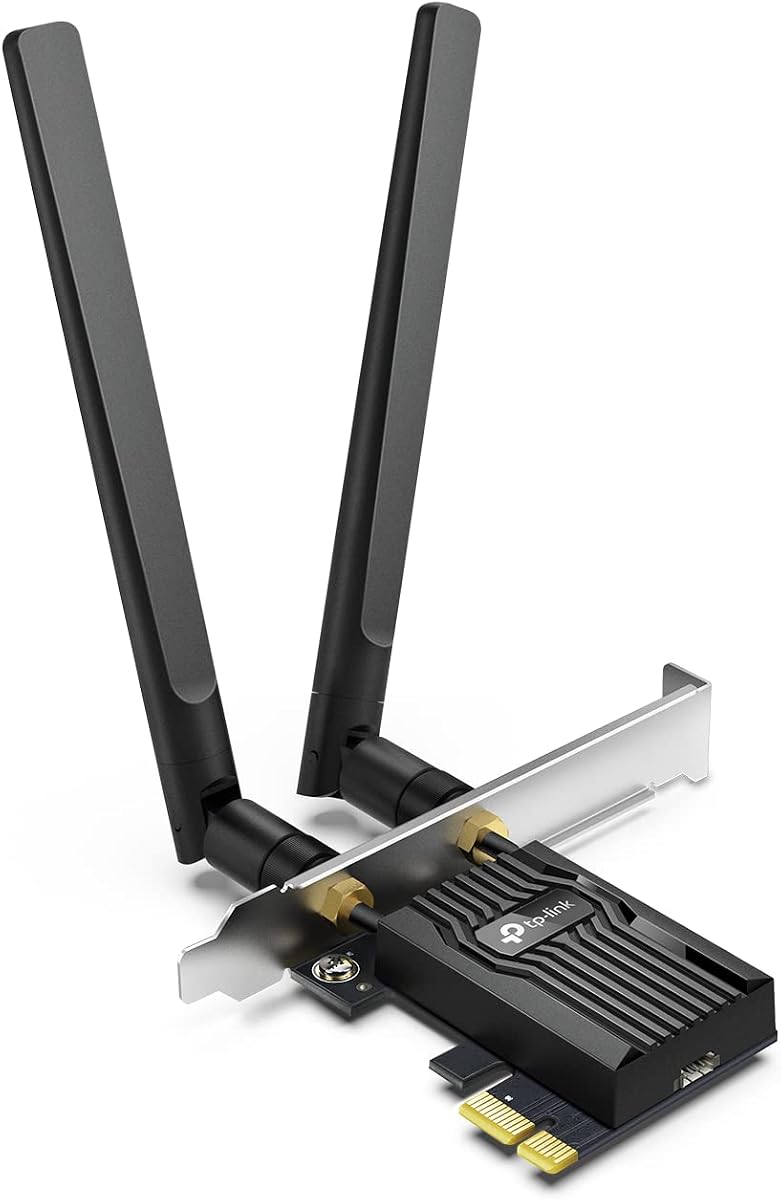
The TP-Link Archer TX55E is a balanced Wi-Fi 6 PCIe card for desktop users who want modern wireless performance without moving to Wi-Fi 7 hardware. It carries a 4.5 rating and combines a 2.4 Gbps-class dual-band connection with Bluetooth 5.2, WPA3 protection, and two external high-gain antennas. That combination makes it a strong all-around choice for gaming, media streaming, downloads, and everyday desktop connectivity.
We may earn a commission when you buy through this link, at no additional cost to you.
Its published maximum rates are 2402 Mbps on the 5 GHz band and 574 Mbps on 2.4 GHz. OFDMA and MU-MIMO are included to improve efficiency and reduce congestion when several wireless devices are active. The pair of signal-boosting antennas can also improve reception in a desktop positioned away from the router, while the included standard and low-profile brackets make it suitable for a wider range of case styles.
The main limitation is that this is a dual-band Wi-Fi 6 product, so it cannot use the cleaner and wider 6 GHz spectrum available to Wi-Fi 6E and Wi-Fi 7 cards. Bluetooth also requires the included USB cable to be connected to an internal F_USB header, and some older systems may not expose that header. Even so, those are understandable constraints for a card whose core strengths are strong 2.4 and 5 GHz performance and flexible antenna placement.
Choose the Archer TX55E if your router is Wi-Fi 6, you want a capable 2.4 and 5 GHz connection, and you prefer a mature feature set over bleeding-edge 6 GHz support. It is especially suitable for gamers and busy homes because its stated technologies target latency and concurrent-device handling. Users with Wi-Fi 6E routers should compare one of the tri-band alternatives, but for most dual-band networks this is a persuasive all-round recommendation.
OFDMA and MU-MIMO help the TX55E serve multiple devices more efficiently on a busy Wi-Fi 6 network. These features are particularly useful when a desktop shares the router with phones, televisions, consoles, and other connected equipment.
Two high-gain antennas extend the range available to the card, while the supplied standard and low-profile brackets accommodate full-size towers and more compact mini-tower cases. Buyers should still verify available expansion slots and physical clearance.
We may earn a commission when you buy through this link, at no additional cost to you.
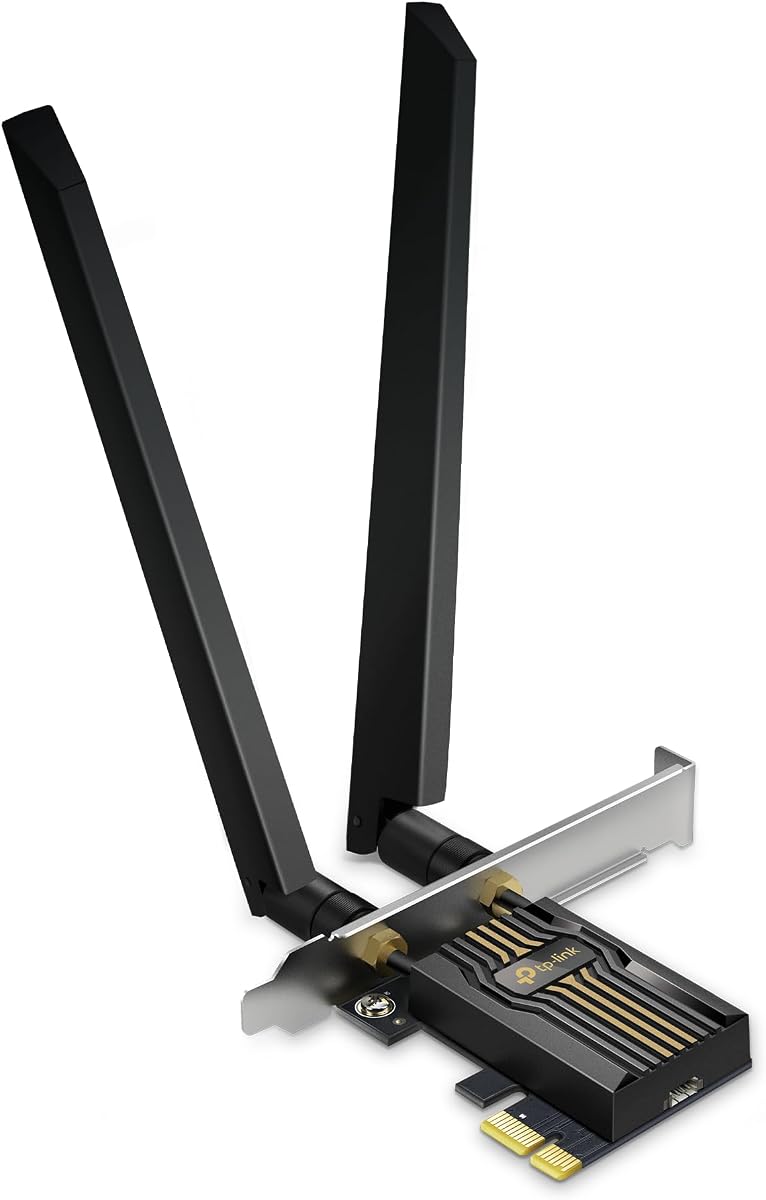
The TP-Link Archer TX3000E is a dual-band Wi-Fi 6 PCIe card with a 4.7 rating, the highest among the products in this guide. It supports link rates up to 2402 Mbps on 5 GHz and 574 Mbps on 2.4 GHz, along with OFDMA, MU-MIMO, and Bluetooth 5.3. It is a compelling option when strong 2.4 and 5 GHz performance matters more than access to the 6 GHz band.
We may earn a commission when you buy through this link, at no additional cost to you.
Its most useful physical feature is the magnetized antenna base. Two multi-directional, high-performance antennas can be positioned away from the metal parts of a desktop, which can help optimize signal reception. The card also includes a low-profile bracket, making it easier to fit into a compact system without replacing the full-size bracket.
The product details limit driver support to 64-bit versions of Windows 10 and Windows 11, and installation may require a visit to the Archer TX3000E support page if the included disc is inconvenient or unusable. Bluetooth 5.3 firmware is also available from TP-Link, and the internal Bluetooth USB cable must connect to a front-panel USB header. These requirements make advance compatibility checking important.
This card is best for a Windows desktop using a Wi-Fi 6 router, particularly when the system sits in a location where antenna placement could make a meaningful difference. It is also attractive to gamers because the listed latency-focused technologies are designed to remain responsive on crowded networks. Choose a Wi-Fi 6E model instead if your router and operating system can take advantage of the 6 GHz spectrum.
The magnetic base gives desktop builders freedom to place the antennas away from the chassis and toward a cleaner signal path. This is particularly useful in crowded homes or setups where the computer is not next to the router.
Bluetooth 5.3 can support compatible controllers, headphones, keyboards, and other peripherals. The internal USB lead must reach a motherboard F_USB header, so check the case and board before selecting this model.
We may earn a commission when you buy through this link, at no additional cost to you.
The GIGABYTE GC-WBAX210 is a compact PCIe adapter built around the Intel AX210 module, offering tri-band Wi-Fi 6E, Bluetooth 5.2, and a published maximum wireless connection rate of 2400 Mbps. Its 4.6 rating and relatively focused specification make it an appealing way to add modern wireless capabilities to a compatible desktop.
We may earn a commission when you buy through this link, at no additional cost to you.
Supporting 2.4, 5, and 6 GHz bands gives the card access to the wider 6 GHz spectrum when the network and computer support it. The Intel module supports dual-stream wireless operation, while its IEEE 802.11ac/802.11ax compliance provides backward compatibility with older Wi-Fi standards. That makes the card useful for mixed environments where nearby networks may still use either 5 GHz or 2.4 GHz.
The supplied information is much less detailed about the included antenna system than it is for most TP-Link options. Buyers should therefore verify the package contents, connector arrangement, bracket options, and physical fit before ordering. Bluetooth 5.2 remains useful for compatible accessories, but it is not the newest Bluetooth version represented in this comparison.
The GC-WBAX210 is a sensible pick for a desktop owner who wants the familiarity of the Intel AX210 platform and tri-band Wi-Fi 6E without moving to Wi-Fi 7. It is particularly attractive for a compact or older system that needs a straightforward PCIe upgrade, provided the case has space for the required antennas and the board can support Bluetooth over an internal USB connection.
The Intel AX210 module is used across many Wi-Fi 6E products, which can make driver familiarity and expected behavior reassuring. The GC-WBAX210 packages that platform in a PCIe form factor with Bluetooth 5.2.
Tri-band support provides more choice than a dual-band adapter. The extra 6 GHz band can reduce congestion and add channel capacity when a compatible router and network configuration are available.
We may earn a commission when you buy through this link, at no additional cost to you.
The TP-Link Archer TBE552E represents the premium end of this PCIe Wi-Fi card roundup. It supports Wi-Fi 7, tri-band operation, 320 MHz channels in the 6 GHz band, Multi-Link Operation, Multi-RUs, 4K-QAM, and Bluetooth 5.4. Its published band limits reach 5764 Mbps on 6 GHz, 2882 Mbps on 5 GHz, and 688 Mbps on 2.4 GHz.
We may earn a commission when you buy through this link, at no additional cost to you.
The headline feature is 320 MHz 6 GHz channel support, made possible when paired with a suitable Wi-Fi 7 router. Multi-Link Operation can combine frequency bands to improve throughput, latency, and reliability, while OFDMA and MU-MIMO support concurrent-device efficiency. Two high-gain antennas offer placement flexibility, and WPA3 helps protect wireless credentials.
This card is explicitly described as designed exclusively for Windows 11 and is not compatible with Windows 10 or earlier systems. It also makes the most sense when the entire network can support Wi-Fi 7; a premium adapter cannot create 6 GHz capacity in a router that lacks it. The extra speed is therefore forward-looking, but its practical value depends on compatible infrastructure.
The Archer TBE552E is recommended for builders creating a high-end Windows 11 desktop with a Wi-Fi 7 router and nearby 6 GHz network. It suits users interested in modern gaming, high-resolution media, large transfers, and Multi-Link Operation. If the router is only Wi-Fi 6E, a less advanced tri-band card may deliver a more logical upgrade path.
Wi-Fi 7 unlocks 320 MHz channels on the 6 GHz band, offering substantially more channel width than earlier standards. Actual results depend on the router, region, network configuration, and signal conditions.
MLO can transmit data over multiple bands to improve responsiveness and stability. It may be especially helpful on busy networks, although support must exist across the adapter, router, drivers, and applications.
We may earn a commission when you buy through this link, at no additional cost to you.
This TP-Link Wi-Fi 6E AXE5400 card combines the Intel AX210 platform with a magnetized antenna base, making it a flexible tri-band option for Windows 11 desktops. It carries a 4.6 rating and advertises up to 2402 Mbps on both 6 GHz and 5 GHz, plus 574 Mbps on 2.4 GHz. It is a natural middle ground for users who want 6 GHz access without paying for Wi-Fi 7.
We may earn a commission when you buy through this link, at no additional cost to you.
The two multi-directional antennas and magnetic base allow the wireless hardware to be placed in a more favorable location than the card's internal position might allow. This can improve practical reception in a tower positioned away from the router. Bluetooth 5.3 broadens the card's utility for compatible keyboards, headsets, controllers, and other accessories.
Full 6 GHz operation requires Windows 11 according to the supplied information, and Bluetooth needs the included internal USB cable connected to a motherboard F_USB connector. OFDMA and MU-MIMO are present to help with congestion and latency, while WPA3 provides newer wireless protection. The card therefore rewards users who check both software and motherboard connectivity before installation.
This is a strong recommendation for a desktop that should support current Wi-Fi 6E routers while retaining a reasonable path for future upgrades. It works well for gaming, streaming, and general productivity, especially when antenna placement can be adjusted. Users with Wi-Fi 7 networks may prefer the Archer TBE552E, while a basic dual-band network may not need the 6 GHz band at all.
The magnetic base gives the antennas a better chance of receiving a strong signal than a permanently fixed position. It also makes it easy to reposition the radio after testing connection quality around the desk.
Windows 11 is required to use the 6 GHz band with this product. Older systems can still use compatible 2.4 and 5 GHz networks, but will not access every feature.
We may earn a commission when you buy through this link, at no additional cost to you.
The TP-Link Archer TBE550E is a Wi-Fi 7 tri-band PCIe card aimed at Windows 11 builders who want high-end wireless features and flexible antenna placement. Its stated maximum rates are 5760 Mbps on 6 GHz, 2880 Mbps on 5 GHz, and 688 Mbps on 2.4 GHz. It also includes 320 MHz channels, 4K-QAM, OFDMA, MU-MIMO, Multi-RU, and Multi-Link Operation.
We may earn a commission when you buy through this link, at no additional cost to you.
Two adjustable, high-performance antennas sit on a magnetic base that can be moved around the desktop. The base also features multicolor LED lighting and a touch switch for network-status feedback, making this one of the more visually distinctive choices here. WPA3 support protects wireless passwords, and the included USB lead provides a straightforward route to driver installation.
The operating-system requirement is strict: the product details specify Windows 11 and say the Archer TBE550E does not support Windows 10 or below. Its 4.2 rating is also the lowest tied rating in the guide, although ratings alone do not reveal the reasons for individual experiences. Buyers should therefore focus on the extensive feature set and confirm that their router supports Wi-Fi 7.
The TBE550E is best for a enthusiast-style desktop build that values both performance and presentation. It is well suited to gaming, 4K streaming, and stability-focused MLO use on a busy network. It is less compelling for an older PC, a Wi-Fi 6 router, or a user who has no interest in adjustable antennas and illuminated status feedback.
The card can exploit 320 MHz channels in the 6 GHz band when paired with a compatible Wi-Fi 7 router. This wider channel capacity supports demanding transfers and low-latency applications.
The magnetic base makes antenna positioning flexible, while LED effects communicate network status. The touch switch and illuminated design are particularly suitable for a visible gaming or workstation setup.
We may earn a commission when you buy through this link, at no additional cost to you.
The TP-Link AXE5400 AX210 is a tri-band Wi-Fi 6E PCIe card built around Intel's AX210 chipset. It has a 4.6 rating and supports maximum link rates of 2402 Mbps on 6 GHz, 2402 Mbps on 5 GHz, and 574 Mbps on 2.4 GHz. The result is a well-rounded option for users who want current 6 GHz capability and convenient Bluetooth support.
We may earn a commission when you buy through this link, at no additional cost to you.
Two high-gain antennas extend reception, and the card supplies both standard and low-profile brackets. OFDMA and MU-MIMO are included to help maintain responsive performance in busy networks. Bluetooth 5.3 can connect compatible headsets, keyboards, controllers, and other devices, while WPA3 provides current protocol support for protecting the wireless network.
Windows 11 is required to use 6 GHz, and the internal Bluetooth USB cable must connect to a motherboard F_USB connector. Unlike the magnetic-base alternatives, this model uses conventional high-gain antennas, which may simplify positioning but offer less freedom to optimize reception after installation. Actual throughput remains dependent on the router, distance, walls, interference, and client hardware.
This card is a good match for a mainstream gaming or productivity desktop with a Wi-Fi 6E router. It provides the most important advantages of tri-band wireless without introducing Wi-Fi 7 complexity. It is particularly appropriate for users who prefer straightforward high-gain antennas, standard and low-profile mounting options, and a mature Intel chipset.
The card can connect across all three major Wi-Fi bands, allowing 6 GHz use where available and compatibility with 5 GHz and 2.4 GHz networks. That makes it suitable for varied home and office environments.
Bluetooth 5.3 reduces the need for separate adapters for compatible accessories. Verify that the motherboard has an available F_USB header and that the case permits the internal cable to reach it.
We may earn a commission when you buy through this link, at no additional cost to you.
The Intel AX210 WiFi 6E card is a tri-band PCIe adapter designed for desktop PCs running Windows 10 or 11. It offers a 5400 Mbps class combined specification, Bluetooth 5.3, WPA3 encryption, and high-gain antennas. Its 4.5 rating reflects a broadly capable adapter without moving into the newest Wi-Fi 7 category.
We may earn a commission when you buy through this link, at no additional cost to you.
Supporting 6, 5, and 2.4 GHz gives users access to three wireless bands, which is useful in crowded environments where a single band may be congested. The Intel AX210 chipset is promoted for lower latency, improved stability, and better handling of demanding activities such as gaming and 4K streaming. It also maintains compatibility with legacy Wi-Fi standards.
Full 6 GHz functionality requires both a Wi-Fi 6E router and Windows 11. A Bluetooth USB cable is included for the internal header, and the product's stated installation experience is straightforward, though physical bracket and antenna clearance should still be confirmed. The card's maximum speed is an aggregate theoretical figure rather than a guaranteed transfer result.
This adapter is a versatile choice for a desktop that needs Wi-Fi, Bluetooth, and tri-band flexibility without the cost and system requirements associated with Wi-Fi 7. It is well suited to general computing, online gaming, media streaming, and large file transfers. For the newest desktop platform, choosing a Wi-Fi 7 card and Wi-Fi 7 router would provide a more forward-looking path.
Tri-band operation allows the adapter to use 6 GHz when available while retaining 5 GHz and 2.4 GHz options. This flexibility can help users avoid congestion and select the most suitable network.
Support for Windows 10 and 11 makes the card appropriate for many existing desktops. The 6 GHz band itself still requires Windows 11 and a compatible Wi-Fi 6E router.
We may earn a commission when you buy through this link, at no additional cost to you.
The MSI Herald BE9400 is a Wi-Fi 7 PCIe card with tri-band operation, 320 MHz 6 GHz channels, Multi-Link Operation, and Bluetooth 5.4. Its published maximum rates are 5764 Mbps on 6 GHz, 2882 Mbps on 5 GHz, and 688 Mbps on 2.4 GHz, positioning it among the most advanced wireless options in this guide.
We may earn a commission when you buy through this link, at no additional cost to you.
The main benefits center on Wi-Fi 7 efficiency. MLO can combine multiple links for faster, more stable connectivity, while 320 MHz channels provide wide capacity in the 6 GHz band. The external antennas use a magnetized base, giving users a way to position the radio more effectively within a desktop setup. Bluetooth 5.4 supports compatible controllers, headsets, and other accessories.
Its rating of 4.3 places it behind the highest-rated Wi-Fi 6 and Wi-Fi 6E alternatives, so it is not automatically the best choice for every system. As with other Wi-Fi 7 products, the benefits require compatible infrastructure and careful attention to system support. A faster card cannot provide 6 GHz capacity, MLO, or 320 MHz channels if the router does not offer them.
The Herald BE9400 is recommended for a modern gaming or content-creation desktop connected to a Wi-Fi 7 router. It is particularly relevant to users who want low latency, wide 6 GHz channels, and MLO without selecting a TP-Link-branded adapter. Confirm operating-system, Bluetooth-header, bracket, and physical-clearance requirements before installation.
The card supports the newest wireless generation represented here, including 320 MHz channels and MLO. It is most valuable in a new build where the router and network can also support Wi-Fi 7.
A magnetized base and external antennas can improve the card's practical signal reception by allowing better placement. Test several positions and keep the antennas away from obstructed or enclosed areas.
We may earn a commission when you buy through this link, at no additional cost to you.
The TP-Link Archer TBE553E is a feature-heavy Wi-Fi 7 PCIe card with a stated aggregate bandwidth of 9.3 Gbps. It supports 320 MHz channels in the 6 GHz band, MLO, OFDMA, MU-MIMO, Multi-RU, WPA3, and Bluetooth 5.4, while offering operating-system support for Windows 10 and 11.
We may earn a commission when you buy through this link, at no additional cost to you.
The product's band limits are 5764 Mbps on 6 GHz, 2882 Mbps on 5 GHz, and 688 Mbps on 2.4 GHz. OFDMA, MU-MIMO, and Multi-RU are intended to improve reception and allow more devices to connect simultaneously. Bluetooth Low Energy support can reduce power consumption for compatible accessories, making the card useful beyond basic networking.
Unlike some adapters with two external antennas, the TBE553E uses a single high-gain antenna. That may simplify placement or fit within a particular case, but buyers should not assume it offers the same flexibility as the dual-antenna magnetic-base models. The supplied details also say setup is designed for an Intel Wi-Fi 7 CPU and explicitly state that the product is not compatible with AMD systems.
This card is best for an Intel-based desktop with Windows 10 or 11, a Wi-Fi 7 router, and a need for current high-end wireless features. It is a compelling option for users interested in MLO, 6 GHz capacity, and Bluetooth 5.4, provided the hardware restrictions and single-antenna design are acceptable. It is less suitable for AMD builders or anyone whose router cannot exploit Wi-Fi 7.
Support for 320 MHz channels, MLO, Multi-RU, OFDMA, and MU-MIMO gives the TBE553E a broad feature set. A compatible Wi-Fi 7 router is still required to unlock the full potential.
Bluetooth 5.4 supports current accessories and emphasizes reliability and security, while BLE can reduce power use. The stated Intel CPU and non-AMD compatibility requirement should be checked before buying.
We may earn a commission when you buy through this link, at no additional cost to you.
Choosing a PCIe Wi-Fi card involves balancing wireless generation, router capabilities, operating-system requirements, antenna design, Bluetooth support, and physical installation. The fastest advertised link rate is useful for comparison, but the best card is the one that can operate fully within your particular network and case.
Wi-Fi 6 cards support the 2.4 and 5 GHz bands, while Wi-Fi 6E adds access to 6 GHz when the computer, driver, router, and network are compatible. Wi-Fi 7 introduces features such as wider 320 MHz 6 GHz channels, Multi-Link Operation, and 4K-QAM. A newer adapter cannot deliver all of those benefits without compatible infrastructure, so match the card to your router rather than selecting solely on the standard printed on the box.
Choose Wi-Fi 6 for a conventional dual-band network, Wi-Fi 6E when you want access to the 6 GHz spectrum, and Wi-Fi 7 for a matched Wi-Fi 7 system. The newest standard is most compelling in a new build or when replacing a router at the same time.
Band support determines which networks the card can join. A dual-band card works on 2.4 and 5 GHz, while a tri-band card can also use 6 GHz. The 2.4 GHz band offers longer reach but is often more crowded, 5 GHz balances range and speed, and 6 GHz provides additional width and cleaner spectrum where it is available.
Tri-band support is useful in mixed environments, but ensure your operating system can access 6 GHz. The relevant products generally require Windows 11 for full 6 GHz functionality. A dual-band card remains fully useful when that extra spectrum is unavailable.
Maximum link rates describe theoretical adapter capability rather than guaranteed file-transfer speeds. A Wi-Fi 6 AX3000 card may list up to 2402 Mbps on 5 GHz, while Wi-Fi 7 BE9300-class products can list much higher combined rates across three bands. Real results depend on the router, internet connection, distance, obstacles, channel congestion, and the other devices using the network.
Compare like-for-like figures and pay more attention to the standard, bands, and features you will actually use. A card exceeding your router's capabilities cannot make the network faster, but a fully matched high-end system may better handle simultaneous traffic and demanding local transfers.
External high-gain antennas can improve reception in a desktop compared with an antenna trapped close to the case. Magnetic or detachable bases offer additional freedom to position the radio near an open area of the desk. Look for adjustable antennas, sufficient cable length, and a way to keep them away from metal objects, cluttered cables, and other sources of interference.
Two antennas may provide more placement flexibility, while a single-antenna design may be easier to accommodate. Neither guarantees better reception in every room. After installation, test the connection in several locations and adjust the antenna position if throughput or signal quality is inconsistent.
Most of these PCIe adapters also provide Bluetooth for compatible keyboards, headsets, controllers, mice, and other accessories. Bluetooth 5.3 and 5.4 are newer than older versions such as 5.2, although the core pairing experience can look similar. The operating system must have suitable drivers, and the desktop's motherboard must expose the required internal USB connectivity.
Many cards require a small internal USB lead to be connected to an F_USB header. Check the motherboard manual and the case's cable-routing space before purchasing. If the header is unavailable, the card's Wi-Fi function may still work, but Bluetooth may not.
Operating-system support can be more restrictive than the Wi-Fi standard. Several Wi-Fi 6E products require Windows 11 for 6 GHz access, and some Wi-Fi 7 cards are described as Windows 11-only. The Archer TBE553E lists Windows 10 and 11 support but also carries an Intel CPU requirement and is not compatible with AMD systems. Verify all hardware and software requirements before ordering.
If you plan to reinstall Windows or move the card to another computer, download the current driver in advance. Existing devices can also have compatibility issues with very new adapters, making a well-supported operating system an important selection criterion.
A PCIe card must fit physically as well as electrically. Confirm that the desktop has an available PCIe expansion slot, that the card's bracket matches the case layout, and that there is clearance for the antennas and internal Bluetooth cable. Compact mini-tower cases may require the low-profile bracket, while taller cases generally use the standard bracket supplied with the card.
Check whether the motherboard or case obstructs adjacent slots, especially in tightly packed builds. Some adapters include both standard and low-profile hardware, but the presence of a bracket in the box does not guarantee that every case has enough room.
WPA3 support is important for current wireless protection, while OFDMA, MU-MIMO, Multi-RU, and MLO help manage traffic more efficiently. These technologies can improve responsiveness when multiple clients are active, but the router must offer compatible features and the operating system must load appropriate drivers. Security is a system-wide concern, so use a strong Wi-Fi password and keep adapter firmware current.
For a busy home, efficiency features may deliver more visible value than headline speed. For a future-oriented network, MLO and wider 6 GHz channels become more meaningful once the router, client devices, and applications support them.
Before installation, power the desktop down, unplug it, and consult the motherboard and case manuals. Confirm the operating-system requirements, download the appropriate driver if possible, and check that a free PCIe slot, a compatible bracket, and an available F_USB header are present. Keep the system disconnected while opening the case and handling the card.
Install the card into the selected PCIe slot, secure the correct bracket, and connect the internal Bluetooth USB lead if the card includes one. Attach the external antennas in the intended position, reinstall the case panels, and then power on the computer. Use Windows or the manufacturer's support page to install the driver, update the firmware where applicable, and verify that the wireless adapter appears in the network list.
For the best connection, pair with the intended SSID and test the adapter at different desk locations. Keep antennas visible and away from metal, power supplies, and bundled cables. Update drivers and firmware periodically, use WPA3 or the strongest security option supported by the router, and disconnect or replace the card if sustained errors occur. Avoid unnecessary antenna repositioning once signal quality has been optimized.
A PCIe card is usually preferable for a desktop that stays in one location because it avoids USB bandwidth overhead, provides a direct connection to the motherboard, and often includes better antenna options. It also offers a more permanent installation than a USB adapter. However, a USB adapter can be easier to move between systems and may be the only practical option when no PCIe slot is available.
For the 6 GHz products in this guide, the supplied information generally identifies Windows 11 as necessary for full 6 GHz functionality. A compatible Wi-Fi 6E or Wi-Fi 7 router is also required. A computer may still connect to 2.4 GHz and 5 GHz networks under other supported operating-system conditions, but it will not gain access to the 6 GHz band.
Only if the rest of the system can support it. Your router must offer Wi-Fi 7, the network must be configured appropriately, and internet service must actually provide higher speeds. A Wi-Fi 7 card can also improve local wireless performance, concurrent-device handling, and Multi-Link Operation, but it cannot overcome a slower broadband connection or a limiting router.
The wireless portion may work while Bluetooth remains unavailable if the internal USB lead is not connected. Many adapters require that cable to reach a motherboard F_USB header so Bluetooth can communicate through the internal USB controller. Also confirm that the required driver and firmware are installed and that the operating system supports the adapter's Bluetooth version.
It depends on the model. Some cards use attached antennas, while others include high-gain or magnetic external antennas for better placement. External antennas can help when the desktop is far from the router or surrounded by metal. Make sure the case has enough room and keep the antennas unobstructed to get the intended benefit.
Many can be installed in a mini-tower, but the correct bracket must be used and there must be enough clearance for the card and antennas. Several products in this guide include both standard and low-profile brackets. Confirm slot availability, case dimensions, and the position of adjacent expansion slots before purchasing.
Wi-Fi 6E adds the 6 GHz band to Wi-Fi 6, providing more available spectrum and wider channels. Wi-Fi 7 builds on that foundation with features such as 320 MHz 6 GHz channels, Multi-Link Operation, Multi-RUs, and 4K-QAM. Wi-Fi 7 offers more potential but generally requires a matched router, compatible operating system, and supporting network equipment.
Place the antennas in an open area with a clear path toward the router, away from metal objects, dense cables, and electronics that can interfere. Magnetic bases make it easy to compare several positions. Because reception changes throughout a home, test the connection at the actual workstation and move the antennas if signal strength or stability is inconsistent.
The TP-Link Archer TX55E is the strongest overall choice for most dual-band Wi-Fi 6 desktops, combining solid stated throughput, two high-gain antennas, useful congestion-management features, and flexible mounting. The GIGABYTE GC-WBAX210 stands out as the budget-focused tri-band option, while the TP-Link Archer TBE552E is the premium choice for a Windows 11 system paired with Wi-Fi 7 infrastructure.
Your router and operating system matter more than the printed speed class. Select dual-band Wi-Fi 6 for a conventional network, Wi-Fi 6E when the 6 GHz band is available, and Wi-Fi 7 only when the whole setup is ready for it. Also verify the internal Bluetooth header, physical case clearance, bracket type, antenna placement, and supported platform before buying.
Finally, remember that product specifications describe capabilities rather than guaranteed real-world throughput, and prices and availability change frequently. Review the current listing, recent customer feedback, driver support, and current router features before ordering. The right PCIe Wi-Fi card is the one that connects to your network reliably while fitting the hardware and software you actually use.