
Sceptre 24-inch Prime Monitor
4.6Editor score
99% sRGB color gamut
Two HDMI connectivity options
100Hz maximum refresh rate
Integrated built-in speakers
Blue Light Shift mode
An HDMI LED monitor provides a straightforward way to improve the clarity, responsiveness, and visual comfort of a home office, study area, or entertainment setup. The best model balances screen technology, resolution, refresh rate, color performance, eye-care features, and useful connectivity rather than focusing on a single specification.
This guide compares ten 24-inch and 27-inch monitors based on their stated panel characteristics, refresh rates, response times, color specifications, viewing angles, adjustable features, built-in speakers, and HDMI availability. It covers options for general productivity, gaming, media viewing, and multi-device setups, with special attention to the details that affect daily usability.
Each review identifies the strongest reasons to consider a particular monitor while also noting limitations or features that may matter less to certain buyers. The selections show how refresh rate, panel design, eye protection, and connectivity differ across the range. Product availability and pricing can change, so readers should confirm current specifications and offers before purchasing.
4.6Editor score

4.7Editor score

4.6Editor score
As an Amazon Associate we earn from qualifying purchases.
The comparison below places the ten monitors side by side, focusing on resolution, refresh rate, response capability, panel type, eye-care features, and practical connectivity. It is designed to make the major differences clear without overlooking the value of simpler office-oriented options.





The Sceptre E248W-19203R combines a familiar 24-inch Full HD format with several features that are often treated as optional. It carries a 4.6 rating, supports refresh rates up to 100Hz, and covers 99% of the sRGB color gamut. Two HDMI inputs, VGA, built-in speakers, blue-light controls, and gaming presets make it a versatile choice for a mixed-purpose desk.
We may earn a commission when you buy through this link, at no additional cost to you.
Its strongest budget-oriented qualities are the combination of a higher refresh rate and broad connectivity. A computer, streaming device, game console, or other HDMI-equipped source can be connected without relying on a hub or adapter. The 99% sRGB claim is also meaningful for general creative work, browsing, and entertainment because it offers a wider palette than a basic office display may provide. Built-in speakers reduce desk clutter for casual audio.
The trade-offs are practical rather than fundamental. VGA is increasingly uncommon on newer laptops and desktops, although it remains useful for legacy equipment. The 100mm by 100mm mounting pattern supports VESA installation, but compatible hardware is not necessarily included. Buyers who require extensive ergonomic adjustment, advanced color calibration, or a large screen should investigate more specialized models.
This is an excellent recommendation for students, home offices, and everyday users who want more capability than a bare-bones monitor without moving into a high-end display. It balances smooth motion, useful HDMI connectivity, speakers, and eye-comfort features particularly well. For most people, it is the easiest way to build a capable dual-purpose work and entertainment station.
Two HDMI inputs give the monitor more flexibility than a single-port model, while the VGA connection supports compatible older computers. For most current devices, the HDMI options are enough to handle a PC, laptop, streaming box, or console without introducing a docking station into the setup.
Blue Light Shift is intended to reduce blue-light output during extended work or viewing sessions, while FPS and RTS presets provide alternate display profiles. Integrated speakers are best treated as a convenient supplement for system sound rather than a replacement for higher-quality audio equipment.
We may earn a commission when you buy through this link, at no additional cost to you.
The Sceptre E275W-19203R is a 27-inch Full HD option for buyers who want a larger screen while retaining a relatively straightforward feature set. It has a 4.5 rating, a stated refresh capability of up to 100Hz, a 99% sRGB color gamut, two HDMI ports, VGA, and integrated speakers. Its larger canvas makes it especially useful for productivity, entertainment, and split-screen work.
We may earn a commission when you buy through this link, at no additional cost to you.
The monitor includes practical features for a home office. Blue Light Shift can make long reading and document sessions more comfortable, while dedicated FPS and RTS profiles let users change how the display handles different types of games. The stand tilts from 13 degrees backward to 3 degrees forward, offering enough adjustment to find a comfortable viewing angle at a desk.
As with many 27-inch Full HD models, pixel density is lower than that of a smaller display at the same resolution. That distinction becomes noticeable when comparing text at close viewing distances, and it also means the monitor cannot accommodate a 4K workflow. The supplied information also describes differing maximum refresh behavior across its ports, so users with demanding gaming expectations should verify their intended connection.
The Sceptre E275W-19203R is best for students, remote workers, and casual gamers who prioritize screen area and HDMI flexibility. It offers more room for browser tabs, documents, and media than a 24-inch model. Those seeking extremely fast motion or color-critical professional output will receive more benefit from a higher-end specialist monitor.
The 27-inch screen provides a noticeably larger work and entertainment area than the 24-inch model in this guide. It can make side-by-side document editing, web research, and media viewing feel less constrained, although Full HD resolution means each panel does not carry as much detail as a higher-resolution alternative.
Blue Light Shift, broad color coverage, and adjustable tilt form a useful comfort package for text-heavy work. The gaming presets add flexibility for shooters and strategy games, while built-in speakers keep everyday audio accessible without taking up space with separate desktop units.
We may earn a commission when you buy through this link, at no additional cost to you.
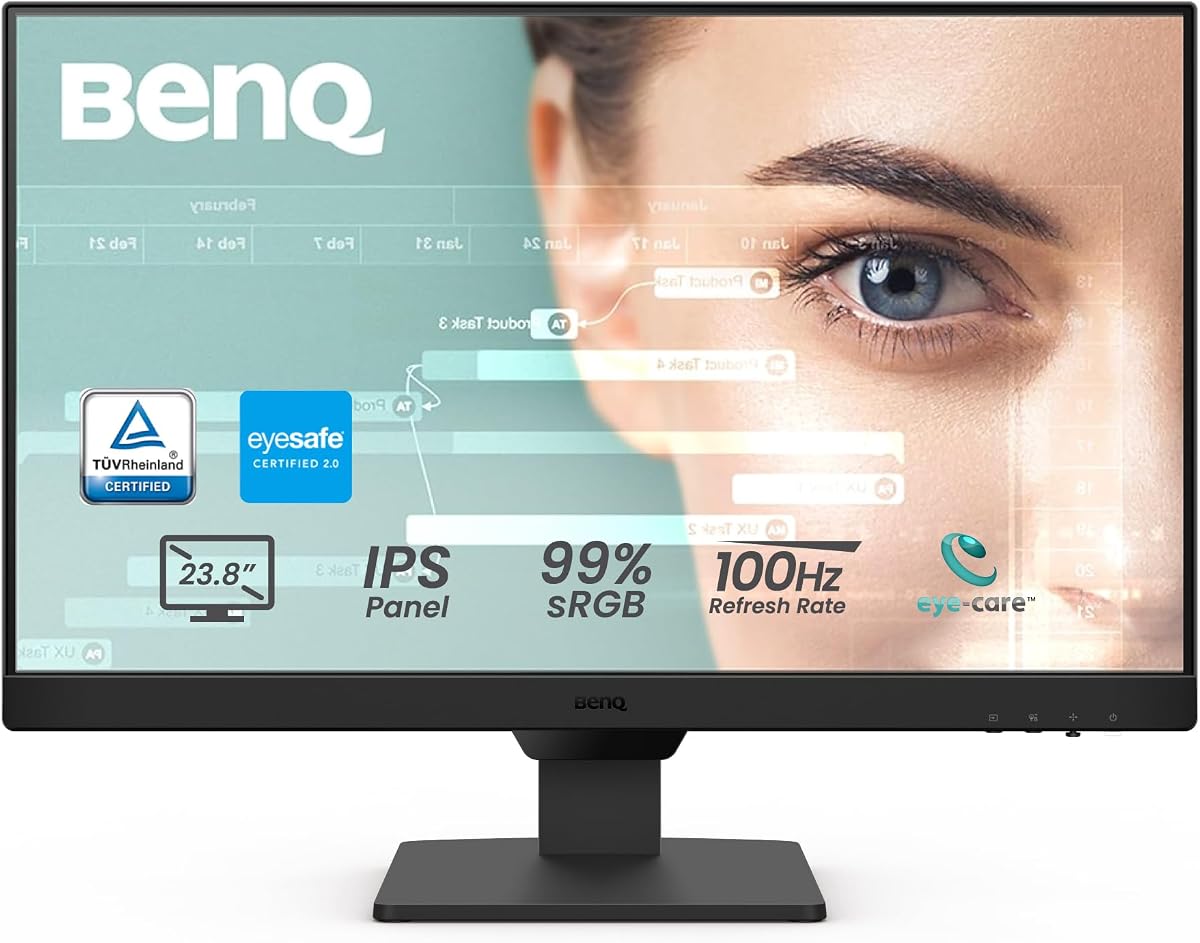
The BenQ GW2490 is designed as a polished 24-inch productivity monitor, with a 4.6 rating and a strong emphasis on eye comfort. Its Full HD IPS panel runs at 100Hz, covers 99% of sRGB, and includes two HDMI connections plus DisplayPort. Built-in speakers, VESA mounting, and an input hotkey make it well suited to offices, study rooms, and mixed workstations.
We may earn a commission when you buy through this link, at no additional cost to you.
BenQ Eye Care Technology with Low Blue Light Plus is the defining feature. It filters shorter blue-violet light while preserving color quality, which is valuable for long document sessions or extended screen time. The IPS panel also supports consistent views from wide angles, useful when the monitor is positioned slightly off-center or used in a shared workspace.
The input hotkey streamlines switching between work and entertainment devices, making the available HDMI and DisplayPort connections more useful. VESA certification and media sync support further improve compatibility with wall mounts, media players, set-top boxes, and game consoles. It is less explicitly gaming-focused than some alternatives, but its 100Hz rate still provides fluid everyday motion.
The GW2490 is a strong all-round choice for office users who spend long periods reading, writing, browsing, or attending calls. It is especially attractive when eye comfort, device switching, and clean connectivity matter more than elaborate gaming features. Those wanting deeper hardware adjustment should confirm the stand range and desk-space requirements before ordering.
Low Blue Light Plus is designed to reduce the amount of higher-energy blue-violet light reaching the viewer. Coupled with the IPS panel and adaptive brightness, it forms a more comfortable package for long office days, reading, and document-heavy work.
A dedicated input hotkey reduces the inconvenience of moving between a computer, laptop, and other connected source. The combination of HDMI and DisplayPort gives users flexibility in how they organize the desk, especially when one machine handles work and another supports entertainment.
We may earn a commission when you buy through this link, at no additional cost to you.
The Dell SE2426H stands out as the most balanced performance option in this guide. It combines a 4.7 rating with a 144Hz refresh rate, 1ms Moving Picture Response Time, IPS technology, AMD FreeSync support, and two HDMI ports. That combination gives it broad appeal for work, streaming, and fast-moving games without requiring a specialized high-resolution display.
We may earn a commission when you buy through this link, at no additional cost to you.
Its 144Hz refresh rate and 1ms MPRT are the standout qualities. They help deliver fluid motion and reduce visible tearing when paired with a compatible graphics card through FreeSync. The IPS panel provides 178-degree horizontal and vertical viewing angles, which is valuable for consistent color when the screen is not viewed directly from the front.
Dell also gives the SE2426H a 4.7 rating, the highest among the products listed, reflecting a strong level of buyer satisfaction. TÜV Rheinland three-star eye comfort certification reduces harmful blue light while maintaining color quality. The trade-off is that the listed stand adjustment is limited to tilt, and the supplied information does not mention integrated speakers.
This monitor is the most broadly satisfying recommendation for a buyer who wants one display to handle productivity and serious gaming. It is particularly appropriate for owners of compatible gaming systems that can take advantage of 144Hz and FreeSync. If built-in audio or extensive stand movement is essential, the Dell S2425HSM or another adjustable alternative may be a better fit.
A 144Hz refresh rate produces more frames per second than the 100Hz and 120Hz options elsewhere in this guide. Paired with the stated 1ms MPRT and FreeSync support, it is well suited to fast action, competitive games, and simply making menus and scrolling feel more fluid.
TÜV Rheinland three-star certification indicates attention to harmful blue-light reduction without forcing a noticeable sacrifice in color. The wide IPS viewing angles also help maintain consistency during long work sessions, especially when the monitor is placed at a slight angle.
We may earn a commission when you buy through this link, at no additional cost to you.
The Philips 241V8LB is a 23.8-inch Full HD monitor with a 4.6 rating, a 100Hz refresh rate, and a VA panel. Its emphasis is on contrast, viewing-angle consistency, and practical eye comfort rather than competitive gaming. The three-sided near-bezel design also makes it well suited to a compact multi-monitor arrangement.
We may earn a commission when you buy through this link, at no additional cost to you.
VA technology is the central attraction because it can produce brighter whites and deeper blacks than many general-purpose alternatives. Philips specifically highlights a rich display of 16.7 million colors and more visible gradients. Its 178-degree horizontal and vertical viewing angles help keep colors consistent when viewed from the side, an important feature in offices with shared desks.
Flicker-Free operation reduces the visibility of flicker during extended viewing, while EasyRead mode is designed to make long documents feel more paper-like. The nearly borderless construction creates a clean appearance and permits several screens to sit close together. Its 100Hz rate is still a useful step above a basic 60Hz display for scrolling and casual games.
The 241V8LB is a compelling option for office workers, readers, and media viewers who prioritize contrast and a clean visual design. It is less obviously aimed at competitive gaming, and the supplied specifications do not list built-in audio. It works best for buyers who want a refined, versatile screen without paying attention to specialized gaming presets.
The VA panel is the defining technical choice. Its stronger contrast behavior benefits movies, dark interfaces, and general viewing, while the stated 16.7 million-color support provides smooth tonal gradation for everyday imagery and documents.
EasyRead mode is intended to reduce the harshness of long text sessions, while Flicker-Free operation supports comfortable extended use. The virtually bezel-free design on three sides minimizes visual gaps when another monitor is placed alongside it.
We may earn a commission when you buy through this link, at no additional cost to you.
The Dell P2425H places ergonomics and adjustability at the center of its proposition. It is a 24-inch Full HD LED monitor with a 4.6 rating, a 1500:1 contrast ratio, and support for height adjustment, tilt, and swivel. These features make it a natural candidate for offices where comfort, alignment, and shared workstations matter.
We may earn a commission when you buy through this link, at no additional cost to you.
Height adjustment is the most meaningful advantage over the many stands limited to tilting. It allows the top of the screen to be positioned at a more natural eye level, which can reduce neck strain during long workdays. Swivel movement also makes it easier to share information with a colleague or reposition the display for another task without moving the entire stand.
The provided information is concise and does not list a refresh rate, response time, panel type, or built-in speakers. Those omissions make it harder to compare the P2425H directly with the gaming-focused alternatives in this guide. It is therefore best evaluated as an ergonomic productivity display rather than a competitive gaming panel.
This monitor is recommended for professionals who sit at the same desk for long periods, frequently change seating positions, or want more freedom than a fixed or tilt-only stand provides. Its strong contrast rating and Full HD resolution are useful for documents and general media. Buyers seeking high refresh rates or a detailed gaming feature set should look at the Dell SE2426H instead.
Height adjustment, swivel, and tilt give the stand more flexibility than most entry-level monitors. Those controls make it easier to align the screen with a seated or standing workstation, reduce glare from nearby windows, and share content with people seated beside the primary user.
The Full HD resolution and 1500:1 contrast ratio provide a conventional, useful office foundation. With a 4.6 rating and an emphasis on adjustability, the P2425H targets buyers who value long-session comfort and physical flexibility over gaming-oriented performance details.
We may earn a commission when you buy through this link, at no additional cost to you.
The BenQ BL2490 is a straightforward 23.8-inch Full HD monitor whose 5.0 rating gives it the highest listed customer score in this collection. It offers a 100Hz refresh rate, 5ms gray-to-gray response, 1300:1 contrast, 250 cd/m² brightness, wide viewing angles, an anti-glare surface, and both HDMI and DisplayPort connections.
We may earn a commission when you buy through this link, at no additional cost to you.
Its core appeal is balance. A 100Hz display is more fluid during scrolling and casual gaming than a conventional 60Hz panel, while 1300:1 contrast provides enough definition for movies, documents, and everyday interfaces. The 16.7 million-color support and 178-degree viewing angles make it appropriate for general creative viewing as well as office work.
Its stated 5ms response time is slower than the one-millisecond figures listed for the Dell SE2426H, Dell S2425HSM, and Acer KB220Q. That difference can matter in fast competitive games, although perceived smoothness still depends on the source, graphics settings, and whether the connected device supports the full refresh rate.
The BenQ BL2490 is an excellent general-purpose recommendation for buyers who want smooth motion, accurate everyday presentation, and a high customer rating without a gaming-first design. It suits homes, offices, study desks, and shared computers. Competitive gamers should favor a faster option, while those needing extensive ergonomic adjustment should confirm whether tilt is sufficient.
The 100Hz rate gives menus, text scrolling, and casual games a noticeably more fluid presentation than a standard 60Hz monitor. It is a useful middle ground for a display that needs to handle both productivity and occasional entertainment without adopting the highest-speed specification.
At 250 cd/m² with a 1300:1 contrast ratio, the monitor provides a well-defined Full HD image for common office and media tasks. Anti-glare treatment helps preserve visibility in bright rooms, while 178-degree viewing angles give the screen flexibility beyond a perfectly centered desk position.
We may earn a commission when you buy through this link, at no additional cost to you.
The LG 24U411A-B combines a 4.6 rating with an unusually broad collection of everyday features. Its 24-inch Full HD IPS display runs at 120Hz and supports HDR10, up to 99% sRGB coverage, 1ms Motion Blur Reduction, Reader Mode, Flicker Safe operation, and the Switch app for creating multiple screen sections.
We may earn a commission when you buy through this link, at no additional cost to you.
The Switch app is especially useful for organizing work, communication, and entertainment windows. It can split the display into as many as six sections, customize layouts, and launch video calls through a hotkey. This makes the monitor appealing to users who divide their attention between documents, messaging, browser windows, and streaming applications.
Its 120Hz refresh rate provides a fluid upgrade for general use and light gaming, while the stated 1ms Motion Blur Reduction helps keep fast motion crisp. Dynamic Action Sync is intended to reduce input lag, and Black Stabilizer can brighten dark areas to reveal detail. These gaming-oriented features are more substantial than those of many general-purpose alternatives.
The main omissions are integrated speakers and broad physical adjustment, with only tilt from minus 5 to plus 20 degrees specified. It is nevertheless a highly versatile choice for productivity-minded users who value software control and quick layout changes. The LG is particularly compelling for hybrid workers, students, and light gamers who want more than a basic office panel.
The Switch app can divide the display into up to six customizable sections and place video calls in dedicated areas. This reduces the need to manually resize overlapping windows, making the monitor well suited to busy desks and workflows that constantly change.
The 120Hz IPS panel supports fluid motion and consistent viewing from different angles. HDR10, up to 99% sRGB coverage, and 1ms Motion Blur Reduction provide additional visual range, while Reader Mode and Flicker Safe technology support comfortable reading and extended productivity.
We may earn a commission when you buy through this link, at no additional cost to you.
The Acer KB220Q H2bi is the most compact monitor in the guide, offering a 21.5-inch Full HD display with a 4.6 rating. Despite its smaller footprint, it includes 100Hz refresh, a stated 1ms response time, FreeSync compatibility, and a near-bezel-free ZeroFrame design, making it capable across both productivity and gaming tasks.
We may earn a commission when you buy through this link, at no additional cost to you.
Its 100Hz rate and fast response specification make it more responsive than many conventional office monitors. Adaptive Sync support is designed to match the display refresh with a compatible graphics card, helping reduce tearing during games and video playback. Full HD resolution at 21.5 inches also keeps text and menus readable while avoiding the space demands of a 27-inch panel.
The ZeroFrame construction is useful when multiple displays are placed close together. Narrow borders make the overall arrangement feel more continuous and can conserve desk space. Its main limitation is the smaller canvas: fewer application windows, less physical workspace, and a less immersive media experience than a 24-inch or 27-inch alternative.
This Acer is recommended for compact desks, dorm rooms, home offices, and multi-monitor configurations where every inch matters. It is also a strong value-oriented choice for casual gamers who want a faster response and 100Hz rate. Buyers who regularly work with large spreadsheets, detailed timelines, or multiple full-size applications should consider a larger display.
The combination of 100Hz, a one-millisecond response claim, and FreeSync compatibility gives this compact model more gaming capability than its office-oriented name suggests. It is well suited to fast 2D scenes and casual games where smooth motion matters.
A 21.5-inch footprint consumes less desk area than a standard 24-inch monitor, while the near-bezel-free edges reduce the visual and physical gap in a two-screen arrangement. Full HD resolution maintains a familiar 16:9 format for standard desktop content.
We may earn a commission when you buy through this link, at no additional cost to you.
The Dell S2425HSM is the most complete premium option in this guide. It combines a 4.6 rating with a 23.8-inch Full HD display, 144Hz refresh rate, 1ms MPRT, 1500:1 contrast, AMD FreeSync, integrated dual three-watt speakers, four-star TÜV eye comfort certification, and extensive stand adjustment.
We may earn a commission when you buy through this link, at no additional cost to you.
The 144Hz refresh rate and 1ms MPRT place it among the strongest choices for fast motion, while FreeSync support helps maintain smooth playback with compatible graphics hardware. The 1500:1 contrast ratio supports clear differentiation between bright and dark areas, making the screen suitable for media as well as general productivity and games.
Its physical controls are notably stronger than those of most alternatives. Height, tilt, pivot, and swivel adjustment make it easier to create a comfortable and flexible workstation, including vertical use where desk depth is limited. The dual speakers add useful everyday audio, although their three-watt output should be regarded as a convenience rather than a substitute for dedicated speakers.
This monitor is ideal for buyers who want high-refresh motion, strong ergonomics, integrated audio, and certified eye comfort in one package. The main limitations are the Full HD resolution and the limited port information provided, which lists HDMI connectivity without a broader input inventory. It is a premium general-purpose choice rather than a professional color-reference or 4K productivity display.
Height, tilt, pivot, and swivel controls make the S2425HSM easier to adapt than fixed or tilt-only designs. Users can align the screen more precisely, share it with a nearby colleague, or orient it vertically according to the available desk space and preferred workflow.
Dual three-watt speakers provide convenient sound for calls, videos, and system audio without adding desktop speaker units. Four-star TÜV certification adds blue-light reduction, complementing the high-refresh display and broad suitability for work, gaming, and streaming.
We may earn a commission when you buy through this link, at no additional cost to you.
The right HDMI LED monitor depends on how the display will be used, the devices it must connect, and the amount of desk space available. Resolution, refresh rate, panel technology, color coverage, eye-care functions, speakers, and ergonomic adjustment should be considered together rather than one at a time.
Screen size determines how much information and how many applications can be visible at once, while resolution controls the amount of detail the panel can display. Most buyers will find 23.8 or 24 inches at 1920 by 1080 to be a practical balance of clarity and physical footprint. A 27-inch Full HD model offers more workspace but lower pixel density than a smaller screen at the same resolution, which can influence the apparent sharpness of text.
Choose a size based on desk depth, viewing distance, and whether the display will be used for spreadsheets, creative applications, gaming, or general browsing. Compact 21.5-inch models conserve space, while 27-inch screens are more appropriate for multitasking and media. A 4K panel can add fine detail, but none of the models in this guide offers that resolution.
Refresh rate controls how many times the screen updates each second. A 100Hz or 120Hz display offers noticeably smoother scrolling, animation, and casual gaming than a 60Hz model, while 144Hz provides an additional layer of fluidity for fast action. The benefit depends on the source device actually driving the display at the advertised rate, so current graphics hardware and game settings matter.
For general productivity, 100Hz is a strong baseline. Competitive gamers should prioritize 120Hz or 144Hz, particularly when paired with a compatible graphics card and adaptive synchronization. Users who watch many static documents may find less visible benefit, but the faster rate remains useful for menus, scrolling, and everyday motion.
Response time indicates how quickly a display transitions between changing images. Faster stated response values can reduce smearing and ghosting during rapid movement, which is particularly important in shooters, racing games, and other action-oriented content. The 1ms MPRT or response claims in this guide should be considered alongside the panel technology and refresh rate, because different manufacturers describe motion timing in different ways.
AMD FreeSync is listed for the Dell SE2426H, Dell S2425HSM, and Acer KB220Q H2bi. It synchronizes compatible frame delivery with the display refresh rate to reduce tearing. Buyers should verify that their computer or console supports the same synchronization standard and that the desired resolution and refresh rate can operate together.
IPS panels are common in general-purpose monitors because they tend to provide consistent color and image quality from wide viewing angles. VA panels emphasize contrast and can produce deeper blacks, making them attractive for media viewing. The viewing-angle specification is especially useful in shared offices or when the monitor is positioned at a slight angle, since color and contrast should remain stable rather than shifting with perspective.
IPS is a sensible choice for office work, browsing, and general color use, while VA may be preferred for darker movie scenes. Whichever technology is chosen, wide stated angles offer more flexibility than a limited viewing range. Buyers who need exact professional color should also consider calibration capability, which is not documented for the products in this guide.
An sRGB gamut describes the range of colors a monitor can represent under a standard web and general-computing workflow. The 99% sRGB coverage claimed by the Sceptre E248W-19203R, Sceptre E275W-19203R, BenQ GW2490, and LG 24U411A-B is a useful level of coverage for vivid photography, media, and general creative viewing. Brightness and contrast also influence perceived clarity.
Do not confuse color gamut coverage with complete color accuracy. A broad gamut does not guarantee that every color is displayed precisely, and no calibration results are supplied here. The Dell S2425HSM and Dell P2425H list a 1500:1 contrast ratio, while the BenQ BL2490 lists 1300:1 and 250 cd/m². These figures help define expected image characteristics for general use.
Long screen sessions can be made more comfortable through blue-light reduction, flicker reduction, adaptive brightness, and modes designed for reading. The Sceptre models use Blue Light Shift, the BenQ GW2490 includes Low Blue Light Plus and adaptive brightness, the Philips 241V8LB is Flicker-Free with EasyRead, the LG includes Reader Mode and Flicker Safe, and both Dell models carry TÜV eye comfort certification.
These features can reduce visual fatigue, but they work best alongside sensible habits. Position the display at roughly arm's length, align the top of the screen near eye level, and avoid pointing it directly toward bright windows. A higher refresh rate also makes prolonged scrolling feel easier on the eyes by reducing visible stutter.
HDMI is the core requirement in this category, but the number and variety of inputs determine how easily a monitor can serve multiple devices. Two HDMI ports are listed for the Sceptre E248W-19203R, Sceptre E275W-19203R, BenQ GW2490, and Dell SE2426H. The BenQ GW2490 and BL2490 also add DisplayPort, and the GW2490 provides an input hotkey for faster source switching.
Integrated speakers are available on the Sceptre pair, the BenQ GW2490, and the Dell S2425HSM. They are useful for calls, videos, alerts, and light music, but small monitor speakers rarely provide deep bass or room-filling output. Users who regularly listen to music or watch films may still prefer separate speakers or headphones.
Tilt is the most common basic adjustment, while height, swivel, and pivot provide more freedom to position the screen. The Dell S2425HSM supports height, tilt, pivot, and swivel, and the Dell P2425H supports height, tilt, and swivel. The Sceptre E275W-19203R offers a stated backward and forward tilt range, while several other models identify tilt as their adjustment.
Consider both the stand footprint and the viewing angle before ordering. A larger or highly adjustable monitor may require more depth and can sit higher, potentially affecting webcam placement. A compact 21.5-inch model is easier to pair with a second display, while the 27-inch Sceptre may need a deeper desk and more distance for comfortable viewing.
Begin by connecting the computer or source device to the appropriate HDMI port, then select that input through the monitor controls. Use the included power cable to connect the display and press its power button. Allow a few moments for the operating system to detect the new screen, then select the native 1920 by 1080 resolution for the intended computer. When using the maximum advertised refresh rate, confirm that the source device, cable, and graphics settings all support it.
Set the brightness and contrast to levels appropriate for the room rather than leaving the display at extreme settings. If the monitor includes Blue Light Shift, Low Blue Light Plus, Reader Mode, Flicker Safe, or another comfort function, use it for long reading and document sessions. For gaming, select the highest refresh rate supported by the connected device and adjust the FPS and RTS presets only if the picture appears better under the selected game.
Dust the screen with a soft, dry microfiber cloth and avoid spraying liquid directly onto the panel. Clean the bezel and vents gently, and keep cables arranged so they do not exert pressure on connectors. Allow airflow around the rear and lower vents, avoid placing the monitor against a wall that blocks ventilation, and adjust the stand so the weight remains on the base rather than pulling on the panel.
Yes. A 100Hz monitor provides smoother scrolling, menu transitions, and motion than a standard 60Hz display. It is also a practical choice for casual gaming, office work, streaming, and general productivity. The improvement is most noticeable when the connected computer or console can actually deliver the higher refresh rate.
Yes, HDMI connectivity is a core feature across this selection. Some models also include DisplayPort, VGA, or other inputs, while a few emphasize quick source switching. Check the comparison and individual reviews to see which connection options accompany each model.
A 27-inch display can show more windows and text at once, making it useful for spreadsheets, research, and multitasking. However, a 27-inch Full HD screen has lower pixel density than a 24-inch Full HD display, so text can appear less fine at a close viewing distance. Desk depth and the intended viewing distance should guide the choice.
Not always. A faster refresh rate can make motion appear smoother, but total input lag also depends on the computer, graphics settings, monitor processing, connected source, and game. The Dell SE2426H and Dell S2425HSM provide 144Hz modes and fast motion timing, while the LG includes a feature intended to reduce perceived input lag.
They are suitable for system sounds, video calls, news, and casual listening, but they generally lack the bass, separation, and volume of dedicated speakers or headphones. The Sceptre models, BenQ GW2490, and Dell S2425HSM include speakers, making them convenient for flexible desks. Entertainment-focused buyers may still want better external audio.
Look for blue-light filtering, flicker reduction, adjustable brightness, and modes that make text easier to read. The Sceptre monitors offer Blue Light Shift, the Philips uses Flicker-Free and EasyRead, the LG provides Reader Mode and Flicker Safe, and the Dell models carry TÜV eye comfort certification. These features should complement proper screen placement and regular breaks.
It depends on the laptop. Many modern systems include USB-C with DisplayPort Alt Mode, and some do not include a full-size HDMI port. A compatible USB-C-to-HDMI adapter or docking station may then be necessary. The BenQ GW2490 and BL2490 also provide DisplayPort, which can offer another route depending on the laptop's available outputs.
IPS is generally well suited to office work because it offers consistent viewing angles, while VA emphasizes deeper blacks and stronger contrast for media. The BenQ GW2490 and LG 24U411A-B use IPS, while the Philips 241V8LB uses VA. The better choice depends on whether consistent all-around viewing or high contrast matters more to the intended use.
The Sceptre E248W-19203R is the most budget-friendly all-round choice, combining two HDMI ports, a 100Hz refresh rate, 99% sRGB coverage, and integrated speakers. The Dell SE2426H is the strongest overall recommendation for buyers who want smooth 144Hz motion, IPS consistency, FreeSync support, and certified eye comfort in a streamlined 24-inch design.
Prioritize the features that affect your daily experience: choose 144Hz for fast gaming, 100Hz or 120Hz for smoother general use, a larger screen for multitasking, and adjustable height and swivel for ergonomic comfort. IPS is beneficial for wide-angle consistency, VA for stronger contrast, and built-in speakers for a simpler workstation. A compact Acer can be ideal when desk space is limited.
The Dell S2425HSM stands apart as the best premium package because it combines 144Hz motion, integrated audio, four-star TÜV eye comfort, and extensive stand adjustment. Before making a final selection, verify the current specifications, port inventory, desk fit, and compatibility with your computer. Product offerings and prices can change, so confirm the latest details before ordering.