
LA03DF Battery for HP 15-F Series
4.7Editor score
31Wh three-cell configuration
Supports 776622-001 part number
Built-in circuit protection
Explore the best laptop batteries for replacement, comparing compatibility, capacity, voltage, cell design, and support for popular HP and Dell models.
A replacement laptop battery can restore portability to a computer that otherwise works perfectly, but choosing the wrong pack may cause charging problems, unexpected shutdowns, or fit issues. A good replacement should match the original battery’s model, voltage, connector, dimensions, and supported computer families as closely as possible.
This guide compares ten replacement batteries primarily for HP Pavilion and Dell Inspiron, Latitude, Vostro, XPS, Precision, and G-series laptops. We evaluated the supplied model compatibility, electrical specifications, included installation items, protection features, warranty information, customer ratings, and the breadth of supported part numbers.
Each review explains who the battery is likely to suit, along with its strongest features and practical limitations. The list includes several HP HT03XL options for closely related Pavilion models, multiple Dell M5Y1K batteries, and higher-capacity alternatives. Product availability and prices can change, so confirm all model identifiers before ordering.
4.7Editor score

4.4Editor score
4.4Editor score
The table below compares the ten batteries by their primary model numbers, electrical capacity, cell configuration, and intended laptop family. Because appearance alone cannot confirm compatibility, buyers should use the listed part numbers and model series to identify the correct replacement.



This HT03XL L11119-855 replacement battery carries a 4.4 customer rating and offers one of the broadest compatibility lists in the roundup. Its 11.55V, 41.7Wh, three-cell configuration is designed for a large collection of HP Pavilion 14, 15, and 17 systems, including the 15-CS, 15-DA, 15-DB, 15-DW, 17-by, and 17-CA series.
We may earn a commission when you buy through this link, at no additional cost to you.
The main appeal is the unusually extensive list of supported model families and replacement identifiers. Compatible part numbers include L11119-855, HSTNN-UB7J, HSTNN-DB8R, HSTNN-DB8S, several L11421-series references, and multiple TPN references. The package contains the battery, two screwdrivers, and a user manual, making it more convenient for buyers who do not already have the correct tools.
Compatibility still needs to be checked carefully. The listing specifically notes that HT03XL and HW03XL batteries may fit the same HP Pavilion 14 and 17 families, but it warns that the HT03XL is not interchangeable with HW03XL. Its capacity is also listed as 41.7Wh rather than the 41.9Wh found on several competing HT03XL listings, so buyers should compare the physical label and original battery details rather than assume that every similarly named pack is identical.
This is a strong overall choice for owners of a supported HP Pavilion who want extensive model coverage and installation tools in the box. It is especially helpful for common 15-CS, 15-DA, and 15-DB machines. Before buying, locate the battery part number on the existing pack or system label and confirm that it appears in the supported list.
The supported range covers numerous Pavilion 14, 15, and 17 configurations as well as HP 240, 245, 250, 255, 340, and 348 G-series models. That breadth makes the listing useful when the exact retail configuration is difficult to identify, provided the original part number is checked.
Two screwdrivers and a user manual accompany the battery. These additions can simplify removal of the bottom cover and installation screws, although buyers should still consult their laptop's service guide for safe opening procedures.
We may earn a commission when you buy through this link, at no additional cost to you.
This second HT03XL option has a 4.3 rating and closely mirrors the leading choice while presenting the battery as a 41.9Wh polymer pack. It supports a wide range of HP Pavilion 14, 15, and 17 models, including 14-CE, 14-CF, 14-DF, 14-DQ, 14-DK, 14M-DH, 15-CS, 15-DA, 15-DB, 15-DW, 15-DY, 17-by, and 17-CA families.
We may earn a commission when you buy through this link, at no additional cost to you.
A useful feature is the long list of recognized original identifiers. References such as HT03XL, L11119-855, HSTNN-UB7J, HSTNN-DB8R, HT03041XL, L11421-542, and L11421-2C2 appear in the specifications. The package includes one battery, two auxiliary installation tools, and a user manual, reducing the chance that a buyer will need separate tools for a straightforward replacement.
The listing also provides more explicit after-sales information than many alternatives. It states that the product is covered by a 30-day refund window and a 12-month warranty, with email support available. Its return-window note asks buyers with problems to use the contact-seller option in their order, so the original purchase channel and the stated deadline should be noted.
This is a sensible budget-oriented pick for a compatible HP Pavilion, especially when the original battery is clearly marked HT03XL or L11119-855. It may be preferable to the first option for buyers who prioritize a stated 41.9Wh rating and 12-month warranty. Exact model verification remains essential because several similar battery identifiers fit some of the same HP systems.
The listing states 11.55V, 41.9Wh, and a three-cell polymer configuration. These details make it easier to compare the battery with the label on the laptop's original pack before installation.
A stated 30-day refund window and 12-month warranty provide more formal guidance than a listing that only mentions customer support. Review the seller's stated conditions and keep the order information available if assistance is needed.
We may earn a commission when you buy through this link, at no additional cost to you.
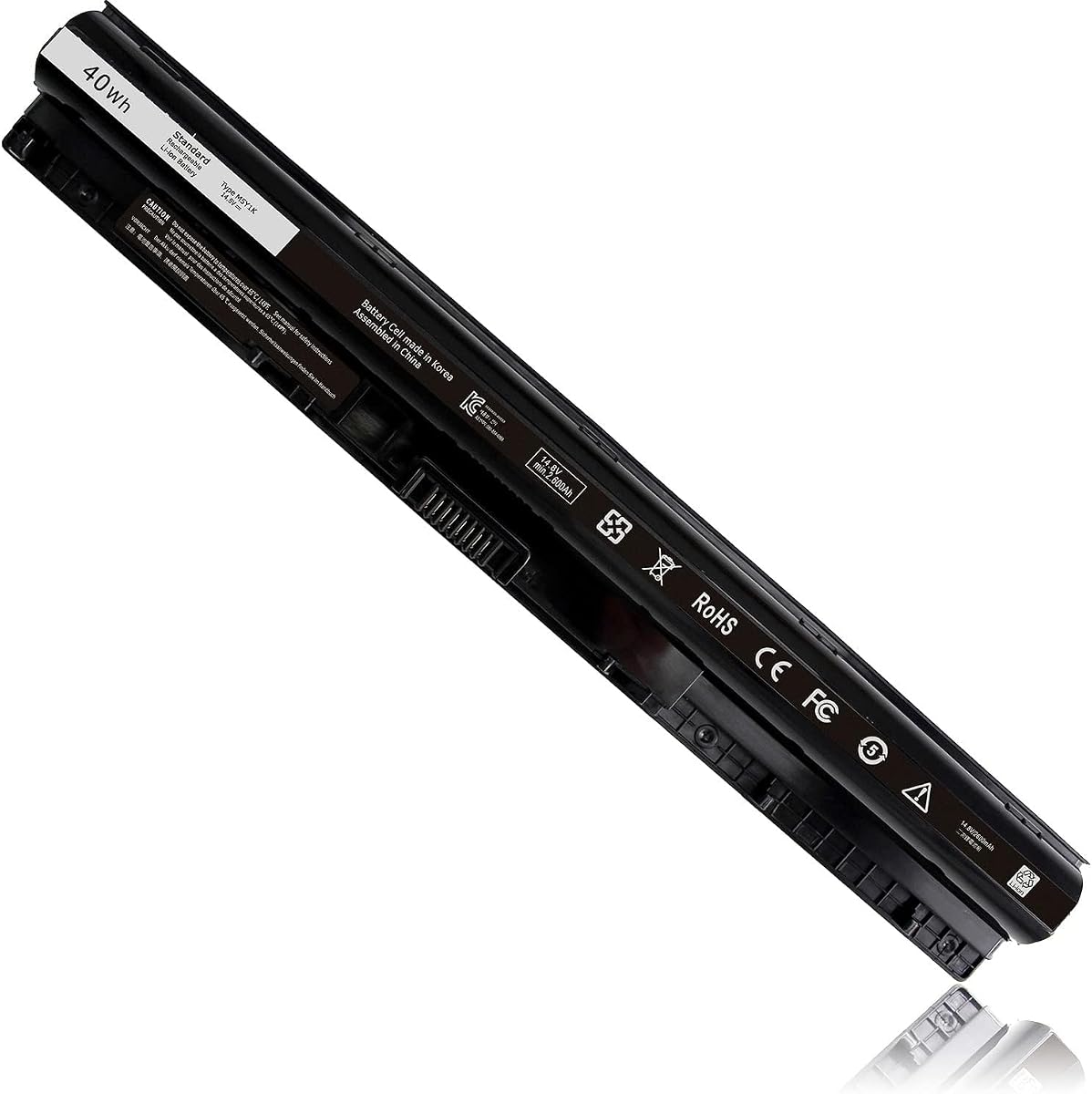
This 40Wh M5Y1K replacement has a 4.4 rating and is aimed at a substantial range of Dell Inspiron 14, 15, and 17 systems from the 3000 and 5000 series. It also lists Vostro 3458, 3459, 3558, and 3559 laptops and Latitude 3460 and 3560 systems, making it more versatile than a replacement limited to a single Inspiron configuration.
We may earn a commission when you buy through this link, at no additional cost to you.
The battery uses a 14.8V, 40Wh, 2600mAh, four-cell design. Its internal PCB has been upgraded according to the listing, which the seller says helps the pack work with original Dell M5Y1K batteries across different model years. The product description also states a battery life of more than 1,000 cycles, although that figure is a supplied manufacturer claim rather than an independent test result.
A particularly helpful feature is the extensive part-number list. It includes M5Y1K, M5YIk, GXVJ3, HD4J0, HD4JO, K185W, KI85W, WKRJ2, VN3N0, VN3NO, 451-BBMG, 453-BBBP, W6D4J, 6YFVW, 78V9D, 1KFH3, and several P-series identifiers. That creates useful cross-reference options, but the buyer still needs to match the battery physically and verify the original part number.
This is a strong option for owners of older Dell Inspiron, Vostro, and Latitude systems built around the M5Y1K platform. It should not be selected for newer Dell laptops merely because the brand matches. Confirm the original model number, connector arrangement, and printed battery specifications before ordering.
Beyond Inspiron systems, the listing identifies compatible Vostro and Latitude models. This can be valuable for buyers whose laptop branding differs, but the original part number remains the safest way to determine fit.
The upgraded internal PCB is a meaningful design detail for an aftermarket pack because it helps the battery communicate with compatible laptops. It does not eliminate the need to verify the connector, voltage, dimensions, and original label.
We may earn a commission when you buy through this link, at no additional cost to you.
This 4.3-rated HT03XL listing stands out for extending its stated compatibility beyond the most common Pavilion names. It covers 14-CE, 14-CF, 14-CK, 14-CM, 14-DF, 14-DH, 14-MA, 15-CS, 15-CU, 15-CW, 15-DA, 15-DB, 15-DY, 15-EF, 17-by, and 17-CA families, along with selected HP x360 14m-dh systems and Pavilion 14-FQ models.
We may earn a commission when you buy through this link, at no additional cost to you.
Its core electrical specification is an 11.55V, 41.9Wh, three-cell polymer battery in black. The package includes one battery, two auxiliary installation tools, and a user manual. The listing identifies numerous replaceable part numbers, including HSTNN-DB8R, HSTNN-DB8S, HSTNN-IB80, HSTNN-IB8O, HSTNN-LB8L, HSTNN-LB8M, HSTNN-UB7J, HT03041XL, L11119-855, several L11421 variants, and TPN references.
The main trade-off is the complexity of the listing itself. A very long compatibility list is convenient when a buyer recognizes the original part number, but it can make the product appear more universal than it is. Model prefixes alone may not be enough; the listing itself includes some individual suffixes and configurations only in certain sections. Comparing the complete label on the existing battery is more reliable than matching only the first few characters.
Choose this battery if your HP Pavilion or supported x360 model is explicitly included and you want the stated 41.9Wh configuration. It may be especially useful for owners of less common 15-DY, 15-EF, 14-DH, or 14-FQ variants that are not emphasized in every competing HT03XL listing.
References to 15-DY, 15-EF, 14-DH, 14-FQ, and selected x360 14m-dh systems distinguish this option from listings that focus on the core 15-CS and 15-DA families. Those extra references are valuable only when they match the exact system and original part number.
The extensive HSTNN, L11421, L11119-855, and TPN list improves the chance of finding a cross-reference for an older battery label. It should still be used as a guide, with the battery's physical connector and shape checked before installation.
We may earn a commission when you buy through this link, at no additional cost to you.
This HT03XL replacement earns a 4.3 rating and combines a large stated model range with explicit attention to electrical protection. It supports HP Pavilion 15-CS, 15-CW, 15-DA, 15-DB, 15-DW, 15-DY, 15-CU, 15-EF, 15-CR, 15T, 15Z, 17-BY, 17-CA, and numerous 14-series families, along with several 14M-DH systems.
We may earn a commission when you buy through this link, at no additional cost to you.
The listed specification is 11.55V and 3610mAh using three lithium-ion cells. Rather than providing watt-hour capacity, the listing expresses capacity in milliamp-hours. That is still useful when it is compared with the original battery, but buyers should not treat the number as directly interchangeable with the 41.7Wh and 41.9Wh descriptions used on other HT03XL listings.
According to the supplied product information, the battery passed detection for short-circuit, overvoltage, discharge, and overcurrent protection, and it is described as CE, FCC, and RoHS certified. The package contains one HT03XL battery, two screwdrivers, and a user manual. The seller also states that email support, a 60-day refund, and a 12-month replacement are available if an issue arises.
This is a good choice for compatible HP Pavilion owners who want clear protection features and formal support terms. The extensive model list makes cross-referencing straightforward, but the precise battery label and connector must still be confirmed. It is best suited to systems explicitly covered by the HT03XL and L11119-855 references.
The listing identifies short-circuit, overvoltage, discharge, and overcurrent protection. These safeguards are particularly relevant in an aftermarket pack because they help manage abnormal operating conditions during charging and use.
Two screwdrivers and a user manual are included, while the stated refund and replacement periods offer added reassurance. Keep the installation instructions and order details accessible during setup.
We may earn a commission when you buy through this link, at no additional cost to you.
The LA03DF replacement has a 4.7 customer rating, making it the highest-rated battery in this group. It is designed for the HP Pavilion 15-F family and supports original part numbers including LA03, LA03DF, LA03031DF, 776622-001, 775625-221, 775625-141, 775625-121, TPN-Q130, TPN-Q132, HSTNN-IB6R, and HSTNN-DB6N.
We may earn a commission when you buy through this link, at no additional cost to you.
Its electrical specification is 11.1V with 31Wh and 2600mAh capacity across three cells. The battery is black and listed as new. A broad collection of individual 15-F suffixes is included, covering systems such as 15-f004dx, 15-f010wm, 15-f128ca, 15-f162dx, 15-f233wm, 15-f272wm, 15-f305dx, and 15-f337wm.
The listing highlights built-in circuit protection against overcharging, overdischarging, and short circuits. It also describes a low-power design, high-end battery chips, and an American production background. These are manufacturer statements, and they make the product's safety-oriented design clear without changing the need for correct model identification.
This is the best budget pick for someone with a supported HP 15-F laptop, especially a machine whose existing battery is labeled 776622-001 or LA03DF. Its 31Wh capacity is lower than that of the HT03XL choices, but those alternatives are not automatically compatible with the 15-F platform. Correct platform support matters more than comparing watt-hours across unrelated battery families.
This battery targets a specific older Pavilion segment rather than trying to span several unrelated HP families. If the original pack reads 776622-001, LA03, or LA03DF, the listed identifiers provide a strong basis for a compatible purchase.
The 31Wh, 2600mAh, three-cell configuration may be particularly relevant to buyers restoring a 15-F system. The lower capacity should be understood in the context of the original battery rather than treated as a deficiency in the replacement.
We may earn a commission when you buy through this link, at no additional cost to you.
The Futurebatt 33YDH battery has a 3.8 rating and provides one of the broadest Dell platform ranges in the guide. Its compatibility list spans Dell Inspiron 17 7000, 15, and 2-in-1 systems, G3 15 and 17, G5 15, G7 15, Latitude 13, 14, and 15 models, and Vostro 15 computers.
We may earn a commission when you buy through this link, at no additional cost to you.
The electrical specification is 15.2V and 56Wh using four cells. The description identifies 33YDH, PVHT1, DNCWSCB6106B, P30E, P30E001, P36E, P72F, and P75F as compatible part numbers. Supported model references include Inspiron 7577, 7773, 7778, 7786, 7779, G3 3579, G3 3779, G5 5587, G7 7588, Latitude 3380, 3490, 3580, 3590, and Vostro 7570 and 7580.
Its most distinctive selling point is the described protection system. The listing mentions twelve security protections, flame-retardant cell materials, an upgraded production process, and a Smart Core system intended to control temperature during charging and discharging. The seller also states that Grade A cells are used for fast charging and lower power consumption.
The 3.8 rating is lower than the ratings assigned to the other products, which makes careful evaluation especially important. The compatibility range is impressive, but similar Dell chassis can use different battery interfaces and firmware expectations. This option is best for buyers whose original pack is clearly marked 33YDH or one of the listed cross-reference numbers and whose laptop falls within the stated families.
The stated support for Inspiron, G-series, Latitude, and Vostro models makes this listing useful for finding a common original 33YDH platform. The broad family coverage does not mean every computer within those brands is compatible; the exact model and part number still govern.
Flame-retardant materials and real-time temperature control are highlighted as key protections. Grade A cells and the stated 12-protection system support confidence in the pack's design, provided installation and charging follow the laptop manufacturer's guidance.
We may earn a commission when you buy through this link, at no additional cost to you.
This M5Y1K replacement carries a 4.5 customer rating and offers a detailed 40Wh specification for Dell Inspiron systems. It covers the Inspiron 15 3000 and 5000 series, Inspiron 14 3000 and 5000 series, Inspiron 17 5000 series, and selected Vostro 14 and 15 models.
We may earn a commission when you buy through this link, at no additional cost to you.
The battery is rated at 14.8V and 2600mAh, uses four cells, and is described as new. Its dimensions are listed at approximately 10.6 by 1.5 by 0.75 inches, which is useful for comparing the pack with the space in the laptop. The compatibility list includes numerous identifiers such as M5Y1K, M5YIK, MSY1K, P51F, VN3N0, VN3NO, OVN3N0, W6D4J, WKRJ2, 6YFVW, 78V9D, K185W, KI85W, GXVJ3, HD4J0, 451-BBMG, 453-BBBP, 991XP, and others.
Safety features are another positive. The listing states that the battery underwent detection for short-circuit, overvoltage, discharge, and overcurrent protection, and that its materials comply with CE, FCC, and RoHS standards. A manual is included, and the seller states that email support, a 60-day refund, and a 12-month replacement are available.
This is a strong choice for an older Dell that uses the M5Y1K platform, particularly if the buyer values a higher customer rating and a useful dimensional reference. The battery is not intended for modern Dell XPS, Precision, or G15 platforms. Check the original M5Y1K label and connector before ordering.
A stated size of approximately 10.6 by 1.5 by 0.75 inches gives buyers an additional way to check whether the pack will fit their laptop. Dimensions should be used alongside model and part-number verification rather than as a replacement for it.
The long replacement-number list makes the battery easier to match against older or unfamiliar labels. Searching for the number printed on the original battery can quickly reveal whether this M5Y1K option is relevant.
We may earn a commission when you buy through this link, at no additional cost to you.
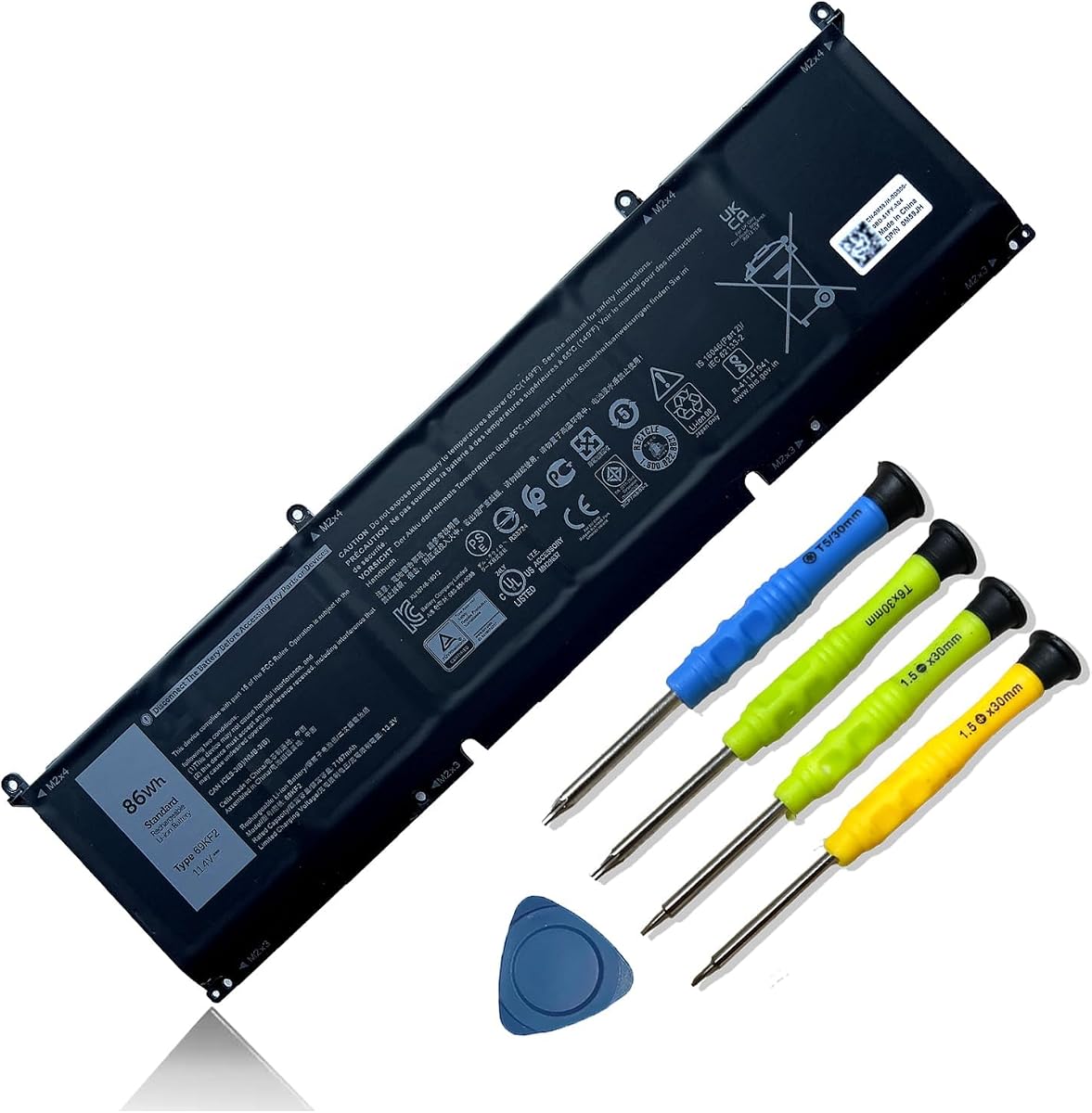
The 69KF2 battery has a 4.4 rating and is the highest-capacity option in the roundup. Its 86Wh, 7167mAh, six-cell configuration is designed for demanding Dell systems rather than older Inspiron models. Supported families include XPS 15 9500 and 9510, Inspiron 16 Plus 7610, Inspiron 7510, Precision 5550 and 5560, G15 5510, 5511, 5515, 5520, and 5521, and M15 and M17 R-series models.
We may earn a commission when you buy through this link, at no additional cost to you.
Compatible part numbers include 69KF2, 70N2F, M59JH, 8FCTC, 08FCTC, and 070N2F. The package comes with screwdrivers, and the listing says Grade A cells are used, providing up to 500 recharge cycles over the battery's life. It also identifies UL, CE, FCC, and RoHS certification and states that short-circuit, overheat, and overload protections are included.
The major advantage is capacity. An 86Wh pack offers more stored energy than the 31Wh, 40Wh, 56Wh, and roughly 42Wh alternatives, making it relevant to larger workstations and gaming laptops that spend substantial time away from an outlet. That extra capacity also means the pack may be physically larger and heavier, so buyers should check clearance rather than assuming every high-watt-hour battery fits the same chassis.
This is the premium pick for a compatible modern Dell. It is particularly relevant to XPS 15, recent G15, Precision 5550 or 5560, and supported M15 or M17 owners who prioritize high capacity. Owners of Dell's older M5Y1K or 33YDH platforms should use those batteries instead.
At 86Wh, the battery stores considerably more energy than the other options in the guide. That makes it a logical choice for larger Dell systems used for demanding work away from AC power, subject to the laptop's own battery-management design.
The supported XPS, G15, Precision, Inspiron Plus, and M-series models cover several modern Dell categories. The 69KF2, 70N2F, and 8FCTC identifiers give buyers concrete ways to verify whether the battery matches the original pack.
We may earn a commission when you buy through this link, at no additional cost to you.
The JC03 replacement has a 4.5 rating and supports HP 15-bs, 15-bw, 17-bs, 15Q-BU, 15G-BR, 17-AK, and 15Q-BY systems. The range includes many individual 15-bs and 17-bs configurations, such as 15-bs013dx, 15-bs077nr, 15-bs095ms, 15-bw011dx, 15-bw033wm, 17-bs011dx, and 17-bs153cl.
We may earn a commission when you buy through this link, at no additional cost to you.
Its specification is 10.95V and 31Wh or 2600mAh using three cells. The battery is black, new, and approximately 10.75 inches long, 1.5 inches wide, and 0.85 inches high. It weighs about eight ounces according to the listing. Those physical details help distinguish it from other HP batteries with superficially similar capacities.
The supported part numbers include JC03, HSTNN-LB7V, 919700-850, 919701-850, 919681-221, 919681-421, 919682-121, 919682-421, 919682-831, HSTNN-DB8E, HSTNN-H7BX, HSTNN-L67N, HSTNN-LB7W, HSTNN-PB6Y, HSTNN-HB7Y, and several TPN references. The listing states that Grade A cells are used, that the battery is certified to CE, FCC, and RoHS standards, and that smart-chip protection covers overcharging, overheating, and short circuits.
This is a well-rated choice for a compatible HP 15-BS or 17-BS system, particularly when the original battery carries the 919700-850 or JC03 identifier. It also includes a 12-month warranty, 24/7 support, and a stated 60-day return. As with all replacements, match the full original part number and connector before installation.
The battery focuses on HP 15-BS, 15-BW, and 17-BS families rather than the broader Pavilion ranges addressed by the HT03XL options. This focused targeting is useful when the original label clearly displays 919700-850 or JC03.
The listed smart chip provides protection against overcharging, overheating, and short circuits. A stated life of more than 1,000 cycles and Grade A cell construction make the design details clear, though actual longevity varies with use and charging habits.
We may earn a commission when you buy through this link, at no additional cost to you.
The safest purchase begins with the battery label rather than the laptop's marketing name. Model-series listings can look broad, but the original part number, voltage, connector, physical dimensions, and charging requirements determine whether a replacement will function properly.
Begin by shutting down the laptop, disconnecting the charger, and locating the label on the existing battery. Record the full model number and any alternate part numbers, then compare them with the replacement listing. A label reading HT03XL, M5Y1K, 33YDH, 69KF2, JC03, or LA03DF is more useful than a laptop model name such as Pavilion or Inspiron because one branded family can contain several battery platforms.
Voltage must match the laptop's charging system and the original pack. The batteries here range from 10.95V to 15.2V, and a 40Wh battery is not interchangeable with a 56Wh or 86Wh pack simply because both are branded for Dell. Capacity can affect runtime, but it cannot compensate for an incorrect voltage, incompatible connector, or unsupported firmware.
Cell count, thickness, length, width, and connector placement determine physical fit. Some listings provide dimensions, while others provide broad model references. A battery that looks correct from the front can still be reversed, too thick, or equipped with the wrong plug. Compare the shape, cable routing, and connector position with the original unit before ordering.
Long compatibility lists are convenient but should be read precisely. The HP HT03XL options share many supported series, yet the listings differ in whether they mention 14-FQ, 14-DH, 15-EF, 15-DY, or particular x360 variants. Dell M5Y1K choices target older Inspiron, Vostro, and Latitude systems, while 33YDH and 69KF2 batteries serve different and newer platforms.
Runtime depends on screen brightness, processor load, wireless activity, battery condition, and the laptop's power profile. The 69KF2's 86Wh specification makes it the highest-capacity option, while JC03 and LA03DF offer compact 31Wh packs for narrower platforms. The 40Wh M5Y1K and 56Wh 33YDH options fall between those extremes for their respective Dell families.
Useful aftermarket batteries describe protection against overcharging, overdischarging, overcurrent, overheating, and short circuits. Several products also mention flame-retardant materials, temperature monitoring, or certifications such as CE, FCC, and RoHS. These are supplier-reported attributes rather than independent test results, but they provide useful information when assessing design safeguards.
Several options include two screwdrivers, while the M5Y1K and JC03 listings include a manual. Included tools may be convenient, but they do not replace good installation practice. Use the correct screw type, avoid forcing connectors, and consult a service manual if the bottom cover or battery compartment is difficult to open.
Return windows, replacement periods, and support availability differ across the listings. The LA03DF, M5Y1K 40Wh, JC03, and 33YDH options state specific refund or replacement periods, while the HT03XL listings vary in their terms. Save receipts and order records, and read the seller's stated deadline carefully because marketplace return windows may not align with the battery warranty.
Before installation, power the laptop down completely, disconnect the charger, and consult the manufacturer's service instructions. Open the bottom cover carefully, disconnect the battery connector before removing the old pack, and avoid flexing or puncturing any cells. Keep the replacement in its protective packaging until it is ready to be installed.
Seat the new battery squarely in its compartment and press the connector fully into place. Confirm that the cable is routed as it was originally and that no screw is missing or left too loose. Reassemble the bottom cover, connect the appropriate HP or Dell charger, and allow the new battery to charge normally. A replacement may initially display an updated or temporary charge estimate as the system recalibrates.
For a new pack that is not recognized, reseat the connector and check that the interface is fully engaged. The 69KF2 listing recommends discharging to approximately 5 percent rather than zero and then cycling the battery several times to help it wake up. Avoid deep discharge, high heat, swollen batteries, and use of damaged or visibly deformed packs; if a battery swells, stops charging, or becomes unusually hot, stop using it and seek qualified service.
Read the label on the current battery and compare its full model number with the replacement listing. Then confirm the voltage, connector, physical dimensions, and exact computer model. Do not rely only on the brand, because several HP Pavilion and Dell Inspiron families use different battery designs within the same product line.
A higher-capacity pack may be suitable only when the replacement listing explicitly supports the laptop and the charging system, connector, voltage, and physical design are compatible. The 86Wh 69KF2 is intended for specific modern Dell models and should not be assumed to fit an older laptop simply because its capacity is greater.
The HT03XL listings in this guide share the central model family and many supported part numbers, but their stated capacity, included support, and exact model coverage differ. Some list 41.7Wh, others 41.9Wh or 3610mAh, and some mention additional variants such as 14-FQ, 14-DH, or 15-EF. Compare the original label and the complete listing before choosing.
They belong to different Dell platform generations. M5Y1K is a 14.8V, 40Wh four-cell pack for older Inspiron, Vostro, and Latitude systems; 33YDH is a 15.2V, 56Wh four-cell option for a different collection of Dell models; and 69KF2 is an 11.4V, 86Wh six-cell pack for supported XPS, G15, Precision, Inspiron Plus, and M-series laptops.
Shut the laptop down, disconnect the charger, reseat the battery connector, and check that the plug is fully engaged. If the battery is recognized but its charge percentage appears incorrect, complete several normal charge cycles; the 69KF2 listing specifically recommends discharging to about 5 percent and cycling three to four times. If recognition problems persist, verify the exact part number and consult qualified service.
The included screwdrivers are intended to assist with replacing the battery and may match the screws in some supported systems. However, laptop bottom covers can use different screw types, and the wrong driver can cause damage. Follow the laptop's service guide and avoid tightening screws more tightly than required.
Keep it in a cool, dry place away from direct sunlight, heat, moisture, and metal objects that could damage the terminals. Store the pack in the packaging supplied with the product and avoid leaving it fully depleted for long periods. If the battery is not used immediately, follow the manufacturer or seller's recommended storage guidance.
A cycle rating estimates how many full charge-and-discharge cycles the battery may withstand under specified test conditions. It is not a guarantee of identical everyday longevity because heat, heavy use, charging habits, and battery age all affect wear. Several listings state cycle expectations, but actual performance can vary with how the laptop is used.
The leading recommendation is the HP HT03XL L11119-855 battery with a 4.4 rating because it combines broad Pavilion compatibility, extensive replacement identifiers, and included installation tools. The LA03DF is the best budget choice for supported HP 15-F systems, while the 86Wh Dell 69KF2 stands out as the premium option for compatible modern XPS, G15, Precision, Inspiron Plus, and M-series laptops.
For the remaining systems, prioritize the original battery part number above all other considerations. The Dell M5Y1K options suit older Inspiron, Vostro, and Latitude platforms; the 33YDH covers a different and broader collection of Dell families; and the HP JC03 targets 15-BS, 15-BW, and 17-BS systems. Matching voltage, connector, dimensions, and exact model suffix prevents many installation and charging problems.
Before making a final purchase, compare the current battery label with the listing and review the seller's warranty, return, and support conditions. Prices, inventory, and marketplace details can change, so check the current product page at the time of purchase and retain the order information in case installation assistance is needed.