
ARCTIC P12 Slim PWM PST
4.6Editor score
15mm slim 120mm profile
PWM speed control to 2100 RPM
1.33 mmH2O static pressure
Our guide to static pressure fans for PC cooling compares airflow, noise, RPM, bearing design, radiator suitability, and fit for demanding builds.
Static pressure fans for PC cooling are designed to force air through restrictive spaces such as dense heatsinks, radiator fins, and tightly packed case components. Unlike general-purpose case fans, they prioritize focused airflow and resistance to back pressure, making them especially useful in compact builds, powerful air-cooled systems, and liquid-cooling radiators.
This guide compares ten 120mm options based on stated airflow, static-pressure figures, maximum speed, noise characteristics, bearing technology, PWM control, connector arrangements, physical dimensions, and intended cooling applications. The list includes standard-depth and slim ARCTIC models, quiet-focused Noctua and Thermalright options, and several CORSAIR RS120 configurations for different lighting and pack requirements.
The recommendations reveal that the right fan depends on the installation rather than one universal specification. A radiator build may benefit from strong high-speed pressure capability, while a small case may require a 15mm fan or a simple non-RGB package. Product prices and availability can change, so compare current listings and verify connector and clearance compatibility before purchasing.
4.6Editor score

4.8Editor score
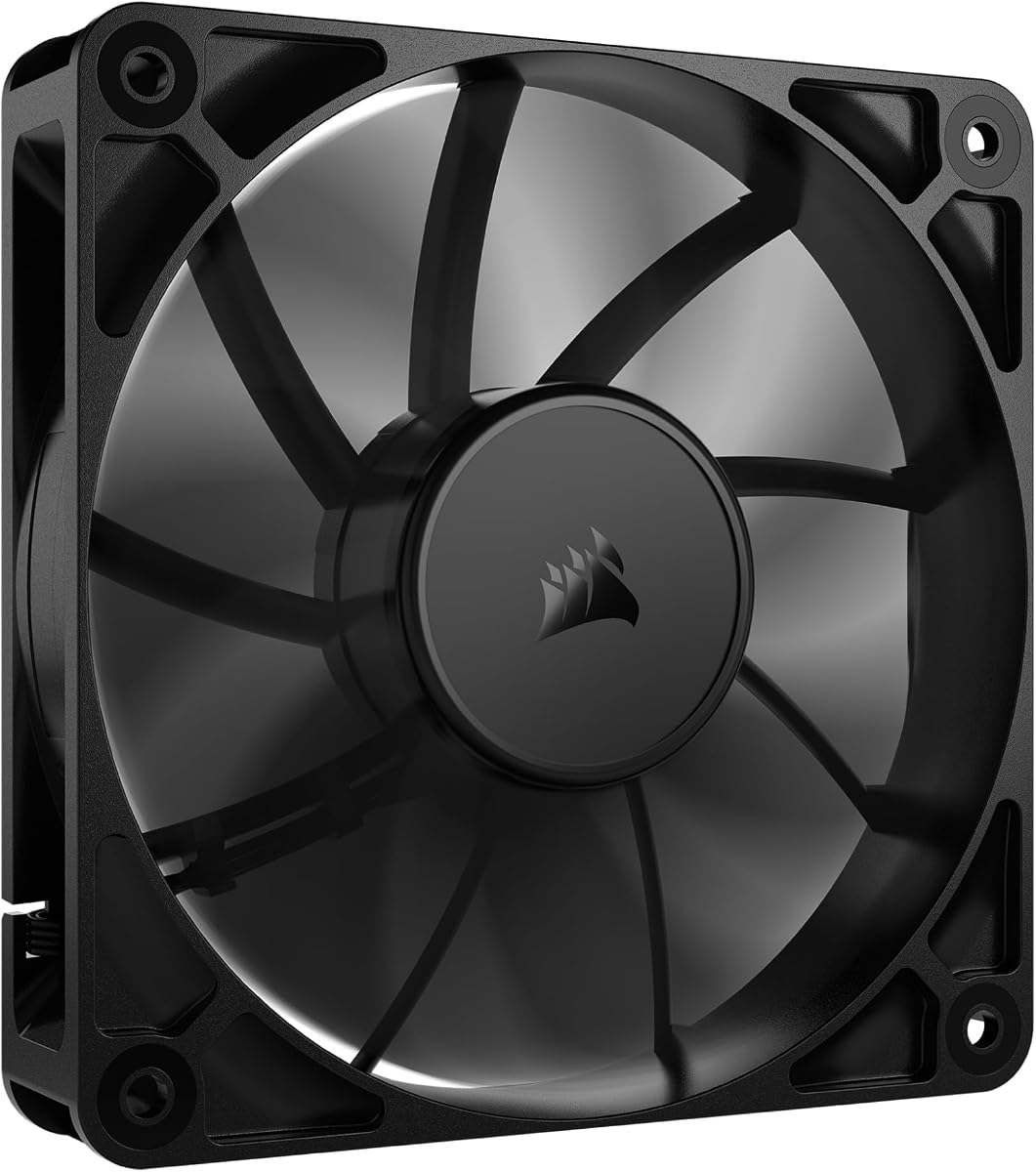
4.7Editor score
The table below compares the ten featured 120mm fans by their stated pressure capability, airflow, speed range, and practical physical or electrical features.


The ARCTIC P12 Slim PWM PST three-pack combines a 4.6 rating with a 15mm-thick design aimed at compact PC installations. Its pressure-optimized construction, broad speed range, and ability to serve as a matched set make it a flexible choice for cases, radiators, and heatsinks where a standard 25mm fan may not fit.
We may earn a commission when you buy through this link, at no additional cost to you.
Each fan operates from 200 to 2100 RPM through a 4-pin PWM PST connection, allowing motherboard-controlled adjustment rather than forcing a single fixed operating point. Stated airflow reaches 34.51 CFM, while static pressure is rated at 1.33 mmH2O. That pressure figure makes the model relevant to restrictive fin stacks, although the slimmer format naturally provides less total airflow than many 25mm alternatives.
The 15mm installation height is the standout practical feature. It opens up cooling options in compact cases, slim radiators, and crowded layouts where depth is more important than maximum volume flow. The trade-off is that users with unrestricted space may find a full-depth 120mm fan better suited to pushing large volumes of air through a high-resistance radiator.
This three-pack is a strong recommendation for builders assembling a small system, matching several slim fan positions, or combining radiator and case ventilation with one consistent family. Choose it when clearance is tight, PWM control matters, and a coordinated group of fans is preferable to unrelated models.
The 15mm profile is the defining advantage. It can fit positions that reject a conventional 25mm fan, making the P12 Slim particularly useful in space-constrained cases and slim radiator configurations.
PWM PST control across 200–2100 RPM lets the fans respond to changing thermal demand. The stated 1.33 mmH2O pressure rating supports use around restrictive heatsinks and radiators where focused airflow matters more than unrestricted case ventilation.
We may earn a commission when you buy through this link, at no additional cost to you.
The Noctua NF-P12 redux-1700 PWM earns a 4.8 rating, the highest among these ten products, and targets the balance between pressure, airflow, and acoustic restraint. Its pressure-optimized blades and 1700 RPM ceiling make it suitable for CPU air coolers, water-cooling radiators, and low-noise chassis ventilation.
We may earn a commission when you buy through this link, at no additional cost to you.
The fan uses a 4-pin PWM connection and supports automatic motherboard speed control, allowing it to remain quieter at idle and increase output under thermal load. Its listed maximum noise level is 25.1 dB(A), while the 120x120x25mm format gives it more depth and airflow potential than the ARCTIC P12 Slim featured earlier in the guide.
One limitation is its 1700 RPM maximum, which is below the 2100 RPM reached by both the ARCTIC P12 Slim and CORSAIR RS120. That difference may matter in especially dense radiators or when maximum cooling is the overriding concern. Fans without integrated lighting may also be less appealing to builders coordinating an illuminated system.
For users who want restrained noise and dependable pressure-focused cooling without RGB, this Noctua remains a particularly balanced recommendation. It is especially attractive for workstation-style builds, quiet gaming PCs, and installations where automatic fan curves and a conservative acoustic profile are priorities.
Automatic motherboard control allows the NF-P12 to reduce output during cooler periods and respond when workload increases. This makes the fan well suited to users who prefer a quieter system without manually adjusting a physical controller.
The pressure-optimized blade design is intended to maintain useful airflow through air-based CPU coolers and radiators. Its standard 25mm depth also makes it a more substantial alternative to slim fans when mounting space permits.
We may earn a commission when you buy through this link, at no additional cost to you.
The black CORSAIR RS120 single fan receives a 4.7 rating and stands out for its combination of 72.8 CFM airflow, 2100 RPM maximum speed, and 4.15 mmH2O stated static pressure. It is a compelling high-output choice for a radiator, tower cooler, or other installation where overcoming resistance is important.
We may earn a commission when you buy through this link, at no additional cost to you.
CORSAIR's AirGuide technology uses anti-vortex vanes to direct air toward hot components when the fan is mounted on a radiator or heatsink. Daisy-chain connection lets multiple RS120 units share one 4-pin PWM input, reducing the need for separate fan headers or splitter cables. The Magnetic Dome bearing is designed to reduce friction and noise while supporting long-term use.
This listing is for one fan, so buyers needing several positions must purchase the single version more than once or consider a triple pack. Its lack of lighting also makes it a less obvious choice for RGB-centered builds. Even so, the fan's high stated pressure and speed are meaningful advantages when the installation is genuinely restrictive.
The RS120 is a strong premium recommendation for performance builders who want one capable 120mm fan without ARGB. It works particularly well when airflow quality and radiator compatibility matter more than decorative lighting. A multi-fan radiator project can exploit the daisy-chain arrangement to keep wiring manageable.
A stated 4.15 mmH2O static-pressure rating is the highest in this comparison. That headroom is valuable when the fan must work through radiator fins, dense heatsink towers, mesh filters, or other obstructions that reduce unrestricted airflow.
Daisy-chain connection allows compatible RS120 units to be linked and controlled through one 4-pin PWM connector. This is useful in cases with a limited number of available headers, provided the installation and cables do not exceed component or connector limits.
We may earn a commission when you buy through this link, at no additional cost to you.
The Thermalright TL-C12C X3 three-pack has a 4.6 rating and combines a 120x120x25mm format with a 1550 RPM maximum speed. Its stated 66.17 CFM airflow is notably higher than the slim ARCTIC package, making it attractive for conventional cases, radiators, and CPU coolers where full-depth mounting is available.
We may earn a commission when you buy through this link, at no additional cost to you.
The listed static-pressure figure of 1.53 mmH2O supports pressure-focused use, while the S-FDB bearing is designed to address blade vibration and operating noise. Four soft silicone corner pads further reduce vibration transfer into the chassis. PWM control through the 4-pin cable allows the motherboard to vary fan speed according to its configured temperature curve.
Its maximum speed of 1550 RPM is lower than that of the 1800, 2000, and 2100 RPM alternatives in this guide. Consequently, it may not extract as much cooling from very dense fins, although the stated airflow suggests it remains effective for mainstream cooling positions. The package has no lighting, which keeps the focus on cooling and simple integration.
This is an attractive option for a builder who wants three coordinated 120mm fans at once. Choose it for strong general airflow, vibration-conscious operation, and flexible use in cases, CPU coolers, or radiators without requiring ARGB.
The three included fans simplify matching intake, exhaust, and radiator positions. This avoids mixing unrelated models with different sound, speed, and control characteristics.
The S-FDB bearing is intended to reduce blade shake, while silicone pads soften vibration at each mounting corner. Together, these features support a quieter installation than an untreated fan mounted directly against a rigid case panel.
We may earn a commission when you buy through this link, at no additional cost to you.
The single ARCTIC P12 Slim PWM PST provides the same core 15mm profile and pressure-focused design as the three-pack, but in a simpler configuration for builders who only need one unit. Its 4.6 rating reflects a well-rounded compact option with 200–2100 RPM PWM control and a stated 1.33 mmH2O static pressure.
We may earn a commission when you buy through this link, at no additional cost to you.
The most valuable feature is dimensional flexibility. At only 15mm thick, it can fit beneath a radiator, inside a compact case, or beside components where a 25mm fan would interfere. ARCTIC describes it as suitable for small form factor cases as well as heatsinks and radiators that accept slim fans.
Stated airflow of 34.51 CFM is modest beside full-depth 120mm models, so users should not treat the slim format as an automatic substitute for a larger fan. The 0.3 Sone noise rating and broad speed range allow it to remain subdued when properly controlled. Mounting hardware and radiator compatibility also need verification because slim dimensions can require different screws or clips.
This is a strong single-fan recommendation for a space-sensitive build. It particularly makes sense for a small tower, a slim radiator, or a case with unusually shallow mounting positions. Users who need substantial bulk airflow should favor a standard 25mm model instead.
This single-fan version is useful when only one shallow position needs a pressure-capable 120mm fan. Its simple PWM connection avoids extra lighting cables and unnecessary decorative hardware.
The broad 200–2100 RPM range allows the fan to idle at a low speed. Combined with the stated 0.3 Sone level, that flexibility can keep acoustic output subdued when the system is not under heavy load.
We may earn a commission when you buy through this link, at no additional cost to you.
The CORSAIR RS120 ARGB triple pack combines a 4.6 rating with a coordinated three-fan solution for builders who want both cooling and lighting. Each fan provides up to 72.8 CFM airflow, reaches 2100 RPM, and is pressure-optimized with a stated 2.8 mmH2O rating for radiator or heatsink use.
We may earn a commission when you buy through this link, at no additional cost to you.
The ARGB system places eight LEDs in each fan and connects through a 5V ARGB header. Motherboard control allows the user to coordinate colors and effects with compatible software or firmware. The fans also daisy-chain their PWM connections, meaning all three can be controlled through one 4-pin PWM connector.
The principal compromise is the need for a compatible 5V ARGB controller or motherboard header. It should not be connected to a 12V RGB header. Its stated 2.8 mmH2O pressure is also below the 4.15 mmH2O listed for the non-ARGB RS120, even though airflow and maximum speed remain identical.
This triple pack is a strong option for a visually coordinated gaming PC with a 360mm radiator or three matching fan positions. It combines simple PWM daisy-chaining with extensive airflow and lighting. Builders who do not need RGB or require the absolute highest pressure specification can save complexity with the plain RS120.
The triple pack provides a consistent mechanical and visual set for radiator, intake, and exhaust locations. Eight customizable LEDs per fan add illumination without requiring separate light modules.
Daisy-chain support lets the three fans share a single 4-pin PWM connection. The ARGB lighting still requires its own 5V connection, so adequate headers and compatible motherboard control remain important.
We may earn a commission when you buy through this link, at no additional cost to you.
The ARCTIC P12 PWM PST five-pack carries a 4.8 rating and provides a broad matching set for complete case ventilation. Its 2.20 mmH2O static-pressure rating, 56.30 CFM airflow, and 200–1800 RPM control range position it as a capable option for radiators, heatsinks, and general case cooling.
We may earn a commission when you buy through this link, at no additional cost to you.
PST technology allows suitable fans to share control signals, which can simplify PWM control across multiple positions. The listed zero-RPM behavior below 5% PWM is particularly useful for quiet desktop use, allowing the motors to stop when the configured curve calls for no cooling. The motor design is also intended to operate efficiently and extend service life by limiting motor temperature.
Five fans create more installation demands than a single or triple pack. Users need enough headers, suitable splitters or a compatible hub, and adequate cable routing space. The absence of lighting may be a downside for an RGB build, but the simple black design integrates easily with understated systems.
This package is an excellent choice for a new full-system build that needs several replacement fans, or for a radiator and case setup requiring matching components. Its high rating, pressure capability, and complete five-fan format make it especially convenient for users who prefer not to mix separate products.
A five-fan package can populate multiple intake, exhaust, and radiator locations with identical PWM behavior. Matching models simplify fan-curve configuration and keep the visual design consistent.
The listed 0 RPM operation below 5% PWM permits the fans to stop during low-demand periods. This can reduce unnecessary noise in a desk-oriented or office-focused system when the motherboard and PWM settings support that behavior.
We may earn a commission when you buy through this link, at no additional cost to you.
The white CORSAIR RS120 ARGB triple pack is tailored to light-themed systems that still need substantial airflow. It retains the RS120 family's stated 72.8 CFM airflow, 2100 RPM maximum speed, and 2.8 mmH2O static pressure while adding eight customizable LEDs to each fan.
We may earn a commission when you buy through this link, at no additional cost to you.
All three units can be linked through a single 4-pin PWM connection, while the lighting system uses a 5V ARGB connection. That means motherboard compatibility extends beyond ordinary PWM control: the board or an appropriate controller must support 5V ARGB. The white finish also needs to be considered against the rest of the case, radiator, and hardware color scheme.
Its cooling figures make it appropriate for a radiator or tower heatsink, and the triple configuration provides enough units for common 360mm layouts or a set of case positions. The stated pressure is lower than that of the non-lighting single RS120, but it remains aligned with the ARGB version's overall cooling design. Users should check the physical fit and confirm the proper ARGB header before ordering.
This is a good recommendation for a coordinated white gaming build where lighting is important. It provides a complete set rather than requiring users to assemble one of each variation. If the system lacks ARGB control, the plain black RS120 is the simpler and more appropriate option.
The white finish and integrated lighting suit systems built around pale cases, white radiators, or matching components. The result is a more deliberate appearance than adding standalone RGB fans to a different color scheme.
Up to 72.8 CFM of stated airflow and a 2100 RPM ceiling provide the performance needed for common radiator positions. The 2.8 mmH2O pressure figure supports installation where the fan must work through restrictive fins.
We may earn a commission when you buy through this link, at no additional cost to you.
The single-pack CORSAIR RS120 ARGB is for builders who want one high-output illuminated fan rather than a complete set. It carries a 4.6 rating and includes the same 72.8 CFM airflow, 2100 RPM maximum speed, and 2.8 mmH2O static-pressure specification as the larger ARGB packages.
We may earn a commission when you buy through this link, at no additional cost to you.
Eight integrated LEDs provide customizable lighting through a compatible motherboard's 5V ARGB control. PWM operation remains independent of the lighting connection, so the fan can still be controlled through a standard 4-pin header. The Magnetic Dome bearing and anti-vortex AirGuide vanes support smooth operation and directed cooling around radiator and heatsink locations.
As a single-fan package, it offers less convenience for a multi-position build and may cost more per fan than purchasing a triple set. It also carries the 5V ARGB compatibility requirement, which is unnecessary for builders who do not want lighting. The 2.8 mmH2O pressure figure remains below that of the plain RS120 single fan.
This listing is best for completing a partially built system or adding a single illuminated fan to an existing matching group. It is a strong choice for a radiator or case position that benefits from both high airflow and RGB, provided the system has the correct ARGB header and enough space for the standard-depth frame.
A single fan is useful when only one position needs replacement or illumination. Its daisy-chain support also allows it to join compatible RS120 ARGB units without giving each fan a separate PWM connection.
The ARGB lighting does not replace the fan's cooling capabilities. The stated 72.8 CFM airflow and 2100 RPM ceiling make this a practical option for a restricted radiator position where both volume flow and a decorative finish are desired.
We may earn a commission when you buy through this link, at no additional cost to you.
The CORSAIR RS120 triple pack has a 4.7 rating and combines three of the high-pressure, non-RGB RS120 fans. Each reaches 72.8 CFM airflow, 2100 RPM, and a stated 4.15 mmH2O static pressure, giving the set the strongest pressure specification among the products in this guide.
We may earn a commission when you buy through this link, at no additional cost to you.
Daisy-chain support means the three fans can share a single 4-pin PWM connector, which is especially convenient for a 360mm radiator or a case with several fan positions. The Magnetic Dome bearing is designed to minimize noise and friction, while AirGuide anti-vortex vanes help direct airflow through radiator and heatsink installations.
The set is less convenient for builders who need only one or two fans, and the absence of ARGB makes it less visually flexible than the illuminated RS120 packages. A three-fan installation also demands sufficient mounting locations, correct screws, and safe cable routing. Despite those considerations, the underlying fan has the highest stated pressure figure in the comparison.
This is a strong all-around recommendation for a performance radiator build without lighting. It provides a complete matched set, high airflow, and the greatest stated pressure headroom in the guide. Users who require a slim profile should reconsider, because these are standard-depth 120mm fans.
The 4.15 mmH2O static-pressure rating gives the RS120 strong resistance to back pressure. That makes the set particularly suitable for radiator and heatsink positions where maintaining airflow through dense fins is a priority.
Daisy chaining reduces PWM wiring complexity, while the three matching fans make it convenient to create a balanced radiator or case layout. Each fan still requires its own physical position and appropriate mounting hardware.
We may earn a commission when you buy through this link, at no additional cost to you.
The most important starting point is the restriction imposed by the intended installation. Once airflow resistance, mounting depth, fan count, noise priorities, and lighting requirements are known, the relevant specifications become much easier to compare.
Static pressure describes a fan's ability to maintain airflow when the air path is restricted. Dense radiator fins, tower heatsinks, mesh filters, and tight bends create more resistance than an open case position. A higher pressure rating is therefore valuable when the fan must push through a substantial fin stack, while unrestricted ventilation may prioritize bulk airflow instead. Compare the stated pressure under the conditions where the fan will actually operate rather than treating the figure as a universal measure of cooling performance.
Airflow describes how much air a fan can move, while static pressure describes how well it can move that air against resistance. A high-airflow fan may still lose performance in a dense radiator, and a pressure-focused fan may not maximize unrestricted case circulation. Read both figures together, then consider fan size and speed. The guide includes models with stated airflow ranging from 34.51 to 72.8 CFM and pressure ratings from 1.33 to 4.15 mmH2O, illustrating that the strongest choice depends on the installation.
Fan dimensions matter because a case or radiator may accept one thickness but not another. The ARCTIC P12 Slim is 15mm deep and fits applications where a conventional 25mm fan cannot, while the Noctua, Thermalright, and CORSAIR options are standard 120x120x25mm designs. Check radiator thickness, fan position, frame clearance, mounting-hole spacing, and available space beside the motherboard or memory. Also confirm that the fan can be oriented correctly for intake or exhaust.
Noise is influenced by blade design, motor, bearing, speed, mounting material, and the acoustic properties of the case. The listed specifications include a maximum of 25.1 dB(A) for the Noctua, 0.3 Sone for both ARCTIC P12 Slim variants and the ARCTIC P12 PWM PST, and lower-noise bearing claims for the CORSAIR and Thermalright models. These measurements are not directly interchangeable, so PWM control and vibration isolation are also important. A fan that runs more slowly at a well-chosen curve may be quieter than a higher-output model forced to run constantly.
All featured products use 4-pin PWM control, allowing compatible motherboards to vary fan speed using temperature-based curves. Some packages also support daisy chaining, so multiple fans can share one PWM header. That reduces cable clutter but can concentrate current if many high-power fans are linked. Follow the manufacturer's guidance, use suitable splitters or powered hubs where required, and avoid improvised connections. ARGB versions need a separate 5V ARGB header, which must not be confused with a 12V RGB connector.
The lineup includes a magnetic dome bearing in the CORSAIR RS120 and an S-FDB bearing in the Thermalright TL-C12C X3. Noctua describes its NF-P12 as a long-life high-performance design, while the ARCTIC products emphasize efficient motors and extended service life. Bearing construction affects smoothness, durability, and noise, but mounting vibration also matters. Silicone corner pads, as offered by the Thermalright model, can reduce structure-borne vibration and prevent a good fan from sounding harsh in a resonant case.
The number of fans needed should be based on available mounting positions, not merely on a discount or package size. This guide includes single, triple, and five-fan packages. Singles suit targeted upgrades, while triples and five-packs simplify matched case or radiator layouts. ARGB is worthwhile for coordinated gaming builds, but it adds a lighting connection and controller requirement. The plain black and white non-RGB options provide the same core cooling emphasis with a simpler visual and electrical design.
Static pressure fans still need a coherent case airflow plan. Intakes should supply cooler external air to the areas where it is needed, while exhaust fans remove rising heat. Larger and higher-speed fans can create a strong pressure difference, so consistent intake and exhaust sizing helps prevent unwanted recirculation. For radiators, follow the hardware manufacturer's airflow guidance and orient the fan and radiator combination to move air in the intended direction. After installation, use monitoring software to check for recirculation and thermal hotspots.
Begin by confirming that the fan dimensions, mounting holes, connector type, and radiator or heatsink clearance are compatible. Install the fan with the airflow arrow pointing in the intended direction, use the correct screws or clips, and avoid overtightening the frame. For vibration control, use any supplied silicone pads and make sure the fan frame is seated evenly against the mounting surface.
Connect the 4-pin cable to a PWM-controlled motherboard header or a suitable splitter, hub, or daisy-chain arrangement. Configure a temperature-based fan curve in the motherboard software rather than leaving the fan at maximum speed by default. Begin with a moderate curve, listen for changes in pitch, and make small adjustments. ARGB fans require a compatible 5V ARGB header or controller, and their lighting should be synchronized through the appropriate motherboard software.
Maintenance is mostly about airflow and cleanliness. Keep intake filters, radiator fins, and case vents free of dust, and ensure the fan is not obstructed by cables or components. If noise changes or performance seems inconsistent, power down the system, disconnect power, inspect for dust or rubbing, and confirm that the frame remains square. Never clean a spinning fan while the computer is running, and follow the manufacturer's guidance for cleaning or replacement.
A static pressure fan is designed to push air through restrictive paths while resisting back pressure. It is especially useful with radiators, dense CPU heatsinks, mesh intake filters, and other components that impede airflow. The figure is usually expressed in mmH2O, and higher values indicate greater ability to maintain pressure under resistance. It should still be considered alongside airflow, speed, noise, and the dimensions of the installation.
They are better when the installation creates significant airflow resistance. A general-purpose case fan may be more appropriate for moving large volumes of air through open spaces, while a static pressure model is better suited to pushing through fins. Some fans perform well in both roles, so the actual radiator, heatsink, and case layout should determine the choice rather than the label alone.
A 15mm fan is better when mounting depth is the main constraint, such as in a compact case, beneath a radiator, or beside a densely arranged component. A 25mm fan generally offers more depth and often greater airflow potential. If the case has sufficient clearance, a standard-depth model may be easier to find and better suited to high-volume cooling.
The required number depends on the radiator size, case volume, component layout, and desired airflow balance. Match the fan count to the available mounting positions and follow the radiator or cooler manufacturer's airflow recommendations. More fans are not automatically better if they create recirculation, excessive noise, or exceed the available header and power capacity.
Yes, these fans use 4-pin PWM connections and are designed for motherboard speed control. The available BIOS or motherboard software lets you create a temperature-based fan curve, set a minimum speed, and adjust the response to heat. Daisy-chained or splitter arrangements can also be controlled, but their current limits and connection requirements should be checked first.
No. ARGB controls lighting, not the fan's core pressure or airflow performance. A non-RGB static pressure fan can provide identical or even better cooling depending on its specifications. Choose ARGB when coordinated lighting is important to the build and the motherboard includes a compatible 5V ARGB controller or header.
No. Maximum RPM indicates the upper end of the fan's controllable speed range, but noise, blade design, bearing quality, airflow, and static pressure all influence the result. A lower-RPM model that is properly controlled can be quieter and sufficient for many systems. Compare the complete specification and choose the model that matches the cooling demand.
The fan should move air through the radiator in the direction intended by the cooling hardware manufacturer. The radiator's fan position and orientation determine whether air passes through the fin stack first or reaches it from a specific side. Incorrect orientation can increase heat transfer resistance and make a capable fan appear ineffective, so check the radiator guidance before assembly.
The ARCTIC P12 Slim PWM PST three-pack is the leading compact recommendation, offering a 15mm profile, 200–2100 RPM control, and a useful set of three fans. The Noctua NF-P12 redux-1700 PWM is the standout for quiet, pressure-focused operation, while the CORSAIR RS120 single fan provides the highest stated static pressure and strong airflow for demanding radiator positions.
Prioritize fit before specifications. Confirm mounting depth, hole spacing, connector layout, and the actual airflow resistance of the heatsink or radiator. Then balance pressure capability against airflow and noise, using PWM curves to keep the system quiet during light workloads. If a complete matched set is required, the Thermalright TL-C12C X3, ARCTIC P12 five-pack, and CORSAIR RS120 triple pack reduce the need to mix separate models.
Lighting is a separate preference from cooling: the CORSAIR ARGB options add coordinated illumination but require compatible 5V ARGB control. Review current product listings, prices, included cables, and mounting hardware before purchasing, since package contents and availability can change over time.