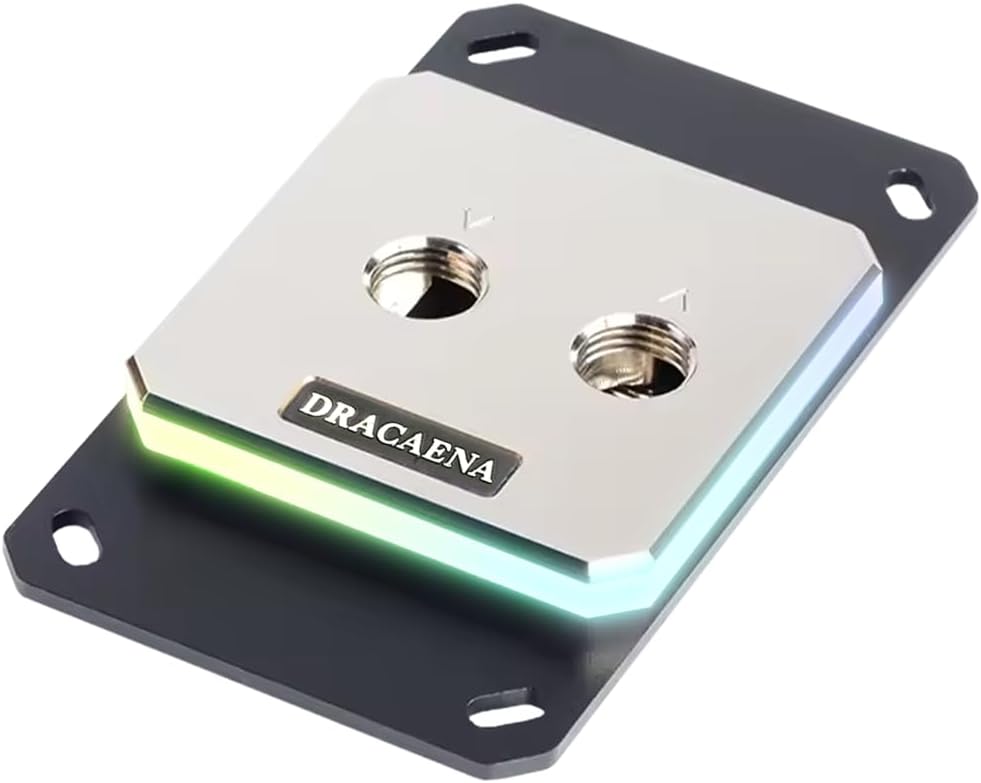
Dracaena.io CPU Water Block
4.6Editor score
Broad legacy AMD socket support
Full-copper internal water path
Includes ARGB controller and hardware
CPU water blocks sit at the heart of a custom liquid-cooling loop, transferring heat from the processor into circulating coolant. A strong block combines an efficient cold plate, smooth internal channels, reliable seals, accurate mounting, and compatibility with the hardware in your build.
The products in this guide were compared using their published specifications, platform support, materials, dimensions, lighting features, display functions, port layouts, and included installation components. The list covers blocks for modern Intel and AMD systems as well as several budget, traditional, and display-focused options.
Each review explains the strongest reasons to consider a particular block while also identifying compromises or important compatibility requirements. Ratings and product availability can change, so confirm the current listing, socket support, included hardware, and price before purchasing any CPU water block.
4.6Editor score

4.6Editor score

3.6Editor score
As an Amazon Associate we earn from qualifying purchases.
This side-by-side comparison highlights socket coverage, cold-plate construction, integrated technology, physical design, and practical differences among the ten CPU water blocks. It is intended to make platform compatibility and feature priorities easier to compare before selecting a block for a custom loop.




The EKWB EK-Quantum Velocity 3 is a high-performance CPU water block intended for demanding custom-loop builds using AMD AM5 or Intel LGA 1700 and LGA 1851 processors. It carries a 4.6 rating, and its strongest appeal is the combination of an optimized internal geometry, precise mounting pressure, and a nickel-plated copper cold plate.
We may earn a commission when you buy through this link, at no additional cost to you.
EKWB states that the Velocity 3 improves thermal performance by as much as 2 degrees Celsius compared with the Velocity 2. That improvement is attributed to its revised internal geometry and mounting approach, both of which are particularly relevant when the block is paired with a capable pump, radiator, and carefully managed coolant flow.
The trade-off is that this is not an all-in-one cooler. It does not include a pump, radiator, reservoir, fittings, or illuminated display, so buyers must already have the remaining loop components or plan to purchase them. Its stated dimensions of 69 by 69 by 25.1 millimeters also require checking clearance around tall memory and the graphics card.
It is the strongest general recommendation in this guide for a builder who wants established modern-platform support and prioritizes cooling engineering over decorative extras. It is less appropriate for someone expecting a simple sealed cooler, but it is a logical choice for a carefully planned custom installation.
The nickel-plated copper cold plate offers strong conductivity, while the revised internal geometry is intended to move coolant through the block more efficiently. This makes the Velocity 3 a practical choice for sustained computing, overclocking, and processors with substantial thermal output.
Support for AM5 and LGA 1700/1851 covers the most relevant platforms represented here, but socket compatibility alone does not guarantee clearance. Prospective buyers should compare the compact 69-square-millimeter footprint with their motherboard, memory modules, and graphics-card cooler.
We may earn a commission when you buy through this link, at no additional cost to you.
The CORSAIR XC7 RGB Elite LCD combines CPU cooling with a square IPS display and extensive RGB lighting. Its 480-by-480 screen operates at 30 FPS with a 600-candela-per-square-meter backlight and 24-bit color, making it a compelling option for builders who want temperature monitoring, animations, images, or personal artwork displayed inside the case.
We may earn a commission when you buy through this link, at no additional cost to you.
The block uses a Hexa-Flow cooling engine intended to reduce laminar flow and distribute cooling more evenly across multi-chip-package CPUs. Its nickel-plated copper cold plate includes more than 120 micro-cooling fins, while 31 individually addressable RGB LEDs provide separate lighting control. USB-C connectivity is a particularly useful feature because it supports installation and automatic iCUE setup without a separate controller.
Its main compromise is that a large display and 31 RGB LEDs make visual integration more demanding than with a traditional block. Reviewers must also plan for software configuration, cable routing, and sufficient case depth. The 4.1 rating also trails several technically focused alternatives, though the feature set is unusually rich for a display-equipped CPU block.
This is the right choice for a showpiece system in which the coolant temperature, custom graphics, and synchronized lighting are central to the design. It is less compelling for a minimalist build or for a buyer whose main priority is a simple, conventional water block without an integrated screen.
The IPS panel is large enough to present recognizable artwork, animated content, or live CPU readings while still fitting within a conventional square-block footprint. USB-C simplifies the physical connection and makes the product more approachable for first-time custom-loop builders.
Thirty-one individually addressable LEDs allow the lighting to be tailored separately from the screen, while the Hexa-Flow engine and fine copper cold plate address core thermal performance. The result is a block that balances functionality and visual customization, albeit with more cables and software considerations.
We may earn a commission when you buy through this link, at no additional cost to you.
The Dracaena.io CPU Water Block stands out for its exceptionally broad AMD socket coverage and a 4.6 rating. It supports AM5 and AM4 as well as AM3, AM3+, AM2, and AM2+, allowing it to serve current Ryzen systems and a wide collection of earlier AMD platforms without requiring an adapter.
We may earn a commission when you buy through this link, at no additional cost to you.
Its cooling path is described as entirely copper, including full-copper internal water channels and a 0.4-millimeter microfin base plate. The block uses aluminum mounting brackets and a clear acrylic top panel, while a three-pin 5V ARGB connection provides synchronization with major motherboard lighting ecosystems. The included kit contains a controller, backplate, mounting hardware, and screws.
The obvious limitation is platform scope: no Intel socket support is listed. Thermal paste is also excluded, so a separate supply of suitable thermal interface material is required. As with any custom-loop component, fittings, a pump, and a radiator remain outside the supplied installation kit.
For an AMD builder working with either a current AM5 system or an older supported platform, this is an unusually complete and affordable package. Its broad compatibility and included accessories make it especially appealing for hobbyists who may maintain an older AMD build or want a straightforward block with controllable lighting.
Avoiding aluminum in the described coolant path is a distinguishing feature at this level. The combination of copper channels and a finely featured base plate is intended to improve heat transfer while also making the block suitable for standard G1/4-inch custom-loop connections.
The unusually broad socket list gives this block value beyond a single upgrade cycle. Buyers should still verify the exact mounting pattern and physical clearance for their particular motherboard rather than relying on socket names alone.
We may earn a commission when you buy through this link, at no additional cost to you.
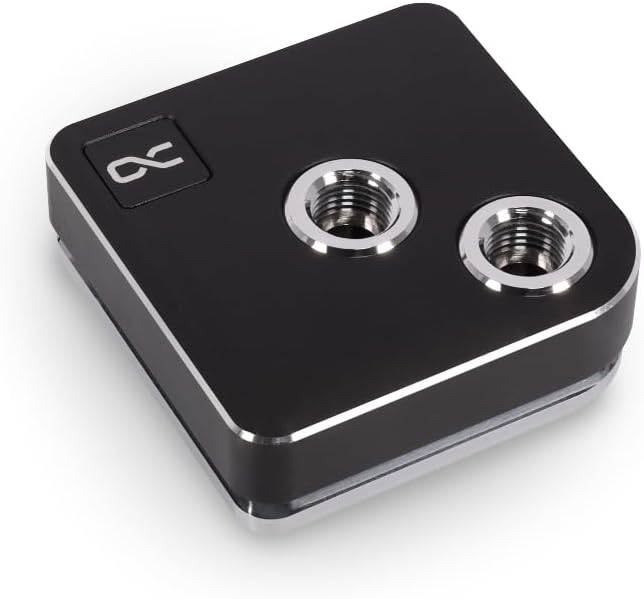
The Alphacool Core 1 is a straightforward CPU water block for custom loops supporting both major processor families. Its published compatibility includes Intel LGA 1700 and AMD AM4 and AM5, while its black finish is designed to blend into typical gaming-system aesthetics.
We may earn a commission when you buy through this link, at no additional cost to you.
The block measures 72 by 72 by 26.5 millimeters, giving it a symmetrical footprint that should be familiar to builders accustomed to traditional square CPU blocks. Its 4.6 rating indicates strong customer reception, although the supplied product information does not detail its internal geometry, cold-plate finish, or exact port arrangement.
Those unspecified details matter when planning a custom loop, so buyers should examine the manufacturer listing and package contents before ordering. The absence of an integrated screen, pump, or advanced lighting system keeps the design focused, but it also means fewer visible extras than several premium alternatives in this guide.
The Core 1 is most suitable for builders who want a clean, conventional block with broad modern-platform support and do not need display-based monitoring. It is a balanced choice for AM5 and LGA 1700 systems, especially when the entire loop is being designed around a coordinated black aesthetic.
Support for LGA 1700, AM4, and AM5 makes the Core 1 a practical option for many current and recent systems. Confirm the exact socket kit included for your processor and verify nearby component clearance before installation.
At 72 by 72 by 26.5 millimeters, the block maintains a familiar square profile without an oversized display. That makes it easier to coordinate with restrained cases, compact layouts, and builds where visual simplicity is preferable.
We may earn a commission when you buy through this link, at no additional cost to you.
This CPU Water Cooling Block is a compact copper option aimed primarily at legacy systems. It supports AMD 940, AM2, AM3, and Bulldozer platforms, together with Intel 775, 1155, 1156, 1366, LGA 1150, and LGA 2011, giving it value for repairing or upgrading older hardware.
We may earn a commission when you buy through this link, at no additional cost to you.
Its central thermal component is a 50-millimeter copper base with a height of 5 millimeters and an internal water channel. Two chrome-plated copper ports have an external diameter of 10 millimeters, and the product description emphasizes a large water-contact area for carrying heat away from the processor. One set of four screws is included.
Its 4.2 rating is respectable, but the old socket list is the decisive factor. It does not cover AMD AM5 or Intel LGA 1700, so it is not suitable for a current high-end platform. The available information also does not specify G1/4 threads, so installers should confirm port compatibility and the required fittings before committing to the loop design.
This block makes the most sense for a carefully selected older Intel or AMD machine where preserving an existing platform matters. It should not be selected for a new AM5 or LGA 1700 build, and it is better viewed as a targeted legacy component than a general-purpose modern recommendation.
The broad legacy socket list can extend the useful life of older systems that cannot use current all-in-one coolers. Modern platforms require a different block, so identify the processor socket before making a purchase.
The copper base and internal channel form the block's primary heat-transfer path. Its 50-millimeter base and described large contact area are positive attributes, although fittings and port details should be verified against the rest of the loop.
We may earn a commission when you buy through this link, at no additional cost to you.
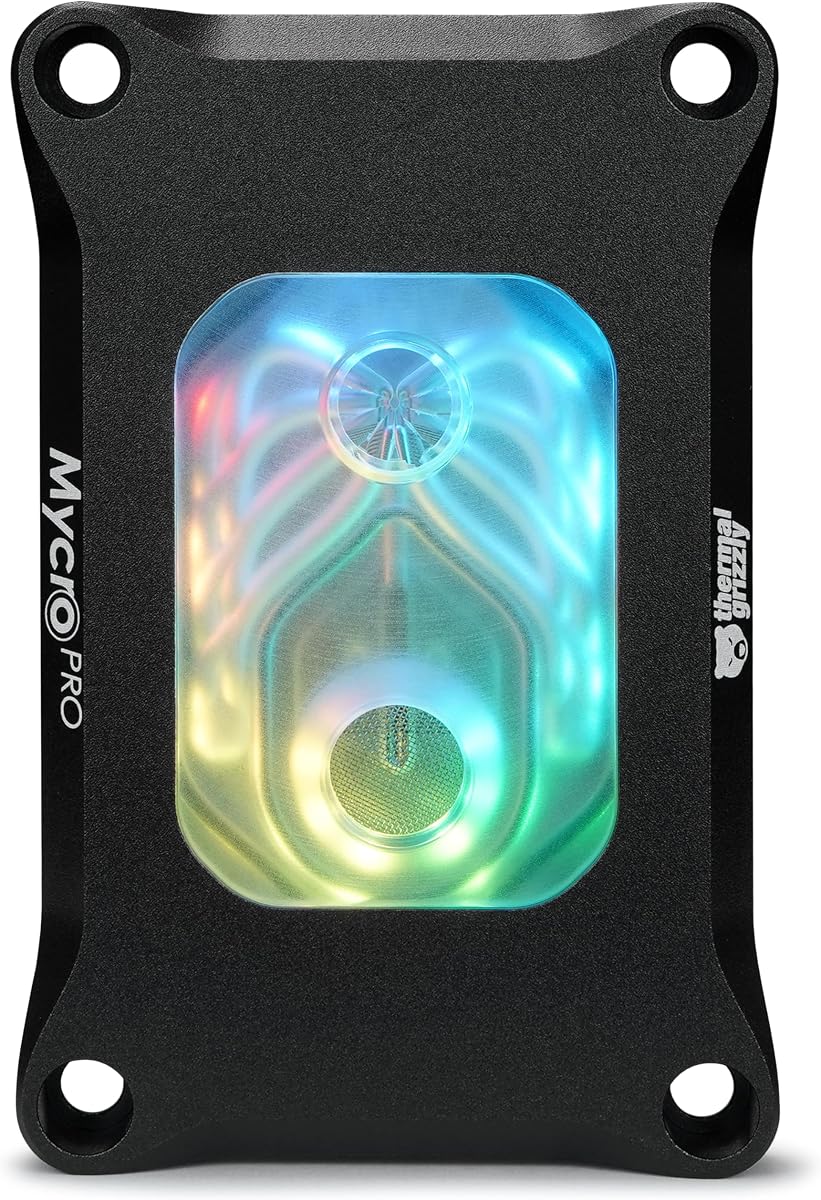
The Thermal Grizzly Mycro Pro RGB is an AMD-focused custom-loop block built around a precision-machined nickel-plated copper cold plate. It supports AM5 and AM4 and carries a 4.6 rating, making it one of the strongest technical options for compatible AMD systems in this guide.
We may earn a commission when you buy through this link, at no additional cost to you.
Its cold plate contains 68 microfins with a stated 0.2-millimeter structure, a design intended to increase surface area and support heat transfer under sustained load. An integrated fine mesh filter at the inlet helps trap particles and maintain consistent flow through those narrow channels. Standard G1/4 threads simplify integration with a wide range of custom-loop hardware.
The block combines acrylic, aluminum, nickel-plated copper, and EPDM O-rings, while an RGB window adds an illuminated accent without requiring a large screen. The very fine internal geometry and filter make loop cleanliness particularly important, and the supplied information does not list a specific maximum pump speed or recommended flow rate.
This is an excellent choice for an AM5 or AM4 builder who values fine cold-plate machining, filtration, and conventional fittings. It is less appropriate for an Intel-only system, and anyone attracted to a large display or extensive digital lighting should look elsewhere.
The 0.2-millimeter fin structure and 68 machined channels distinguish the Mycro Pro RGB from simpler entry-level blocks. This design is well suited to modern AMD processors when paired with a pump and radiator capable of supplying stable flow.
The built-in inlet filter is a meaningful maintenance feature for a block with fine microfins. G1/4 threads make it easier to use standard fittings, although coolant and tubing choices should be planned together to avoid material or diameter issues.
We may earn a commission when you buy through this link, at no additional cost to you.
The TRYX Panorama WB is the most visually ambitious block in this guide, combining a curved 6.67-inch 2K AMOLED display with CPU cooling and a built-in VRM fan. Its 60 Hz refresh rate and 372 pixels per inch support vivid graphics and anamorphic visual effects, while the integrated screen can present monitoring data, split-screen content, and personal media.
We may earn a commission when you buy through this link, at no additional cost to you.
Native GIPHY integration through TRYX KANALI gives users access to GIF content without local downloading, and the software also supports uploaded PNG, JPG, GIF, and MP4 files. Cooling is based on Asetek Gen8 V2 architecture with a 55.5-by-55.5-millimeter microchannel copper cold plate. A four-pin PWM fan supplies targeted motherboard voltage-regulator airflow at up to 3,300 RPM.
Its 3.6 rating is the lowest among the ten products and should be considered carefully. The display, software, power, and cooling connections increase complexity, while the large curved screen changes case-clearance requirements substantially. Its premium feature set also serves a narrower audience than a conventional block with no screen or lighting.
Despite those trade-offs, it is the clear premium pick for a showcase system where the display itself is part of the cooling solution. It supports Intel LGA 1851, 1700, 1200, and 115X along with AMD AM4 and AM5, and the package includes rotary brass G1/4 fittings, mounting frames, and thermal paste.
The curved AMOLED panel is considerably larger and more immersive than a conventional square CPU display. It is suited to animated GIFs, uploaded video, system monitoring, and custom artwork, with GIPHY access simplifying daily content changes.
The built-in PWM fan targets the motherboard voltage regulators, adding airflow near a component that can benefit from it during heavy overclocking. This complements the microchannel cold plate rather than replacing the need for an external pump and radiator.
We may earn a commission when you buy through this link, at no additional cost to you.
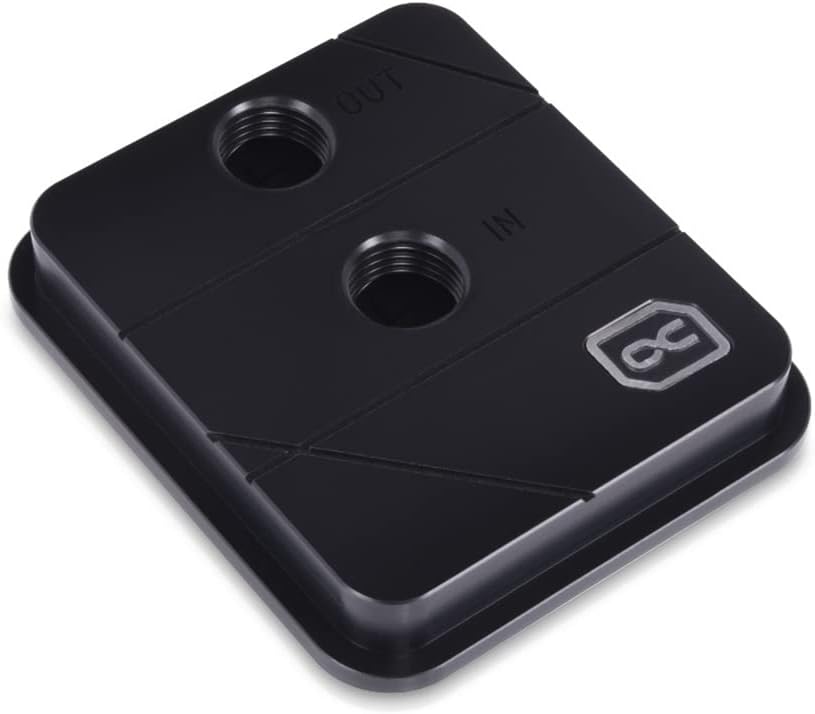
The Alphacool Core XP3 is a relatively compact traditional CPU water block made primarily for straightforward custom-loop integration. It supports Intel and AMD processors, uses a nickel-plated copper cooler material, and provides two G1/4-inch threaded ports for attaching tubing and fittings.
We may earn a commission when you buy through this link, at no additional cost to you.
Its listed dimensions are 73 by 63 by 21 millimeters, making it thinner than many blocks in the guide. The maximum working temperature is stated as 60 degrees Celsius, which provides a useful operating parameter when comparing it with other options for lower-temperature or enthusiast workloads.
The supplied information does not list exact socket models or describe the internal fin geometry in detail. Buyers should therefore check the mounting hardware and current manufacturer specifications before ordering. The 4.4 rating is solid, but it does not compensate for a display, advanced lighting, or an elaborate software ecosystem.
The XP3 is most useful for a builder who wants a compact, conventional block with standard G1/4 connections and no display complexity. It is a practical choice for established custom-loop systems, particularly where tubing layout and low-profile block height matter more than integrated visual features.
At 21 millimeters tall, the Core XP3 can offer more room than bulkier display-equipped blocks. Two G1/4 ports also connect naturally to common fittings, making it easier to incorporate into an existing custom-loop ecosystem.
The nickel-plated copper cold plate provides a familiar thermal-contact material for custom-loop builds. The published 60-degree-Celsius maximum working temperature is worth considering alongside the processor's normal operating range and the loop's cooling capacity.
We may earn a commission when you buy through this link, at no additional cost to you.
The CORSAIR iCUE Link XC7 RGB Elite is designed for builders who want extensive lighting without adding a display. It includes a transparent flow chamber, 24 individually addressable RGB LEDs, and compatibility with Intel LGA 1700 and AMD AM5 as well as older supported platforms.
We may earn a commission when you buy through this link, at no additional cost to you.
Its most distinctive feature is the patent-pending iCUE Link ecosystem, which lets compatible components connect through universal connectors and daisy-chain together. An iCUE Link System Hub is sold separately and is required for the intended ecosystem arrangement. A cold-plate temperature sensor also enables more precise monitoring and control through CORSAIR software.
For thermal performance, the block uses the same Hexa-Flow approach seen in the LCD version, with more than 120 micro-cooling fins on a nickel-plated copper cold plate. The absence of a display keeps the visual profile smaller and less demanding than the XC7 LCD, although the separate ecosystem hub introduces an additional accessory.
This is an attractive option for a coordinated CORSAIR system in which cable reduction and lighting management matter more than a large screen. It is also a reasonable choice for AM5 and LGA 1700 builders who want temperature telemetry and an established RGB control platform.
The iCUE Link connection concept is intended to reduce traditional cable clutter by daisy-chaining compatible devices. Buyers should plan for the separately sold System Hub and confirm that the rest of their components use compatible connections.
The built-in cold-plate sensor provides a more relevant thermal data point than a decorative display alone. Combined with 24 addressable LEDs and CORSAIR software, it serves both monitoring and aesthetic customization needs.
We may earn a commission when you buy through this link, at no additional cost to you.
The Alphacool Core 1 LT combines an acrylic top, digital RGB lighting, and modern Intel and AMD socket compatibility. It supports Intel LGA 1700 along with AMD AM4 and AM5, making it relevant for many current systems while remaining visually simpler than the display-equipped alternatives.
We may earn a commission when you buy through this link, at no additional cost to you.
The block measures 71.80 by 71.80 by 28.05 millimeters, giving it a balanced square footprint. Its acrylic treatment and integrated digital RGB make it easy to coordinate with illuminated components, while the absence of a screen preserves a more traditional water-block appearance.
The supplied details do not describe cold-plate material, internal channels, port threads, or included accessories, so those details should be verified with the manufacturer before building the loop. Its 4.1 rating is also lower than those of several alternatives, although rating alone does not capture how a block fits a particular aesthetic or platform.
The Core 1 LT is a sensible option for an AM5 or LGA 1700 builder who wants integrated lighting but does not need a programmable screen or sensor. It provides a polished appearance without the complexity of a full display ecosystem, provided the buyer confirms the remaining technical details.
Digital RGB lighting adds color to the build without enlarging the block around an LCD. This makes the Core 1 LT a middle ground between a completely traditional water block and a display-focused premium model.
AM4, AM5, and LGA 1700 support covers several widely used processor platforms. As with every block, exact mounting contents, loop fittings, and case clearance should be verified before ordering.
We may earn a commission when you buy through this link, at no additional cost to you.
Choosing a CPU water block means balancing platform support, thermal design, display features, lighting, port standards, physical dimensions, and the rest of your custom loop. The most attractive block is not necessarily the best choice if it cannot fit your case or lacks the required connections.
Begin with the exact socket used by your processor rather than with the processor brand alone. The reviewed options variously support Intel LGA 1700, LGA 1851, older LGA platforms, and AMD AM5, AM4, and several legacy sockets. Socket naming tells you whether a block is physically eligible, but you should still confirm that the mounting kit contains the correct backplate, screws, and brackets for your particular motherboard.
Choose only a block that explicitly supports your processor platform. Broad wording such as Intel and AMD support may not identify every compatible socket in the listing.
The cold plate and internal flow geometry determine how effectively the block transfers processor heat into coolant. Nickel-plated copper appears across many of the stronger options, while the Dracaena.io block is described as using a fully copper water path. Fine microfin structures can increase surface area, but they also demand stable flow and clean coolant. The EKWB Velocity 3 emphasizes optimized geometry and mounting pressure, and the CORSAIR blocks use a Hexa-Flow engine designed to reduce laminar-flow effects.
Prioritize a proven cold-plate material and channel design, especially for a sustained high-load or overclocking system. Do not rely on exterior materials alone when internal water-contact specifications are available.
A CPU water block is only one component of a functioning liquid-cooling system. It normally requires a compatible pump, radiator, reservoir, tubing, and fittings, and some designs also need power or data cables for screens, sensors, and lighting. Standard G1/4 threading offers the widest interchangeability, while other port formats require matching components. The TRYX and Thermal Grizzly blocks explicitly use G1/4 connections, and the Dracaena.io block is described as compatible with a standard G1/4-inch loop.
Map the entire loop before buying the block. Check port threads, fitting sizes, pump speed, tubing diameter, radiator dimensions, and the physical space available around the CPU socket.
A display can provide live temperature information, animated graphics, uploaded media, or direct access to content services. The CORSAIR XC7 RGB Elite LCD uses a 480-by-480 IPS panel at 30 FPS, while the TRYX Panorama WB uses a curved 6.67-inch 2K AMOLED screen at 60 Hz. Larger displays generally provide more visual impact but require more case clearance, power, software configuration, and planning around viewing angle.
Choose a display for information and customization you will actually use. If the screen will only show a static image, a conventional RGB block may deliver a cleaner result with fewer setup requirements.
RGB lighting can be synchronized through a motherboard controller, a dedicated header, or a proprietary ecosystem such as CORSAIR iCUE Link. The Dracaena.io block includes a 5V ARGB controller and uses a three-pin header, the Alphacool Core 1 LT has digital RGB, and the CORSAIR Link block uses 24 individually addressable LEDs. Proprietary systems may simplify some connections while requiring hubs or compatible components that cost extra.
Compare both the lighting header and the control software. Make sure the selected voltage and connector type match your motherboard or controller and that the block's software supports your operating system.
CPU blocks must clear the motherboard, RAM, graphics card, radiator, and sometimes the side panel of the case. Traditional blocks in this guide are approximately 63 to 73 millimeters wide, while display models can extend farther vertically and may require substantial case depth. Tall memory modules are a frequent source of conflict, particularly with blocks that use wide mounting hardware or protruding top panels.
Measure the available space rather than relying only on the block's listed dimensions. Include the installed fittings, tubing bend radius, mounting hardware, and the graphics card's position in your clearance check.
The contents of the package can materially affect the total installation effort. The Dracaena.io block includes an ARGB controller, backplate, mounting hardware, and screws, while the TRYX Panorama WB includes brass rotary fittings and thermal paste. By contrast, several premium blocks do not include every part required to complete the loop. Thermal paste must also be applied appropriately, and installers need compatible fittings even when a pump or radiator kit supplies some components.
Create a checklist of everything absent from the box before ordering. Separate fittings, thermal paste, coolant, and any proprietary hub should be added to the build budget and installation plan.
Fine channels, integrated filters, leak-resistant seals, and accessible components influence long-term maintenance. Thermal Grizzly's Mycro Pro RGB includes a fine mesh inlet filter intended to trap particles, while several blocks use EPDM O-rings or engineered sealing systems. Display and lighting software also introduce software-maintenance considerations that do not exist on a plain copper block. Regardless of the model, custom loops require periodic leak checks, coolant inspection, and general system upkeep.
Favor a design whose serviceable parts and documentation you understand. Check the block's warranty terms as well, especially for display-equipped products where screen coverage may differ from block coverage.
Begin assembling the custom loop on a clean, stable work surface, but leave the CPU block accessible until the motherboard mounting is complete. Confirm the socket-specific backplate and bracket, inspect the cold plate for damage, and apply a suitable amount of thermal interface material according to the block manufacturer's instructions. Tighten the mounting hardware gradually in a cross pattern so that pressure is distributed evenly without over-tightening the mounting hardware.
Connect the block's tubing or fittings without forcing threads or compressing the sealing surface. Keep the block clean, flush the loop with an approved cleaning solution before adding final coolant, and remove debris that could lodge in fine microfin channels or an integrated filter. For display or RGB blocks, connect the specified data and power cables before the first startup, then install the relevant control software and update it if required.
After filling the loop, inspect every fitting and connection for signs of leakage before operating the pump at full power. Run the pump and radiator first to purge trapped air and verify that flow and temperatures respond normally. Check the block's cold plate, tubing, and fittings periodically, keep the intake filter clean, and service the loop if the fluid becomes cloudy, discolored, or contaminated. Always follow the instructions supplied with the specific block, pump, coolant, and lighting software.
The CPU water blocks reviewed here are generally standalone blocks intended for custom liquid-cooling loops, so a compatible pump, radiator, reservoir, tubing, and fittings are normally required separately. Some listings include mounting accessories or a small ARGB controller, but those items do not replace the main cooling hardware. Check the package contents carefully before planning the rest of the system.
Several blocks support both processor brands, but support still depends on the exact socket. The Alphacool Core 1 covers Intel LGA 1700 and AMD AM4 and AM5, while the TRYX Panorama WB covers a wider range of modern Intel and AMD platforms. The Dracaena.io and Thermal Grizzly Mycro Pro RGB are focused on AMD sockets and are not suitable for Intel processors.
Copper is widely used in performance-oriented CPU blocks because it conducts heat effectively, and many of the reviewed products use nickel-plated copper. The complete block design also matters, including internal channels, fin density, mounting pressure, pump performance, and radiator capacity. A well-designed block with another stated contact material may still perform well, but copper is a desirable thermal feature.
Yes, maintenance helps preserve cooling performance and system reliability. Fine microfin structures can be sensitive to debris, which is one reason the Thermal Grizzly Mycro Pro RGB includes an inlet filter. Flushing the loop before final filling, using suitable coolant, checking for discoloration, and inspecting fittings and seals can help keep the cooling system stable.
They require more care than plain blocks because they may need extra data, power, and control connections. The CORSAIR XC7 LCD uses USB-C, while the TRYX Panorama WB requires its software and media setup in addition to cooling connections. Plan cable routes, confirm case clearance, install the required software, and test the display before completing the build.
G1/4 is a widely used thread standard, so standard G1/4 fittings can usually connect compatible blocks to tubing and other loop components. You still need to match the fitting's thread size and sealing method to the tubing and the rest of the loop. Confirm the block's published port details and verify all components before applying thread tape or an O-ring arrangement.
A display is useful if you want continuous temperature readings, animated graphics, or personalized media inside the case. It is unnecessary if the cooling block's core job is to perform reliably and quietly in a restrained build. Compare display size, power requirements, software support, viewing angle, and case clearance rather than choosing solely on screen resolution.
Required clearance depends on the block height, mounting brackets, fittings, tubing, memory position, graphics card, and case design. Traditional blocks listed here are roughly 63 to 73 millimeters wide, but display-equipped models can require much greater case depth. Measure the actual installed space and include tube bend radius before selecting a model.
The EKWB EK-Quantum Velocity 3 is the strongest all-around choice for a modern custom loop, while the Dracaena.io CPU Water Block offers broad AMD compatibility and an unusually complete accessory package at a budget-focused level. The TRYX Panorama WB takes the premium route with an expansive curved AMOLED display, native GIPHY integration, and built-in VRM airflow.
Before choosing, prioritize exact socket support, cold-plate and flow design, standard fitting compatibility, and physical clearance. Display size, RGB control, included hardware, and maintenance features should follow your build priorities. A simpler block is often easier to integrate, while a feature-heavy model is most rewarding when its software and cable requirements fit your plans.
Finally, revisit the current product listing before ordering because availability, ratings, bundle contents, and prices can change. Confirm the latest specifications, mounting hardware, warranty information, and required accessories so the selected CPU water block integrates cleanly with the rest of your cooling loop.