JetSir 31 32XL 4-Pack Ink Bottles
4.7Editor score
Four-bottle black and color set
Supports many Smart Tank models
Up to 8,000 color pages
Explore the best HP Ink Refill Bottles Kit options, comparing compatibility, ink type, capacity, refill convenience, print quality, and value for home and
HP ink refill bottles can provide a convenient way to replenish compatible inkjet printers, but the right bottle set depends heavily on cartridge type, ink formulation, tank design, and printer model. A useful refill kit should provide compatible containers, clear instructions, and a process that minimizes spills, leaks, and unnecessary maintenance.
The products in this guide cover both cartridge-based refill systems and factory-style Smart Tank bottle systems. We compared their stated compatibility, bottle volumes, included accessories, refill methods, page-yield claims, color capabilities, and practical guidance for avoiding cartridge, chip, and ink-mixing problems.
Each review explains the strongest reasons to consider the kit, along with limitations that depend on your printer setup. The rankings reflect the supplied product information and customer ratings, while current availability, printer support, and retailer details can change, so verify every model before ordering.
4.7Editor score

4.5Editor score

4.8Editor score
The following comparison highlights refill method, ink system, stated capacity, and printer coverage, helping readers distinguish cartridge-refill kits from direct bottle systems before reviewing the detailed recommendations.




The Aomya Printer Ink Refill Kit for HP 60 62 63 67 Refillable Ink Cartridges has a 4.2 rating and targets owners of refillable cartridges, continuously supplied ink systems, and a broad selection of HP cartridge numbers. Its 400ml total volume is divided among four 100ml containers, giving the kit a balanced black and color supply for routine documents and everyday graphics.
We may earn a commission when you buy through this link, at no additional cost to you.
Compatibility is the most notable feature. The stated list includes HP 61, 60, 62, 63, 64, 65, 932, 933, 950, 951, 564, 902, 920, and 901 cartridges or refillable equivalents. That range makes the kit useful for a household or office that uses several supported models, although buyers should still verify whether their cartridge has a refill opening and whether their system uses a continuous ink arrangement.
The ink is described as producing vivid, realistic colors, while the physical and chemical properties are stated to have been tested for smooth, uniform ink-dot delivery. Aomya also says every unit is inspected before shipment. These details make the kit appealing to users who print mixed documents and color projects without wanting several separate ink products, although no independent test results are included in the supplied information.
This is a sensible choice for people with a supported refillable HP cartridge or CISS setup and a preference for straightforward bottle refills. It is less suitable for standard HP Smart Tank printers that require sealed HP 31-style bottles, and the package description does not identify syringes or sealing plugs. Confirm the cartridge type and refill method before purchase.
A single kit can cover numerous cartridge numbers, including common 60, 61, 62, and 63 families as well as several 900-series and other supported cartridges. This is valuable for users who maintain more than one compatible printer or refillable cartridge.
The equal 100ml allocation gives black, cyan, magenta, and yellow dedicated containers. That balance reduces the chance of running out of one color while substantial ink remains in the others, making output more consistent for mixed-color printing.
We may earn a commission when you buy through this link, at no additional cost to you.
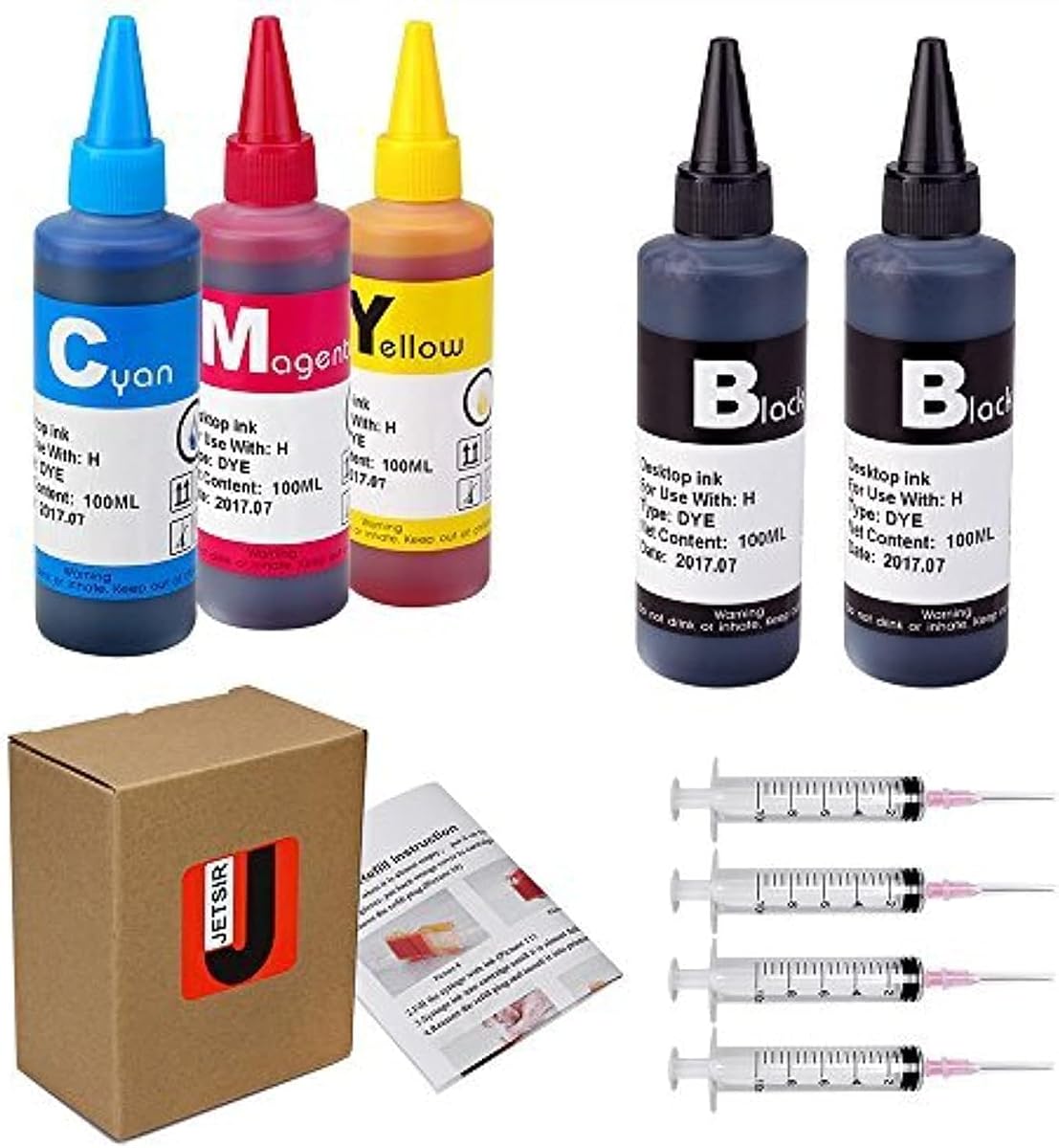
The JETSIR Dye Ink Refill Kit has a 4.1 rating and includes five 100ml dye-ink bottles, four syringes, refill tips, sealing plugs, and step-by-step instructions. Two bottles contain black ink, while cyan, magenta, and yellow each receive one bottle, creating a 500ml supply suited to homes, offices, and small businesses that refill supported cartridges regularly.
We may earn a commission when you buy through this link, at no additional cost to you.
Its stated compatibility is extensive. The product information names cartridges in the 950, 951, 952, 902, 901, 60, 61, 62, 63, 21, 22, 564, 920, 940, 932, 933, 711, 970, and 971 families, along with additional numbers. It is intended for refillable cartridges, remanufactured cartridges, and continuous ink supply systems, so the cartridge itself matters more than the printer exterior.
The instruction sequence is unusually practical: draw ink into a syringe, inject it slowly through the refill hole, and close the hole with a supplied plug. The brand also recommends gradual filling, avoiding overfilling, and allowing the cartridge to rest before printing. Those steps address common leakage and air problems without implying that every cartridge will behave identically.
Choose this kit if you already have compatible refillable cartridges and appreciate having the complete refill hardware in one box. It is less appropriate for a sealed Smart Tank system, and cartridge recognition can remain dependent on the cartridge chip and its remaining service status. Check the cartridge numbers and physical refill opening first.
Syringes, tips, plugs, and instructions are included, so the buyer does not need to assemble a separate tool kit for the basic refill process. The two extra black bottles also support text-heavy printing needs.
The compatibility list spans numerous tri-color and black cartridge families. This makes the kit attractive to offices with varied devices, provided every cartridge is refillable and has an accessible refill hole.
We may earn a commission when you buy through this link, at no additional cost to you.
The JoyPrinting Ink Refill Kit for HP Printer Cartridges has a 4.1 rating and emphasizes both refill accessibility and cartridge preparation. It includes five 100ml bottles, four syringes, a manual, and disposable gloves. The supported list includes HP 67, 67XL, 62, 63, 64, 65, 68, 60, 61, 910, 950, 951, 952, 962, 923, 936, 902, 932, and 933 cartridges.
We may earn a commission when you buy through this link, at no additional cost to you.
The most important buyer warning is about depleted cartridges. The product information says a cartridge chip may lock after its ink is completely exhausted, causing the printer to report the cartridge as empty or undetected. Refilling while some ink remains is therefore presented as the safer approach, and the cartridge should also be in good working condition before opening it.
The ink is described as using ultra-pure water and three to five rounds of high-molecular nanofiltration to remove impurities, salts, and metal ions. The brand states that batches are lab-tested for color stability, smooth flow, and reduced clogging. It also cites up to 7,000 black pages and 6,000 color pages at 5% coverage on Letter or A4 paper, making the kit attractive for high-volume document environments.
This is a strong fit for an experienced user who understands cartridge refilling or a first-time user prepared to follow the manual carefully. It is not a universal recovery solution for a fully depleted or damaged cartridge, and its yield claims depend on coverage levels. Users with Smart Tank printers should distinguish this cartridge kit from a sealed-bottle system.
The cartridge chip warning deserves attention because refilling a completely empty cartridge may not restore printer recognition. Refilling before the ink is exhausted gives the user the best chance of maintaining normal operation.
The stated multi-stage nanofiltration process is intended to improve flow consistency and reduce contaminants. Batch testing and a supplied set of refill tools add confidence for users who follow the process carefully.
We may earn a commission when you buy through this link, at no additional cost to you.
The Inkgens 31 32XL Ink Bottle Set has a 4.5 rating and combines a 165ml 32XL black bottle with 100ml bottles of cyan, magenta, and yellow. It supports named Smart Tank models including 7600, 7602, 7300, 7301, 7001, 5000, 5101, 5102, 6000, 6001, 651, and 551, covering several major refillable-printer families.
We may earn a commission when you buy through this link, at no additional cost to you.
A major benefit is the ink-type match. The product information specifies pigment black and dye color, which aligns with the usual distinction described for HP 31 and 32XL use. That makes this kit appealing to users who want black text and color output without intentionally switching between fundamentally different black formulations, especially when replacing ink of the same type.
The refill system is designed to stop automatically without squeezing, which the brand says helps prevent spills. The set also includes a pair of gloves and a bottle-cap opening gadget. Claimed yields are 19,000 pages for the 32XL black bottle and 10,000 pages for each 31 color bottle, based on 5% coverage of A4 documents.
The key trade-off is that switching from a different ink type requires cleaning the cartridge and nozzle first, or output may be affected. This is an excellent choice for compatible Smart Tank users who understand their current ink formulation, but buyers should check the exact printer list, bottle coding, and whether their tank uses the expected connection method.
Using the corresponding black and color formulations can reduce the adjustments needed when replacing existing ink. The requirement to clean the system before a formulation change remains important.
The auto-stop design allows the bottle to be positioned at the inlet without squeezing. This simplifies the refill process and is designed to reduce the likelihood of leaking.
We may earn a commission when you buy through this link, at no additional cost to you.
The Five-Bottle Smart Tank Set carries a 4.2 rating and is built around one 165ml 32XL black bottle and three 100ml HP 31 color bottles. Its compatibility list spans Smart Tank, Smart Tank Plus, Smart Tank 500, Smart Tank 700, and Ink Tank families, including numerous 5000-, 6000-, 7000-, and 7600-series models.
We may earn a commission when you buy through this link, at no additional cost to you.
Its strongest attribute is the breadth of supported hardware. The product information names Smart Tank 5000, 5100, 5101, 5102, 5103, 6001, 6003, 7001, 7002, 7301, 7302, 7602, and 7603 models, alongside Smart Tank Plus numbers and several older Ink Tank series. This makes it a practical option for households or workplaces maintaining multiple tank printers.
The bottles are designed for direct refilling with minimal effort and no leakage, and the larger containers are intended to reduce how often ink must be replaced. Stated page yields reach 9,500 pages for the black bottle and 9,000 pages for each color bottle at 5% A4 coverage. The listed bottle part numbers are 1VV24AN for black and 1VU26AN, 1VU27AN, and 1VU28AN for the color inks.
The significant caveat is ink formulation. The manufacturer says all bottles in this set are dye inks and differ from OEM black pigment ink, so printheads should be cleaned before refilling and the inks should not be mixed. It is best for compatible users willing to follow that guidance, not for those expecting a drop-in pigment black match.
The unusually long model list can simplify bulk purchasing for offices supporting several Smart Tank and Ink Tank devices. Checking the exact model on the printer remains necessary because similar-looking series can use different bottle systems.
The 165ml black and 100ml color containers are designed to support substantial page volumes. Actual results vary with coverage, color use, settings, and the printing workload.
We may earn a commission when you buy through this link, at no additional cost to you.
The HP 31 Cyan, Magenta, Yellow Ink Bottles 3-Pack has a 4.8 rating, matching the highest rating among the listed products. It supplies the three color inks required for standard tri-color printing and is designed for direct use with HP Smart Tank and Smart Tank Plus systems, including 5000, 5100, 6000, 7000, 7300, and 7600 families.
We may earn a commission when you buy through this link, at no additional cost to you.
The refill process is the clearest attraction. The bottles plug into the tank inlet and drain without squeezing, reducing the need for a separate syringe and avoiding many of the mess and leak risks associated with cartridge refilling. A single purchase can produce an approximate 8,000 color pages under the stated yield conditions.
The listed supported printers include Smart Tank Plus 570, 551, 578, and 651, plus Smart Tank 5103, 5104, 6001, 5102, 5101, 7301, 5000/5100, 7602, 6002, and 7302. This coverage makes the set a straightforward option for users who want a color-only replenishment and already have a compatible printer or want to retain black from another source.
This is the most refined direct-refill choice in the group, but it is not a complete four-color starter set because black ink is absent. It also depends on the sealed-bottle tank design rather than a refillable cartridge with a syringe port. Confirm the HP 31 requirement and your printer model before buying.
The plug-in design is a major convenience over exposed cartridge ports. Users can invert the bottle and let the ink flow, reducing both squeezing-related leakage and the likelihood of stained hands.
This set is ideal for owners who primarily need cyan, magenta, and yellow. Because it contains no black bottle, it works best alongside a separate compatible source of black ink.
We may earn a commission when you buy through this link, at no additional cost to you.
The Topcolor 31 32XL Ink Bottle Set has a 4.4 rating and includes one 165ml 32XL black bottle with 100ml cyan, magenta, and yellow bottles. It supports Smart Tank 5101, 6001, 5000, 7602, 7301, 7001, 5102, 5103, 7603, 5100, 5003, and 6003 models, along with many Smart Tank Plus, Smart Tank 450-series, Ink Tank 300- and 400-series, and DeskJet GT-5810, GT-5820, and GT-5822 printers.
We may earn a commission when you buy through this link, at no additional cost to you.
The sealed bottle design provides a practical benefit before use begins. Aluminum film over the top and transparent upper covers are intended to protect against leakage during transport and let users inspect the remaining ink. The stated page yields are 9,000 pages for the 32XL black bottle and 8,000 pages per 31 color bottle, subject to the usual coverage-dependent conditions.
Topcolor says its formula is tested for smooth, even flow, quick drying, clean text, vivid images, and reduced clogging. The broad compatibility list is the main reason to consider it over a narrower color set, particularly for offices that support several refillable HP models. Support and replacement options are also described through the seller.
The set is best for a user who has verified one of the many listed models and wants a complete four-color package. The sheer size of the compatibility list can be misleading, so buyers should identify the exact printer and tank type rather than rely on a broad series association. It does not replace the need to match ink formulation when switching systems.
Aluminum sealing film helps contain the ink during storage and transport. The transparent top also gives users a way to see the ink level without opening the bottle.
The support for Smart Tank, Smart Tank Plus, Ink Tank, and selected DeskJet GT models is valuable for multi-device households. Exact model verification remains the safest purchasing habit.
We may earn a commission when you buy through this link, at no additional cost to you.
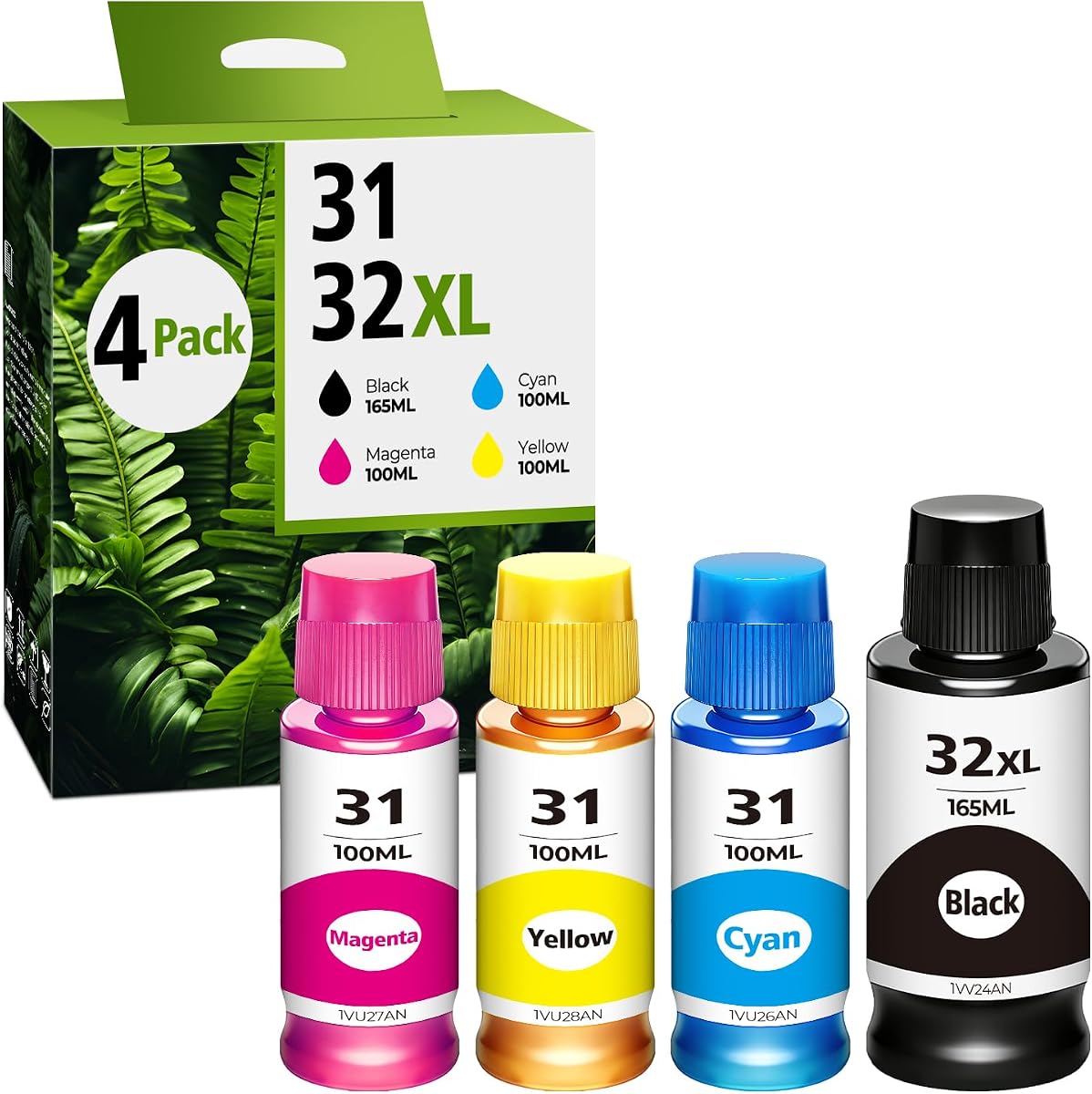
The JetSir 31 32XL 4-Pack has a 4.7 rating and provides a complete refill package for many HP all-in-one tank printers. Its contents are 140ml of 32XL black ink plus 70ml each of cyan, magenta, and yellow, giving users a balanced four-color set for documents, graphics, and photos.
We may earn a commission when you buy through this link, at no additional cost to you.
The supported range includes Smart Tank 7301, 7001, 7602, 6001, 5000, 5101, 450, 455, 457, 517, 532, 502, and 514 models. It also covers Smart Tank Plus 551, 555, 557, 559, 651, 655, 617, 570, and 571 printers, Ink Tank 310, 319, 410, 415, 416, 418, and 419 models, plus the DeskJet GT-5810, GT-5820, and GT-5822.
The bottle sizes distinguish it from larger alternatives. JetSir states up to 6,000 pages from the 140ml black bottle and up to 8,000 pages from each color bottle at 5% coverage on A4 paper. For a user with moderate printing demand, the smaller quantities may be easier to manage while still providing meaningful page capacity between refills.
This is a strong choice for a compatible Smart Tank owner who wants all four colors in one practical package without choosing a larger multi-bottle bundle. It is less suitable for a high-volume print operation that wants to minimize refill frequency. Confirm that your printer is listed, and consider the need to keep a separate black or color bottle available between full sets.
The smaller color bottles may be convenient for users who print color intermittently. They still provide a full four-color kit, so there is no need to source each color separately.
Compatibility extends beyond the newest Smart Tank numbers to older Ink Tank and selected DeskJet GT models. This broadens its usefulness for mixed printer households.
We may earn a commission when you buy through this link, at no additional cost to you.
The Osinkjet 31 Ink Bottle Set and 32XL Black Ink Bottle combination has a 4.7 rating and is aimed at high-volume users. The package contains two 32XL black bottles, three HP 31 ink bottle sets, a pair of gloves, and a bottle-cap opening gadget. That arrangement provides a substantial reserve of both black and color ink.
We may earn a commission when you buy through this link, at no additional cost to you.
Compatibility covers Smart Tank 5000, 6000, and 7000 series, Smart Tank Plus 500 and 600 series, and named models including 7602, 6001, 5101, 5100, 5000, 7300, 7301, 7601, 6002, 757, 760, 651, and 551. The auto-stop bottle design is intended to make refilling cleaner by reducing spills and drips.
The manufacturer states a total yield of up to 43,000 pages: 19,000 from the 32XL black bottle and 8,000 from each of the three color sets, all based on 5% A4 coverage. It also distinguishes the formulations, describing HP 31 color as dye-based and 32XL black as pigment-based, with both tested for color output.
This bundle makes the most sense for offices, classrooms, or prolific home users who want fewer refill sessions and enough inventory to cover several color changes. A light user may end up with more ink than needed. As with any refill ink, exact model confirmation and attention to the color formulation are important before filling a tank.
Two black bottles and three color sets reduce the frequency of replenishment. The trade-off is a larger upfront commitment of ink and storage space than a four-bottle kit.
The stated distinction between dye color ink and pigment black matches common Smart Tank usage patterns. It also means the set should not be treated as a universal formula for every refillable cartridge.
We may earn a commission when you buy through this link, at no additional cost to you.
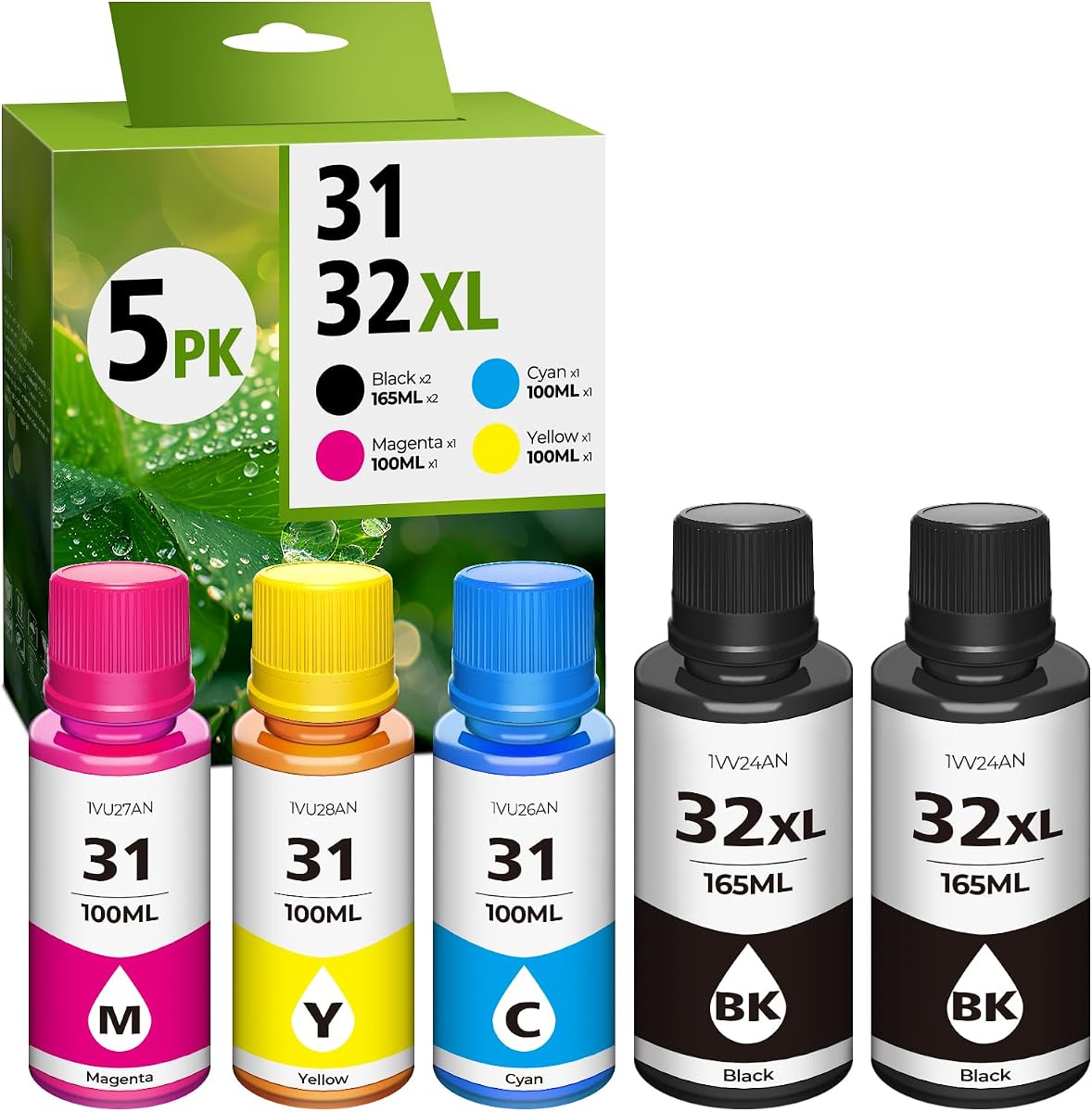
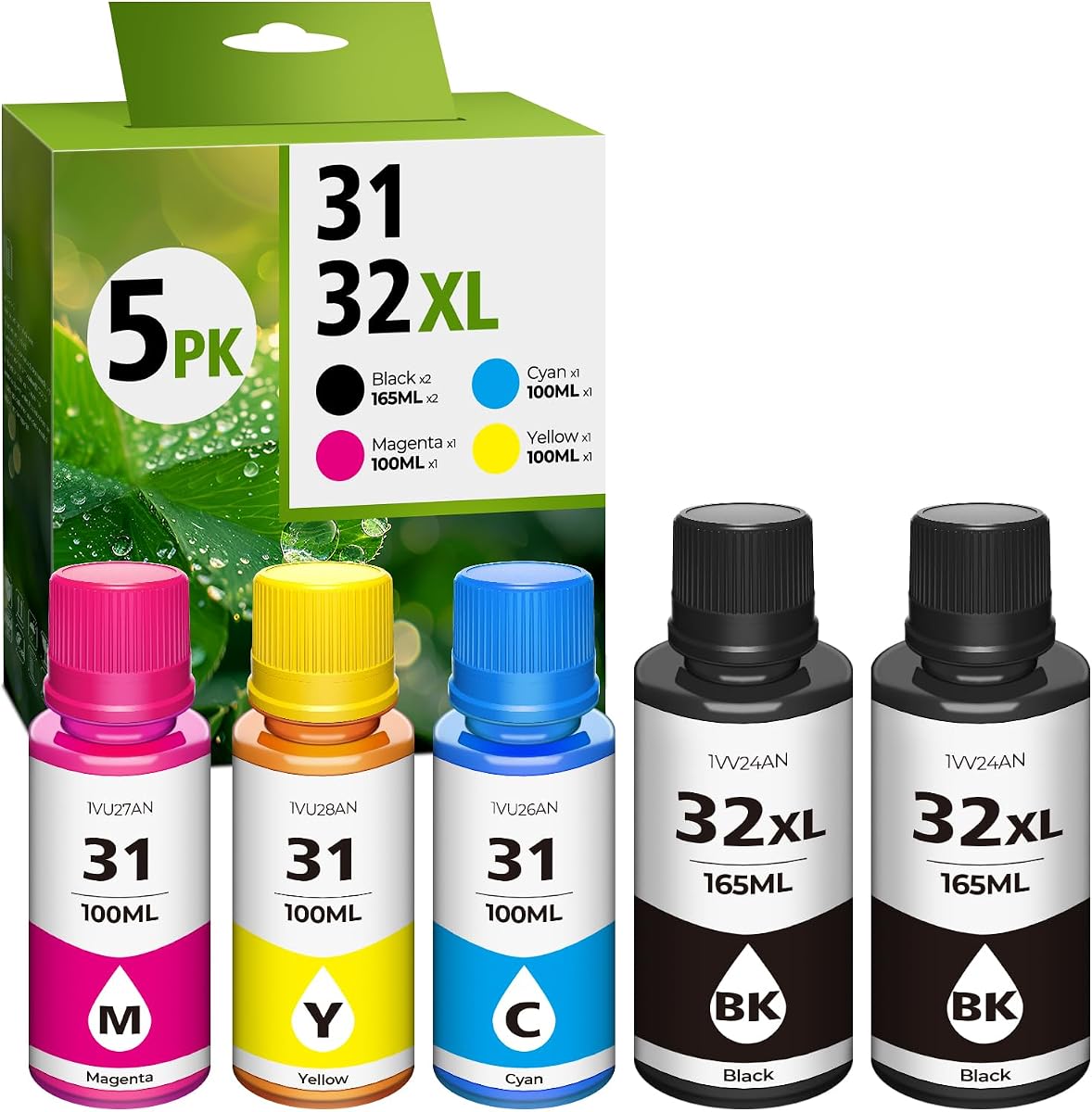
The 31 32XL Ink Refill Bottle Set has a 4.8 rating and is positioned as a high-capacity option for compatible HP Smart Tank printers. It includes two black bottles and three color bottles, uses pigment black and dye color inks, and is described as compatible with HP 31 and 32XL systems across more than 60 models.
We may earn a commission when you buy through this link, at no additional cost to you.
The manufacturer lists Smart Tank 5000, 5101, 6001, 7001, 7301, and 7602 among supported models, along with numerous other Smart Tank, Smart Tank Plus, and Ink Tank systems. The compatibility list should still be checked before ordering, especially when distinguishing the 31 bottle code from the 32XL black bottle code.
Its most prominent claim is total yield of up to 52,000 pages, consisting of 32,000 pages from two black bottles and 11,000 pages per color bottle at 5% coverage. The auto-closing nozzle is designed to stop flow and prevent drips, while the bottle is placed directly on the tank inlet without squeezing. The ink is also described as water-soluble, chemical-free, and clog-resistant.
This set is intended for households, classrooms, and offices that print heavily and want a large reserve of compatible ink. It is less attractive for occasional users who may not consume the volume before storage conditions change. Because every yield claim depends on document coverage, settings, and workload, the stated figure should be treated as a comparative estimate rather than a guaranteed result.
Two black bottles and three color bottles create the largest stated total page capacity in this comparison. The estimate is most relevant to users with steady document or color printing workloads.
The auto-closing nozzle is designed to stop ink flow without squeezing. This helps reduce drips and makes the direct-to-tank method convenient for routine maintenance.
We may earn a commission when you buy through this link, at no additional cost to you.
The right refill bottle kit depends first on whether your printer uses sealed Smart Tank containers, refillable cartridges, or a continuous ink system. After that, compare bottle codes, ink formulation, capacity, accessories, and the manufacturer's refill instructions.
HP refillable printers do not all use the same ink-delivery method. Smart Tank models generally use sealed 31 or 32XL-style bottles, while some cartridge-based systems use a syringe and a port in a refillable or remanufactured cartridge. A cartridge refill bottle cannot generally be poured into a sealed tank, and a Smart Tank bottle may not connect to a cartridge refill hole. Check the printer manual, look for the tank shape or cartridge refill opening, and match the method before comparing bottle sizes.
Compatibility lists often include entire families, but a shared appearance does not guarantee identical tank connections. Look for the exact printer number on the device and compare it with the product's named models. Also verify the bottle part or color codes, especially when a set includes both 31 color bottles and a 32XL black bottle. A compatible model list is useful, but the final decision should rely on the exact printer and tank specification.
Pigment black and dye color are common distinctions in HP 31 and 32XL refill systems. Several products in this guide make that distinction, while others state that their black formula is dye-based. Matching the existing formulation is generally the least disruptive approach. If the printer has recently used a different type, the supplied guidance recommends cleaning the cartridge and printhead before changing inks, because mixing formulations may affect flow and print appearance.
Bottle capacity should reflect both print volume and storage needs. Standard four-color sets commonly include one larger black bottle and three smaller color bottles, while high-volume bundles add extra black or complete color sets. Capacity labels alone do not reveal how quickly a bottle will be used; color-heavy photo printing, high coverage, and draft settings can consume ink much faster than ordinary text documents. For moderate use, a four-bottle set may be more manageable than a large inventory.
Sealed Smart Tank bottles generally offer the simplest process: align the bottle with the tank inlet and let it drain. Cartridge kits may include syringes, refill tips, and sealing plugs, requiring the user to transfer ink slowly and close the port afterward. Compare the number of included accessories, the clarity of the instructions, and the bottle's anti-stop or auto-stop features. These details influence both convenience and the likelihood of leakage.
Refilling a cartridge does not guarantee that its electronic chip will report full ink or continue communicating correctly. One product specifically warns that a fully depleted cartridge may lock permanently, while others emphasize that printer recognition also depends on cartridge condition and remaining chip lifespan. Refill before the cartridge is completely empty, use a cartridge that still functions, and keep the original chip in place. This guidance is especially important for cartridge-based kits.
Page-yield claims across these products range from several thousand pages per bottle to more than 50,000 pages for a complete bundle. Most use a 5% coverage assumption on A4 paper, which is a controlled estimate rather than a promise of identical results in every home or office. Coverage settings, color use, image quality, line thickness, page size, and printer maintenance all influence actual output. Treat yield as a comparative guide and focus on the bottle count that matches your workload.
Useful extras can make a refill kit safer and less frustrating. Cartridge kits benefit from syringes, tips, sealing plugs, instructions, and disposable gloves. Direct bottle sets may include gloves and tools for opening sealed caps. The presence of accessories does not guarantee a better ink formula, but it can make the process more organized. Compare the package against the actual refill method and avoid paying attention to accessories that are irrelevant to your printer.
Begin by confirming the printer model, tank or cartridge type, and required bottle codes. Read the complete included instructions, inspect every bottle and connector, and work on a level surface with a wipe or paper towel nearby. For cartridge refills, use the provided syringe, draw ink slowly, and insert only the amount the cartridge can hold. For Smart Tank bottles, open the tank as instructed, align the refill key and nozzle, and let the bottle drain without forcing it.
Do not mix pigment and dye inks without first following the manufacturer’s cleaning guidance. Refill a cartridge before it is completely empty because a depleted chip may no longer be recognized by the printer. After adding ink, seal a cartridge with its plug and allow it to rest for a few minutes. For tank systems, close the tank cap after the bottle has stopped draining and remove the bottle promptly to reduce drips.
Run the printer’s cleaning or alignment cycle as directed, especially when changing ink types, installing a new cartridge, or correcting inconsistent flow. Store bottles upright with their seals intact, avoid extreme heat and direct sunlight, and keep them away from children and pets. Periodically inspect the tank, cartridges, tubing, and connections for leaks, and use the printer’s maintenance tools if streaking, poor color, or flow problems continue.
No. HP inkjet printers use several ink-delivery systems, and refill bottles are not universal. Smart Tank models generally require compatible sealed 31 or 32XL-style bottles, while cartridge-based printers may require a syringe kit and a refillable or remanufactured cartridge. Always check the exact printer model and the refill method described in its documentation.
The 31 bottle is generally associated with cyan, magenta, or yellow color ink, while 32XL is associated with black in the products reviewed here. Their bottle sizes and coded connectors can differ, and the black formulation may be pigment or dye depending on the specific product. Check both the color designation and the ink type before mixing products or filling a tank.
The cartridge’s electronic chip controls printer recognition, and the chip may lock after the cartridge is completely depleted. Refilling before it runs dry reduces that risk, but recognition can still depend on the cartridge’s condition and remaining chip lifespan. The cartridge must also be installed and working correctly; a refill does not automatically reset every cartridge warning.
It is best not to change formulations casually because the products in this guide specifically warn that mixing different ink types can affect output and printer performance. If a change is necessary, follow the ink manufacturer's cleaning instructions, clean the cartridge and nozzle, and refill consistently with the intended formulation afterward.
Use the bottle intended for your tank, wipe the nozzle and inlet before connecting, and keep the bottle upright until it is securely aligned. Let the ink drain by gravity rather than squeezing, and remove the bottle once the flow stops. For cartridge refills, inject ink gradually and use the supplied sealing plug to reduce leakage.
No. The largest claims in this guide are based on 5% page coverage, usually on A4 paper. Actual output changes with text density, color use, image printing, quality settings, and page size. Use the stated yield to compare similar products under the same coverage assumption, not as a guaranteed result for every printing workload.
A cleaning cycle is especially useful when changing ink formulation, installing a new cartridge, or encountering streaking, uneven color, or flow problems. It may not be necessary after every ordinary refill, but following the ink and printer manufacturers’ instructions can help keep nozzles and cartridges operating consistently.
The guide includes refill products described as compatible with HP cartridge numbers or HP 31 and 32XL systems, as well as one product presented as HP 31 ink. Compatibility does not mean every product is an original manufacturer-branded supply. Check the package, part codes, warranty terms, and printer requirements to confirm what you are purchasing.
The top recommendation for a balanced Smart Tank refill is the Inkgens 31 32XL four-bottle set, particularly when its pigment black and dye color formulas match the printer. The JetSir four-pack offers a practical complete-color option with a 4.7 rating and broad model coverage, while the HP 31 color 3-pack stands out for its especially simple direct-refill design and 4.8 rating.
Prioritize the refill system before comparing capacity. Cartridge users need a syringe kit and a compatible cartridge port; Smart Tank owners need the correct sealed bottle code and tank connection. Then consider ink formulation, bottle size, accessories, and stated page yield. The largest bundles suit heavy printing, while a standard four-color set may be more appropriate for occasional use.
Printer compatibility and product details can change, and current retailer availability may also vary. Check the exact model, inspect the current compatibility list, read the included instructions, and confirm the bottle codes before purchasing. These checks are especially important when changing ink types or using refill bottles with a cartridge whose chip may already be near the end of its recognized service life.